What callers should hear when an after-hours transfer goes unanswered
An unanswered call transfer fallback should tell the caller what happened, confirm the details needed for follow-up and explain the approved next step. A transfer attempt does not show that someone heard the request or accepted responsibility. Use a message or backup path your business has reviewed, with a named person responsible for checking the resulting request.
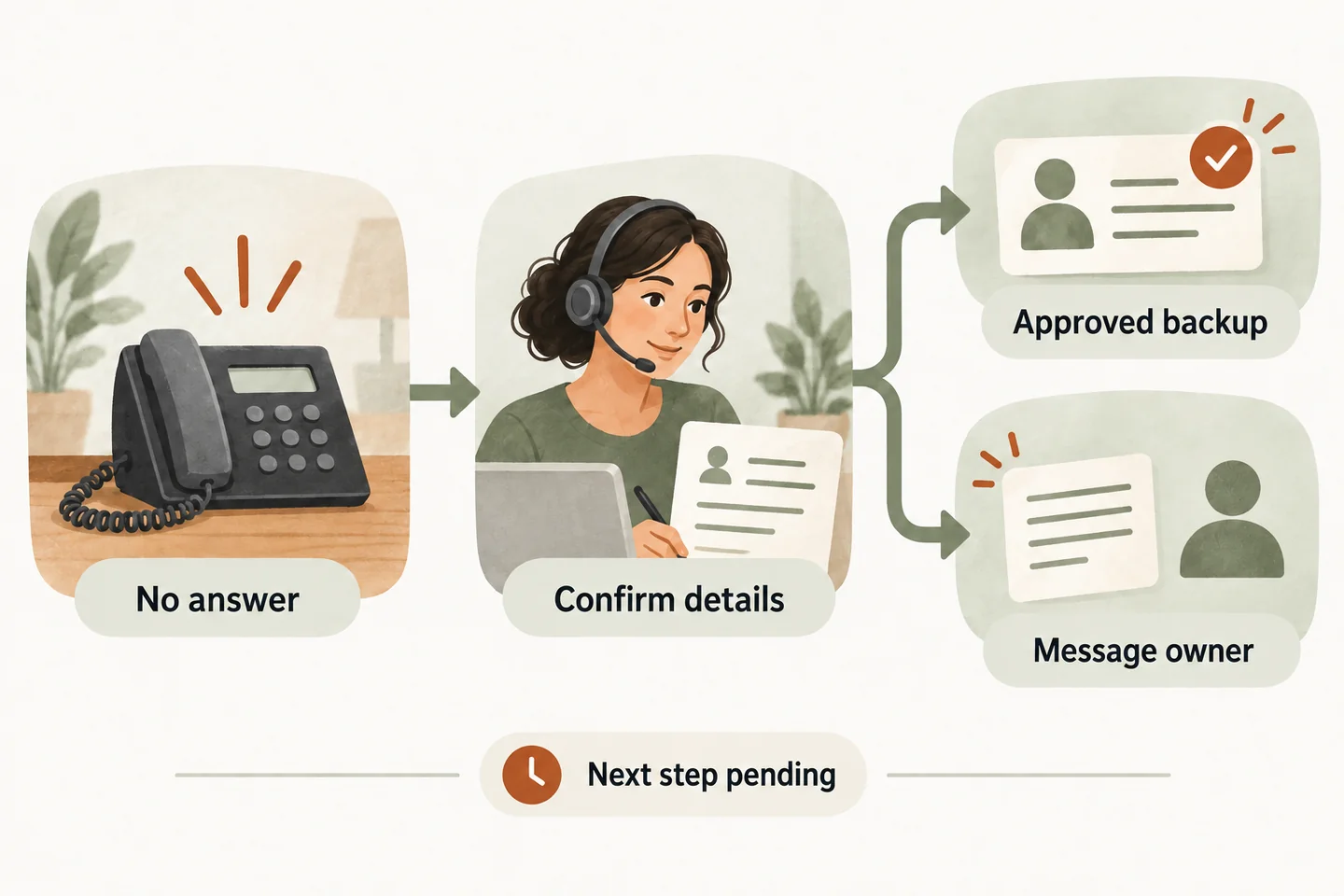
State the outcome without guessing why nobody answered
Once the configured workflow establishes that the transfer did not connect, use plain wording: “I couldn’t connect you to the team member.” Do not guess that they are driving, with another customer or about to call back. If the outcome is uncertain, say you cannot confirm the connection instead of inventing a reason.
The current AI receptionist for small business offer includes transfers to an approved owner or on-call number and an agreed fallback. That does not verify every possible failure signal, voicemail detection method or return-to-receptionist behavior. Confirm those details during setup and test the wording against the actual supported path.
Keep the broader coverage windows in your after hours answering service plan. This fallback handles the narrower moment when an attempted handoff has not produced a conversation with the intended person.
Use a dialogue that separates an attempt from a message
This fictional example concerns a routine estimate enquiry. It assumes the reviewed setup can return the caller to a message-taking conversation and save a request. Replace the example business details and review arrangements with your approved instructions; the script does not configure these capabilities.
| Moment | Caller-facing wording |
|---|---|
| Explain the attempt | “I couldn’t connect you to the team member. I can take a request for the office to review.” |
| Capture the purpose | “What name should I put on the request, and what would you like the office to help with?” |
| Check the number | “What is the best callback number? I’ll read it back so you can check it.” |
| Read back the concern | “You would like an estimate for [service] at [service area]. You prefer a callback [preferred window]. Is that accurate?” |
| Close after a confirmed save | “Your callback request is recorded. The office reviews requests [approved review window]. A callback time has not been confirmed.” |
If saving fails or cannot be confirmed, replace the final line: “I can’t confirm that your request was saved.” Give only the approved alternative contact instruction. Never claim a message was delivered, read or assigned merely because a transfer was attempted.
Give the resulting request a review owner
A polished closing sentence cannot replace a staff responsibility. Complete this checklist with the person who runs your after-hours coverage. These are operating decisions for your team, not claims that the receptionist automatically assigns tasks or sends notifications.
- Confirm the transfer destination and its real coverage window. Identify who approves that number and who removes it when availability changes.
- Name the fallback review owner by role, plus the person covering absences. Make sure both know where the supported request record appears.
- Agree when that owner checks new requests. Record the business timezone and holiday exceptions; an internal review target is not a guaranteed callback.
- Preserve the caller’s name, read-back number, reason for calling and preferred callback window. Label preferences as preferences, not accepted appointments.
- Keep the transfer outcome separate from the message outcome. Staff should distinguish an attempted connection, a confirmed saved request and a completed human follow-up.
- Define how the owner marks the request reviewed and hands it to another person. Verify the process in the actual workspace rather than assuming an alert will arrive.
Use an on call phone routing schedule to maintain the approved people and dates behind this checklist. A backup listed on paper still needs confirmed availability and a supported routing path.
Apply one approved backup or message path
Choose the next step before the first real call. Your approved plan might allow a backup contact during a defined window, or require a message for the office. Confirm that the configured service supports the chosen sequence. Do not keep trying numbers indefinitely while the caller waits.
Tell the caller what you can offer before another attempt: “Our approved backup contact is available during this window. Would you like me to try that number?” Use this only when the availability and action are verified. If no backup is approved, explain the message option. Do not invent a substitute employee or promise that someone has been alerted.
Close with the facts and the remaining step
A useful close answers three questions: what was recorded, who is expected to review it and what remains unconfirmed. “The office reviews requests when it opens” describes a review process. “Someone will call you at nine” makes a different promise and requires explicit business approval.
If the caller declines to leave details, acknowledge that choice without suggesting a callback is arranged. If they correct a number or change the request, read back the correction and confirm the supported save outcome. Keep the closing statement consistent with the information actually retained.
A message is not emergency assistance. The receptionist must not diagnose a problem, promise dispatch or invent an arrival time. Concerns outside the approved routine workflow need the business’s reviewed handling instructions.
Test the whole handoff before relying on the script
During your business preview, deliberately leave the approved destination unanswered. Check whether the caller returns to the expected fallback, which outcome is observable and whether the request can be found by the named reviewer. Also test a failed save, an unavailable backup and a corrected callback number. Agree a safe alternative for any unsupported path before activation.
You can try the live AI receptionist demo using fictional, nonsensitive details. The link opens the homepage configuration; press Start when ready. The website demo uses sample actions and does not create real customer appointments. Request a personal demo to verify your transfer behavior, message storage and staff review process.
Sources and further reading
YOUR CALLS, YOUR NEXT STEP
Try a fictional after-hours enquiry.

Use nonsensitive example details in the live sample demo. Request a personal demo to check your approved transfer destination, fallback wording and responsibility for reviewing callback requests.