AI receptionist for auto repair: capture service requests without overpromising
An AI receptionist for auto repair can be useful for collecting service requests and answering approved shop questions, provided staff retain responsibility for diagnosis, repair estimates and completion updates. Start with a narrow intake checklist: who called, which vehicle, what they need and who will respond. A requested drop-off time must stay a request until the shop's actual booking process confirms it; it is never a promise that repairs will finish that day.
Updated
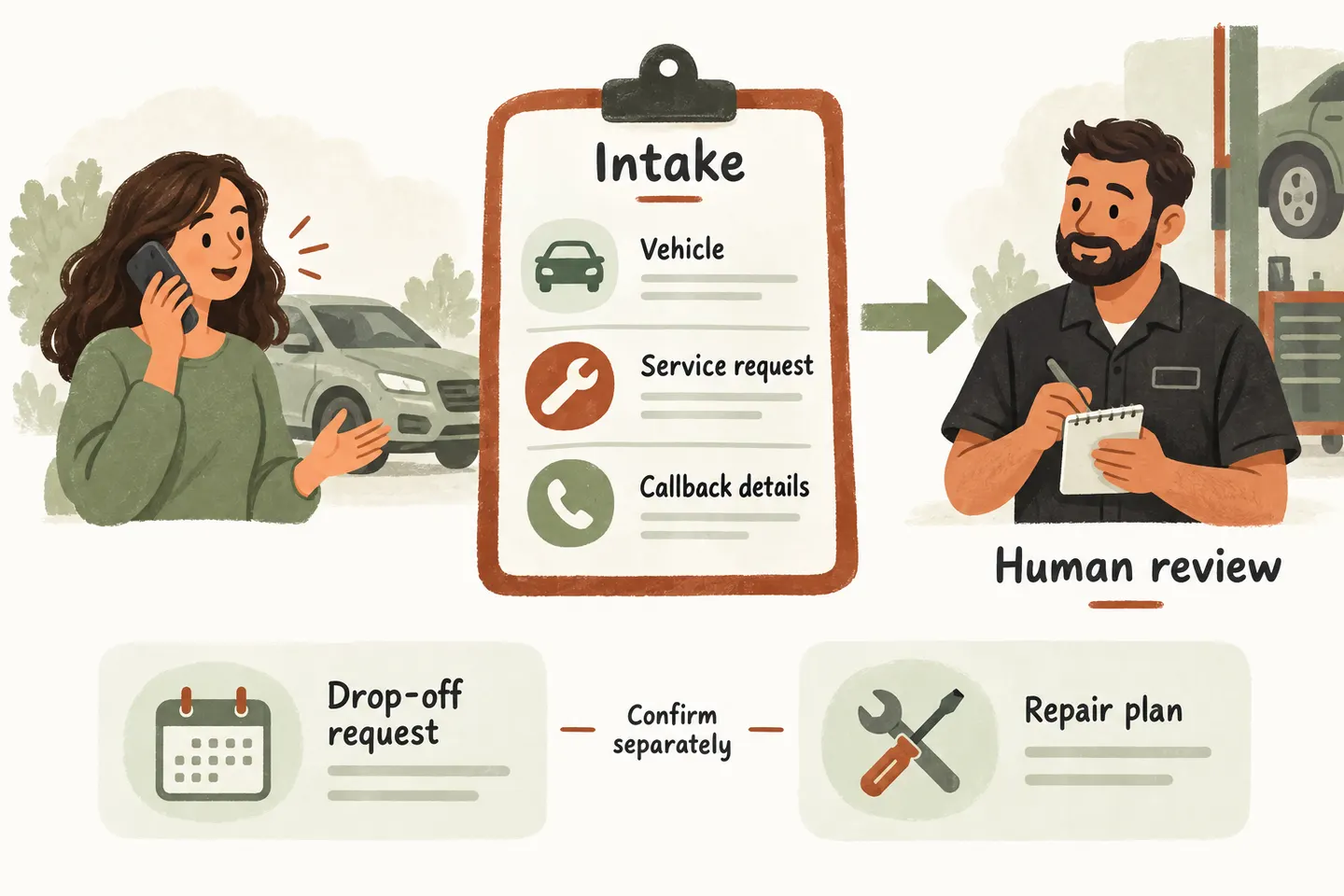
Collect necessary vehicle details
Choose the smallest set of details that lets a service adviser return the call usefully. Ask whether this is a new enquiry or a vehicle already at the shop before collecting a long description. Repeat the callback number and vehicle details to catch corrections. Leave unknown details marked unknown.
| Capture | Suggested question | Staff responsibility |
|---|---|---|
| Caller and contact | What name and callback number should the adviser use? | Confirm the contact before discussing an existing job. |
| Vehicle identity | What are the year, make and model? | Resolve missing details; request further identifiers only when needed. |
| Requested service | What would you like the shop to look at or arrange? | Review the caller's description without treating it as a diagnosis. |
| Current job or new request | Is the vehicle already with our shop? | Route existing-job questions to the responsible adviser. |
| Preferred timing | When would you prefer to drop it off or receive a callback? | Confirm availability and explain what any agreed time covers. |
| Callback ownership | Which adviser or agreed queue receives this request? | Assign a named owner, backup and approved response expectation. |
The ownership row is an internal setup decision, not a question for the caller. Keep payment-card details and unrelated personal information out of this intake. A vehicle identifier may be necessary later; do not collect everything simply because a form has space.
Separate approved shop information from diagnosis
Opening hours, accepted enquiry types and an approved drop-off procedure belong in the answer set. A noise, warning light or caller's proposed replacement part belongs in the request for staff review. Record what the caller reported without turning it into a mechanical conclusion or advising whether the vehicle is safe to drive.
Our AI receptionist service uses approved business information and can collect requests. That does not establish access to repair orders, parts stock or workshop software. Review how the AI voice agent handles calls to separate configured actions from information the shop must supply.
For example, Ontario's official guide for auto repair businesses treats estimates, customer authorization and invoices as distinct records. This intake worksheet is not a substitute for those processes. Have the shop owner review the requirements that apply in the business's own jurisdiction before approving wording about charges or authorization.
Distinguish drop-off requests and completion promises
A drop-off appointment tells the customer when the shop expects the vehicle. It does not, by itself, establish technician availability, diagnostic duration, parts availability or a collection time. Define those boundaries even for familiar services: the caller's shorthand may leave out work that changes the plan.
If booking is supported and a drop-off slot is successfully saved, confirm that specific appointment instead of calling it a repair deadline. When you design an AI receptionist call flow, make “request received,” “appointment saved” and “staff confirmation needed” separate outcomes.
Use the auto repair appointment request vs booking status matrix to approve different wording for a requested visit, an accepted drop-off and a completion question. Check that the final sentence matches the record the shop actually has.
Verify the actual shop calendar connection
The current offer supports Google Calendar booking when enabled and connected, with confirmation after a successful save. One supported calendar is included in the standard scope. Neither statement proves compatibility with your shop-management system or that calendar availability represents available service bays.
Ask which appointment types the proposed setup may save, where staff will see them and how the shop prevents conflicting commitments. Use the Google Calendar booking readiness checklist to review the actual connection. If the relevant workflow cannot be verified, keep intake in request mode and let staff schedule it.
Test a suitable request, an unavailable time and a failed booking action using authorized test details. Inspect the resulting record and spoken outcome. A demonstration conversation does not prove that a real appointment was saved, and a saved appointment does not prove workshop capacity.
Test quote and existing-job status enquiries
Include enquiries that cannot be answered from a static shop description. “How much will this repair cost?” should collect the relevant request and reach an adviser, not produce an improvised estimate. “Is my car ready?” needs an authorized, current staff answer; yesterday's message is not reliable collection confirmation.
For each test, record the expected handoff, actual wording and who received the follow-up. Try an unavailable adviser as well as an answered transfer. Confirm that the fallback retains the callback number and question without claiming that staff have already reviewed it. Transfers require an approved destination and someone available to answer.
Agree how staff will review unresolved requests after each coverage period. Look for missing contact details, questions repeatedly handed off and promises callers misunderstood. Revise the approved wording when these patterns appear; adding more intake questions is useful only if someone will use the answers.
Then try the live AI receptionist demo with a fictional, nonsensitive shop enquiry. The setup opens first; press Start when ready. Request a personal demo as the next step to review your checklist, calendar fit and unresolved handoffs before production activation.
Sources and further reading
YOUR CALLS, YOUR NEXT STEP
Review your shop intake in a personal demo

Try a fictional enquiry in the live demo, then request a personal demonstration to check vehicle intake, callback ownership and the actual calendar fit for your shop.