Google Calendar readiness checks for an AI receptionist
Google Calendar AI receptionist setup is ready only when the right account authorizes the connection, the intended writable calendar is selected, availability behaves as expected and a real approved test saves correctly. Signing in alone is not enough. Use this checklist before activation to separate access, calendar selection and booking evidence, with a human-review path whenever the result is uncertain.
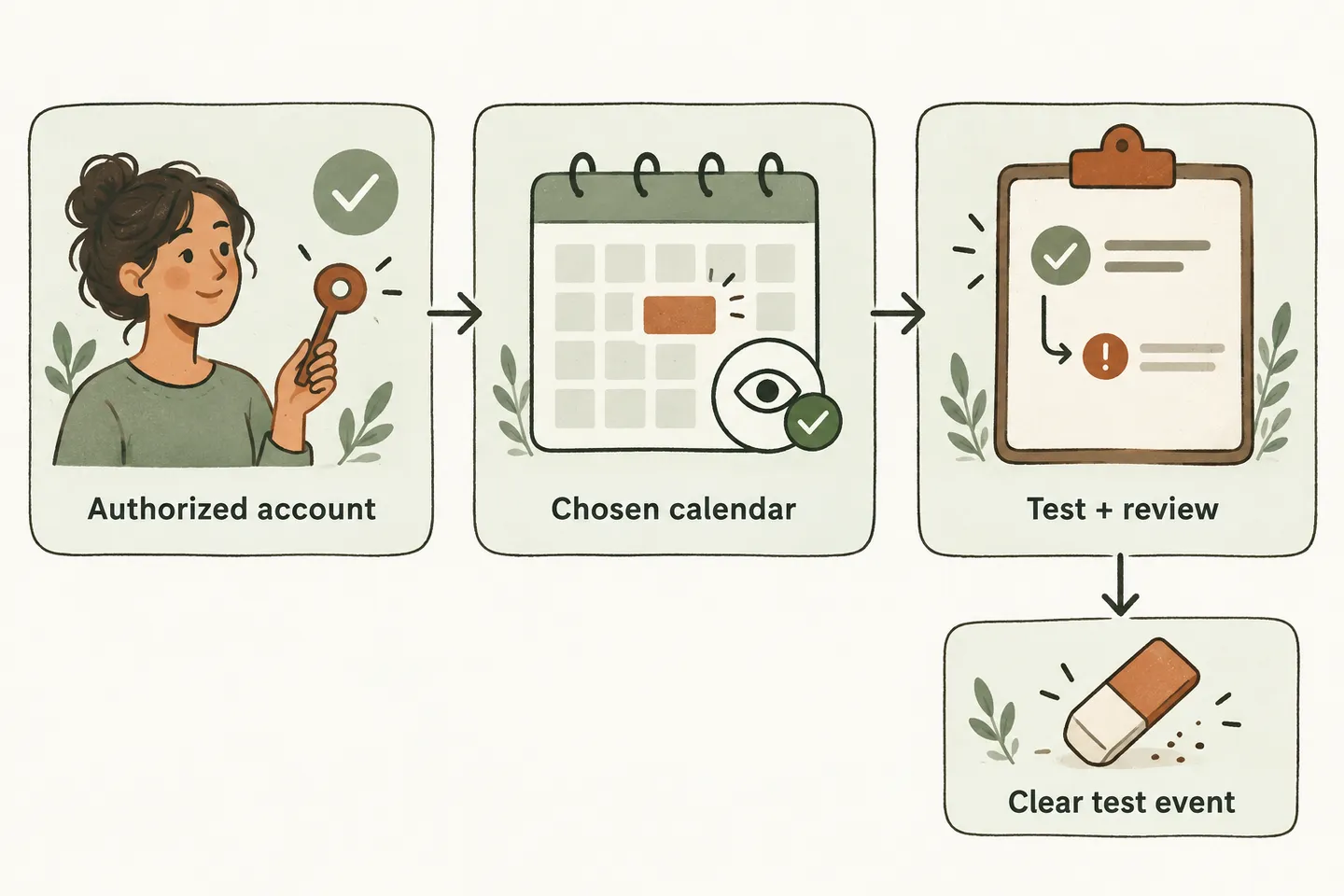
Confirm the authorized account and exact calendar
For an AI receptionist for small business, start with the account the business has approved for scheduling. Have its authorized owner complete the connection. Check the account identity before accepting consent; a browser signed into several Google accounts can make the wrong destination easy to choose.
In our current connection workflow, Google authorization and selection of a writable booking calendar are separate steps. Loading the calendar list does not select a destination. Choose the intended calendar and verify the saved connection afterward. Record its name and timezone, plus an identifier that distinguishes it from similarly named calendars.
Calendar access deserves a separate review. Google distinguishes viewing availability from editing events, and Workspace administrators may restrict sharing. Its calendar-sharing guidance explains these differences. If the approved calendar is unavailable, involve its owner or administrator; do not make it public or grant unrelated sharing powers just to get through setup.
Review what the app requests on the consent screen. Selecting one booking calendar does not mean its OAuth permissions are technically limited to that calendar. Google recommends narrowly focused authorization scopes. Ask support to explain any unclear access before approval; never send passwords or access tokens in a setup message.
Check what counts as busy before offering times
Use the selected calendar as the source being tested. Seeing several calendars overlaid in your own Google Calendar view does not prove that the receptionist checks all of them. Our current Google availability workflow queries the selected booking calendar. An appointment kept only on another calendar should not be assumed to block an offer.
Google event settings distinguish time that blocks availability from time that remains free. Its event reference describes this distinction. Ask an authorized reviewer to inspect a known busy period and an agreed test opening. Do not expose private event descriptions to callers or copy them into testing notes.
Check the business timezone and the actual start and end of each test. Use the separate appointment duration and buffer worksheet for spacing requirements. Calendar access alone does not settle service eligibility, staff availability or travel time.
Complete a pre-activation checklist with evidence
Use this original checklist for one approved appointment type. Write the reviewer and date beside every result. A connected label is useful, but the test evidence determines whether the workflow is ready.
| Check | Evidence to retain | If it fails |
|---|---|---|
| Account authority | Approved account and responsible owner; consent reviewed. | Stop connection changes and resolve authority. |
| Selected calendar | Saved calendar identity and timezone match the intended destination. | Correct selection before testing bookings. |
| Availability | Known busy time is unavailable; approved opening is considered correctly. | Keep requests unconfirmed for staff. |
| Booking action | One identified test event matches the agreed details in the selected calendar. | Review the exact outcome before another attempt. |
| Failure and review | No confirmation after a failed save; a named person owns unresolved requests. | Repair the handoff before activation. |
| Cleanup and approval | Identified test event removed through the approved process; schedule rechecked. | Complete review before enabling customer booking. |
Keep evidence limited to the test identifier, expected outcome and observed result. Use fictional caller details and a contact address you control if one is required. Screenshots should exclude unrelated customer appointments.
Test a save, a failure and a human-review request
For a hypothetical business, arrange one authorized test consultation at an owner-approved time. Label it clearly, such as TEST-CALENDAR-01, and record its exact calendar and event identifier once saved. Read back the date, time, timezone and service; then compare the saved record with that readback. A confident spoken answer is not proof of a booking.
Next, ask the setup team to demonstrate a controlled failure in an approved test arrangement. Do not disconnect a working customer calendar to manufacture one. The expected response is an unconfirmed request with callback details and an assigned reviewer, without claiming that an appointment exists.
Finally, request a service that needs staff assessment. Even when a time is free, the receptionist should preserve the request for review. If a save times out or its outcome is unclear, have staff inspect the exact event before retrying. An uncertain response must not produce a duplicate appointment.
Remove only the identified test and review the real schedule
After the authorized reviewer verifies the result, remove the specifically identified test event through the supported process. Match its calendar, identifier and test details first. Do not delete a real appointment, a recurring series or an entire calendar. If the identity is uncertain, leave it for review.
Recheck the intended calendar and the affected availability afterward. Record the cleanup result separately from the booking result. A successful test creation followed by unconfirmed cleanup leaves an unresolved item; it is not permission to repeat deletion or enable customer booking.
As checked October 22, 2026, our public offer requires an enabled workflow and connected Google Calendar, with confirmation only after a successful save. Use the broader AI appointment scheduling guide for service readiness, then approve this specific connection and its tested limits.
You can try the live AI receptionist demo with a fictional enquiry. It uses sample actions and creates no real customer appointments. Request a personal demo to review your actual calendar and plan the authorized checks before production activation.
Sources and further reading
YOUR CALLS, YOUR NEXT STEP
Check your calendar before enabling bookings

Try a fictional sample enquiry, then request a personal demo to review the authorized account, selected calendar, test evidence and human-review fallback.