Set appointment durations and buffers before enabling phone booking
An appointment can fit on a calendar and still leave too little time to prepare, travel or finish. Before enabling phone booking, define the customer-facing service time and the full period your business needs to protect. Use owner-approved durations, verify that the actual workflow enforces the required spacing, and collect a request whenever timing needs human judgement.
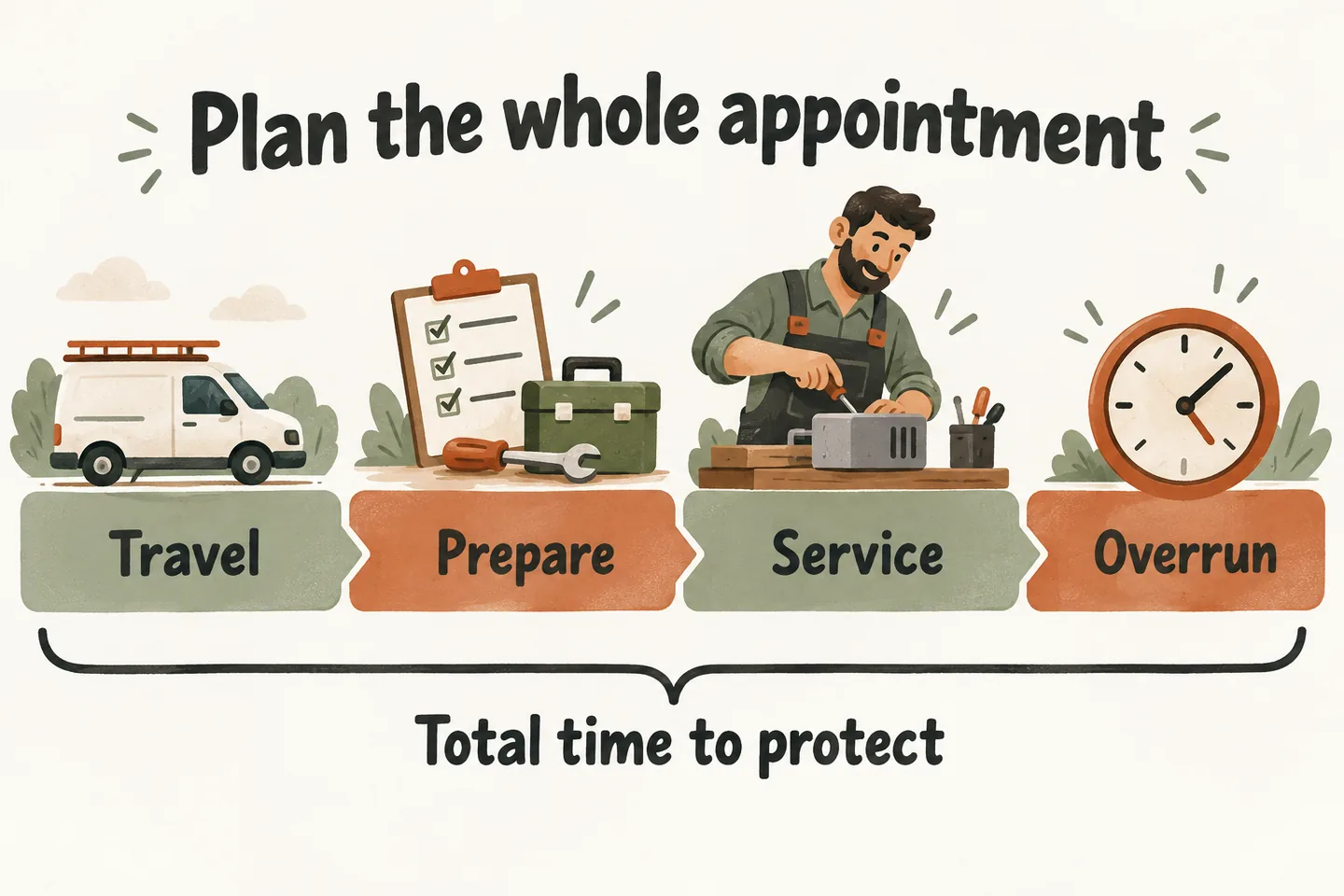
Separate the visit from the time it occupies
Start with the AI appointment scheduling readiness guide, then define timing for one eligible service. Service duration is the time spent with the customer. The protected period may also include preparation, a necessary journey and an allowance after the visit. These are business requirements, not interchangeable labels.
Ask the service owner to supply the numbers and explain their limits. A standard estimate visit might have a known length; an undefined repair may not. Do not use an average from unrelated jobs to approve every enquiry. Record what changes the timing, who can approve exceptions and when the assumptions should be reviewed.
Build a service-duration worksheet
The following numbers are hypothetical requirements for Example Service Company and one worker. They are not recommended industry timings, measured customer results or settings included with the product. Minutes are shown separately so the owner can challenge each allowance.
| Eligible visit | Service | Travel before | Preparation before | Overrun after |
|---|---|---|---|---|
| Remote scope call | 20 | 0 | 5 | 5 |
| Workshop drop-off review | 30 | 0 | 10 | 10 |
| On-site estimate | 45 | 20 | 10 | 15 |
| [Your service] | [Minutes] | [Minutes] | [Minutes] | [Minutes] |
For these examples, the protected period equals travel plus preparation plus service plus overrun: 30, 50 and 90 minutes respectively. The caller’s appointment time is the service start, not the beginning of preparation. A 10:00 remote call therefore needs protection from 09:55 through 10:25.
The travel column represents the incoming journey only. A journey to the following visit belongs to that visit’s incoming allowance; do not count it twice. A required return journey after the final visit still needs separate planning. If location or route changes the allowance, keep that enquiry for manual review.
An overrun allowance protects time; it does not extend what the customer purchased or guarantee that work will finish. If actual visits repeatedly exceed the assumption, the owner should reassess the service definition and duration before accepting more direct bookings.
Verify what the supported workflow actually protects
As checked October 18, 2026, the published AI receptionist for small business offer describes one connected calendar. Booking requires an enabled workflow and connected Google Calendar; Calendly is described as forthcoming. This does not establish automatic service-specific buffers, route planning or coordination across multiple staff calendars.
Google’s own appointment-scheduling documentation describes duration settings and gaps between appointments on its booking pages. Those provider features do not prove that this receptionist uses the same settings. Ask the setup team to demonstrate your required timing through the actual phone-booking workflow.
For every allowance, identify what keeps that period unavailable to another booking. Check the saved event and subsequent availability, not just a spoken confirmation. If preparation or travel time remains offerable, the requirement has not passed. Until a supported arrangement is verified, collect requests for staff confirmation.
Make the service start clear in both the confirmation and the staff record. The caller should not be told to arrive at the beginning of an internal preparation period. Verify that the displayed appointment time, the saved record and the protected period remain consistent; do not assume they are identical fields.
Test opening, closing and an existing appointment
Suppose the fictional worker is available from 09:00 to 17:00 in the business timezone, with no work permitted outside those hours. Use the remote-call row: five minutes before, twenty minutes of service and five minutes after. These are expected planning outcomes to test, not observed software behavior.
| Requested service start | Protected period | Expected decision |
|---|---|---|
| 09:00 | 08:55–09:25 | Reject: preparation begins before availability. |
| 09:05 | 09:00–09:30 | Timing fits, subject to verified availability and eligibility. |
| 16:35 | 16:30–17:00 | Timing fits exactly; verify the closing boundary. |
| 16:40 | 16:35–17:05 | Reject: allowance extends beyond closing. |
Also place an approved test appointment at 10:00, protecting 09:55–10:25. A second remote call at 10:25 would require preparation from 10:20 and should fail this example. A 10:30 start would begin preparation at 10:25; check that exact boundary too. An empty service-start time alone is insufficient.
Keep uncertain combinations with a person
- Combined services: do not add two short durations unless the owner has approved the combination and the supported workflow handles it.
- Variable scope or travel: capture the request when the job description, location or route prevents a reliable duration.
- Multiple people, rooms or equipment: one free calendar does not establish that every required resource is available.
Read the caller’s requested time back as a preference while review is pending. Confirm an appointment only after a successful save. If the action fails, preserve the request for a human instead of saying the time is booked. A saved appointment does not guarantee completion of the work or a technician’s arrival.
Approve one service, then review the evidence
Keep a short record of each test: service, proposed start, expected protected period, observed result, reviewer and date. Include a blocked period and a save failure alongside the boundary checks. Use fictional details, and remove approved test events through the supported process after verification.
You can try the live AI receptionist demo to hear the conversation, then request a personal demo for your timing requirements. The website sample does not establish production buffer behavior. Expand direct booking only after the owner approves the tested service and its limits.
Sources and further reading
YOUR CALLS, YOUR NEXT STEP
Check your booking rules before going live

Try a fictional sample conversation, then request a personal demo to verify one service, its timing requirements and the request fallback.