AI receptionist knowledge base template: turn business policies into approved answers
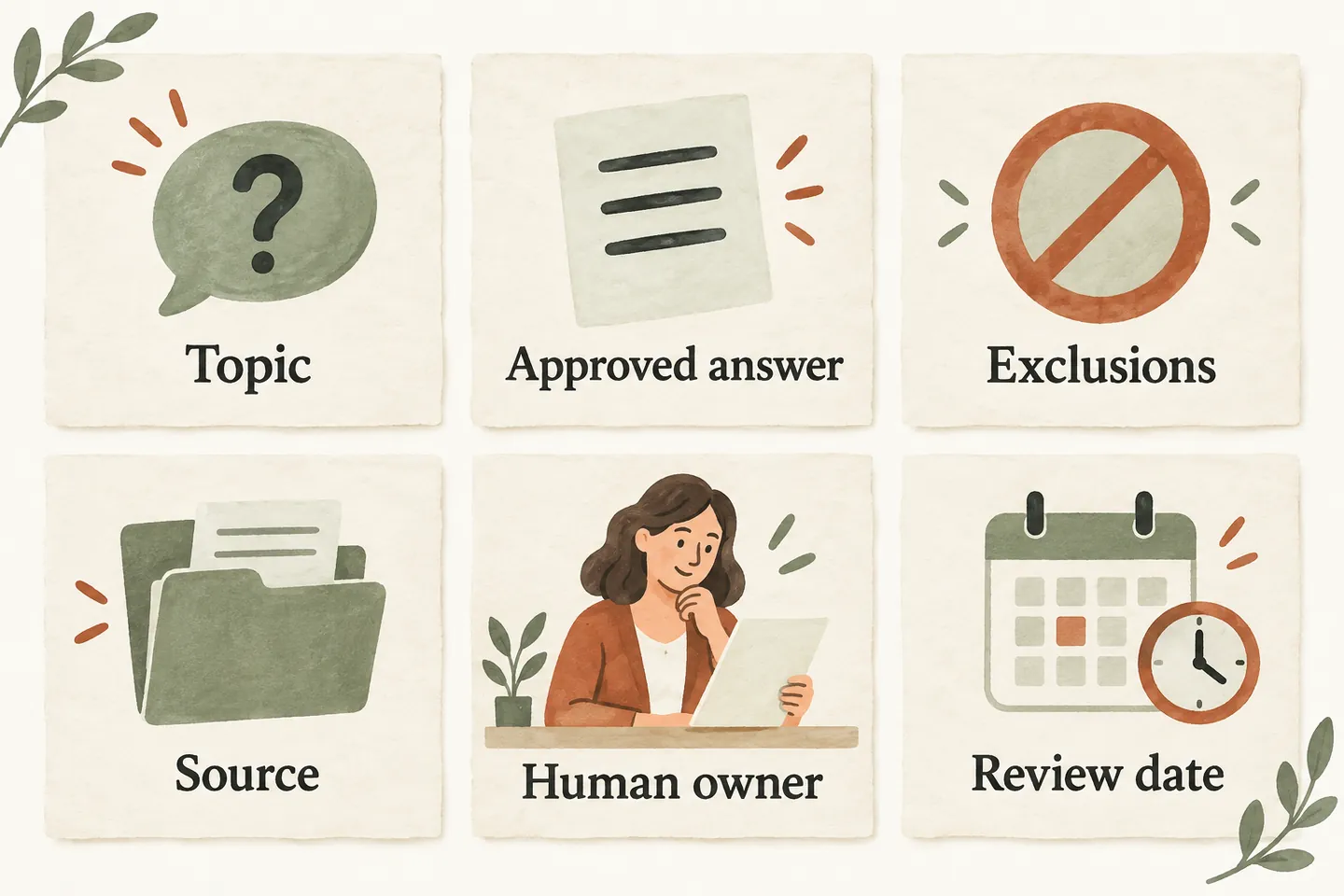
An AI receptionist knowledge base template should make each approved answer traceable to a business rule and a person who maintains it. Record what the receptionist may say, what it must not imply, where the information came from and when a human should review it. The worksheet below helps you prepare that information without treating a document as a guarantee of accurate answers.
Choose the information callers actually need
Begin with recurring questions about hours, services, coverage and the conditions attached to an answer. Write one clear policy per topic. A short approved entry is easier to inspect than a folder containing old brochures, draft price lists and informal staff notes. Keep customer records, credentials and other unnecessary sensitive material out of this planning worksheet.
Before adding a policy, identify who can confirm it. A sentence copied from an old website page is not automatically current. The product guide explains how approved business information guides the receptionist; your job is to decide which statements represent the business today.
Fill the six-field worksheet
These two compact tables are views of the same worksheet. Match rows by Topic to combine all six fields. Example Home Services, its people, documents and policies are entirely fictional. Dates are illustrative next human-review dates, not automatic expiry settings. Replace every example before use; the final underscored row is blank for your own entry.
| Topic | Approved answer | Exclusions |
|---|---|---|
| Hours | Office hours are Monday–Friday, 9am–5pm Eastern, except approved closures. | Office hours do not promise crew availability. |
| Service scope and area | Routine maintenance enquiries are accepted within the approved North Zone map. | Other work or locations require review. |
| Conditional pricing | Staff provides a written quote after reviewing the requested work. | No binding price or unapproved discount. |
| Booking prerequisites | Confirm eligible consultations only after the enabled calendar action saves successfully. | A preferred time is not a reservation. |
| Transfer fallback | Use the approved office transfer; record a callback request if unanswered. | No guaranteed answer or callback deadline. |
| Unsupported enquiry | Roof-replacement requests need staff review; availability is unconfirmed. | Do not present the service as available. |
| ________ | ________ | ________ |
| Topic | Source | Human owner | Review date |
|---|---|---|---|
| Hours | Hours policy v1 | Maya, office manager | 2026-10-22 |
| Service scope and area | Service list and map v3 | Alex, owner | 2026-11-01 |
| Conditional pricing | Quoting policy v2 | Alex, owner | 2026-11-01 |
| Booking prerequisites | Consultation rules v1 | Sam, operations lead | 2026-10-22 |
| Transfer fallback | Handoff policy v1 | Maya, office manager | 2026-10-22 |
| Unsupported enquiry | Service exclusions v1 | Sam, operations lead | 2026-11-01 |
| ________ | ________ | ________ | ________ |
Use a source title and version that your team can locate. “Someone said so” is not enough. Keep the owner specific enough that another employee knows whom to ask. If a policy has not been approved, leave its answer out of the production material until the responsible person resolves it.
Separate an approved fact from permission to act
An answer can describe a rule without authorizing an action. “We offer consultations” does not establish that an appointment can be booked now. “We accept enquiries in this area” does not promise an available technician. Put these boundaries in the exclusions field so a reviewer can see which conclusion must not be drawn from the approved statement.
For AI Receptionists, production booking requires an approved configuration, an enabled workflow and a connected supported Google Calendar. A worksheet cannot create those connections. New routing destinations and more complex integration changes are handled with support, rather than assumed to follow from editing a document.
Once the information is approved, map where each answer leads using the separate call-flow guide. Keep this worksheet focused on the evidence and limits behind the answer.
The cleaning quote-intake guide offers a practical example of collecting service details without promising a binding price or confirmed appointment.
Resolve conflicting or expired statements
Suppose the current owner-approved hours policy says the office closes at 5pm, but an older brochure says 6pm. Do not ask the receptionist to choose between them. Ask the policy owner to confirm the current rule, record the authoritative source and remove or clearly retire the conflicting statement from the material intended for production.
Treat a passed review date as a task for a person, not proof that an answer is wrong or that the software has disabled it. Check whether the policy still holds. If it does, record the completed review and the next review date in your working records. If it does not, prepare a corrected version and inspect every other entry that depends on it.
Give the owner a review trigger
A date is useful, but a business change may need attention sooner. Agree which events trigger a review: revised opening hours, a service-area change, a new quoting policy or a changed appointment rule. The owner should check the answer, its exclusions and its source together. Changing one field while leaving the others stale can create a new contradiction.
Keep a brief change note beside your working copy: what changed, who approved it and when. This is a recommended editorial habit, not a claim that the product supplies an automatic audit log or website synchronization.
Test the evidence behind two answers
Choose one familiar question and one question the worksheet does not authorize. For the familiar question, check whether the answer matches the current policy and preserves its condition. For the unsupported question, check that the result does not turn an unapproved possibility into a business commitment. Record the expected boundary before testing.
Use fictional, nonsensitive questions. If the result is wrong, identify whether the source was ambiguous, contradictory or missing before adding more text. An AI system can misunderstand a caller or give an incorrect answer; completing a worksheet does not remove the need for review.
Preview supported changes before production
When you review the AI receptionist service, check the supported knowledge-update process. The current offer includes readable business documents, draft answer review and publication of supported updates through the customer portal. Verify what your intended change supports; do not assume arbitrary file types, automatic synchronization or unrestricted routing edits.
You can try the live AI receptionist demo with a fictional business question. It is a sample experience, not proof that your worksheet has been loaded. For your own approved information, use the supported preview and review process before publishing changes.
Sources and further reading
YOUR CALLS, YOUR NEXT STEP
Try a business question in the live demo.

Use a fictional, nonsensitive question and listen for a clear answer and its limits. Request a personal demo to review your approved information and supported updates.