Turn overnight messages into a workable morning callback queue
A morning callback queue turns overnight messages into assigned work. Keep one active record per request, preserve the original received time, identify what the caller was actually promised, and name the person responsible for the next action. A captured message is not a completed callback, and a second call should not erase the first request’s history.
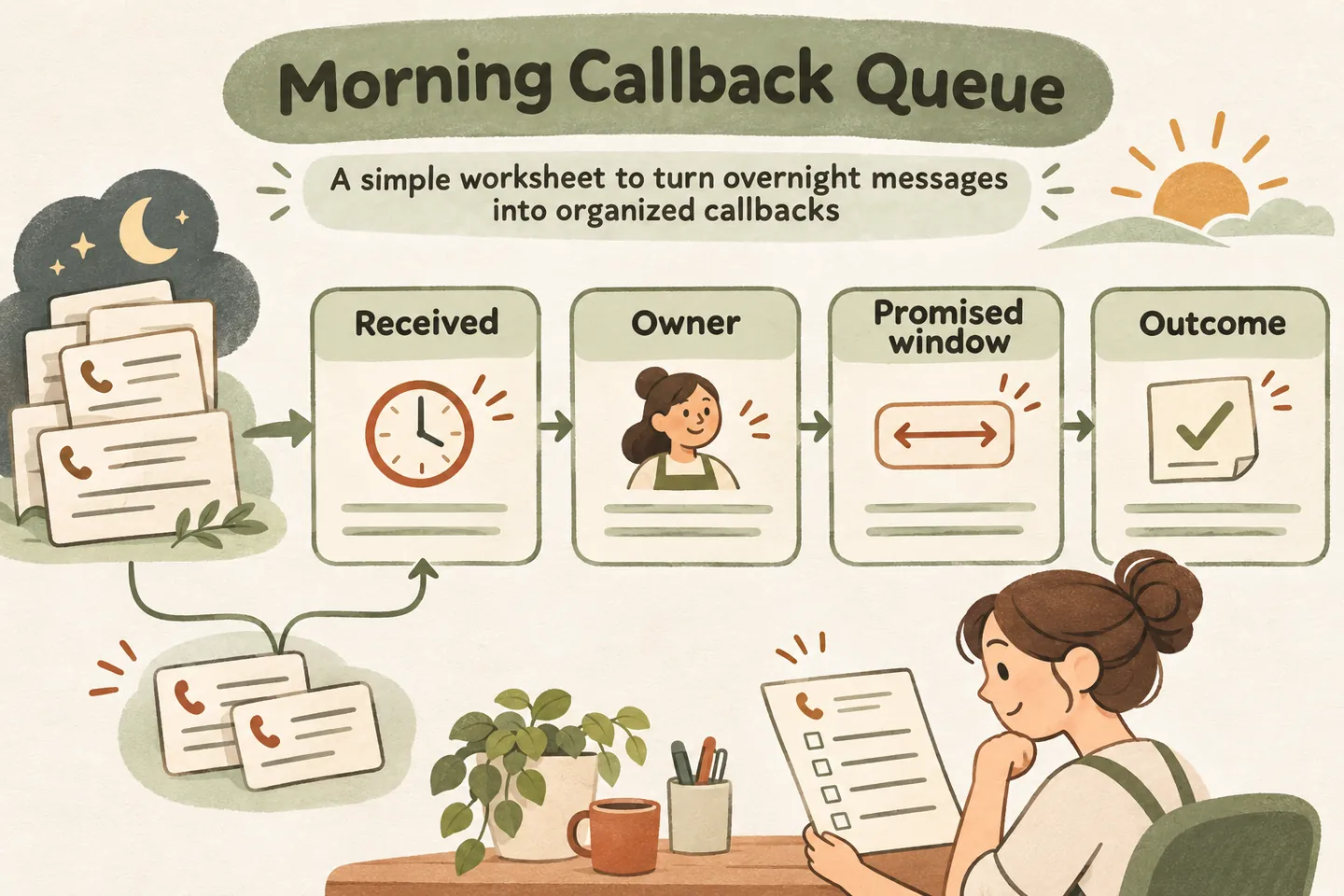
Start with requests, not a pile of separate calls
Use your after hours answering service coverage plan to establish when staff review messages. The queue begins at that review: someone checks each request, connects relevant updates and decides the next action under the approved policy. This worksheet is a suggested operating process, not a claim that the product automatically builds or manages this queue.
Give each request a stable reference. When someone calls twice about the same issue, retain both received times and attach the update to the original request. Do not merge solely because phone numbers match: a shared office number can represent different people, properties or jobs. If the relationship is unclear, flag it for the reviewer.
Separate a new enquiry from an update such as a corrected number, changed availability or withdrawn request. Preserve the caller’s wording where it affects the next step, without copying unnecessary personal details into another document.
Copy these fields into the morning queue
Use this as a staff-owned worksheet in an approved place. Keep the underlying message available to the reviewer and use a reference instead of duplicating a full transcript. Blank timing fields should mean “not confirmed,” not “any time is acceptable.”
| Field | What to record | Check before assignment |
|---|---|---|
| Request reference | Stable reference and link to the original message. | Is this new work or an update to an open request? |
| Received and updated | Original date, time and timezone; separate update time. | Has an older request been hidden by a recent repeat call? |
| Request and change | Brief reason for contact and any new information. | Does the update change the next action? |
| Callback owner | One named person; accepted backup if needed. | Has that person actually accepted the work? |
| Timing and promise | Actual approved commitment, or explicitly none; caller preference separately. | Are the date and timezone unambiguous? |
| Next action | Call, clarify internally, or follow the approved handoff. | Who must act, and when will the queue be checked again? |
| Outcome | Attempt time, result, remaining action and next review. | Is the request complete, or still waiting? |
The worksheet does not itself configure the receptionist, send a notification or make a call. Confirm how messages reach the responsible staff member and test that handoff before relying on it.
Order work using the approved response policy
Apply your after hours callback policy before sorting. Identify any approved commitments due soon or already missed, then follow the business’s documented categories and order within them. Do not let repeated calls silently reset the clock or move every persistent caller ahead of older work.
A caller’s preferred time is useful scheduling information, but it is not a promise. Keep it in a separate field from the commitment the business actually made. If a preferred window has passed, the owner needs to decide the next contact opportunity; the old preference should not become a completed task.
Do not use the queue to diagnose a problem, invent urgency rankings or promise emergency dispatch. Requests outside the approved handling rules need the agreed human review or safety response.
Give every open item one accountable owner
An inbox label such as “office” is not enough. At opening, the reviewer assigns a named callback owner and checks that the person can act. If work changes hands, record the new owner and acceptance time before removing the old assignment. Until acceptance, the original owner remains responsible for resolving the handoff.
| Reference | Received / update | Owner | Timing | Outcome / next action |
|---|---|---|---|---|
| Example M01 | Yesterday 19:10; repeat at 07:45. | Office lead | No callback promise; caller prefers after 10:00. | Same request. Keep original receipt; retain the changed preference. |
| Example M02 | Today 06:20. | Service coordinator | Staff-approved callback window 09:00–10:00. | Owner accepts; check availability before making another commitment. |
| Example M03 | Yesterday 21:05. | Office lead | No confirmed callback window. | Corrected contact detail needs review before a call attempt. |
These examples illustrate recordkeeping, not customer outcomes or a recommended response deadline. Replace the roles and timing with arrangements your team can support.
Record the outcome without closing unfinished work
Use distinct outcomes: awaiting owner, ready for callback, attempted without contact, waiting for information, or completed. Record what actually happened and who owns the remaining step. An unanswered call attempt can be logged without treating the customer’s request as resolved.
The current AI receptionist for small business offer includes request capture, call summaries and follow-ups in a workspace. Those features do not establish automatic outbound calling or a staffed callback deadline. Check your actual process rather than assuming that a saved request causes someone to telephone.
If the caller withdraws the request, record that outcome after staff review. If an item is duplicated, point to the surviving reference so another person can understand why it disappeared from active work.
Review overdue work before widening coverage
At an agreed checkpoint, review unassigned items, overdue commitments and attempts that still need action. Ask whether the failure came from missing contact details, unclear responsibility, unavailable staff or unrealistic wording. Adjust the approved policy and test it before promising a faster response.
Run a fictional test with an overnight message, a repeat call that changes the preferred time, and an unanswered callback attempt. Have the review owner explain which record stays open, who owns it and what happens next. If those answers are unclear, fix the handoff before adding more coverage.
You can try the live AI receptionist demo with fictional, nonsensitive details. The link opens the existing setup; press Start explicitly to begin. The sample conversation does not prove your team’s queue or outbound workflow. Request a personal demo to review how messages and responsibilities will work for your business.
Sources and further reading
YOUR CALLS, YOUR NEXT STEP
Try an overnight message and a repeat-call update.

Use fictional details in the live demo, then request a personal demo to check how your team receives messages, assigns a callback owner and records the next step.