Update HVAC phone messages when severe weather changes service hours
An HVAC severe weather closure phone message should explain the owner-approved service change, identify when that wording applies and say what callers can still request. Keep message collection separate from technician attendance and appointment changes. Use a dated script for new enquiries, a separate response for existing visits, and a named reviewer who removes or replaces the temporary wording after checking the business’s actual status.
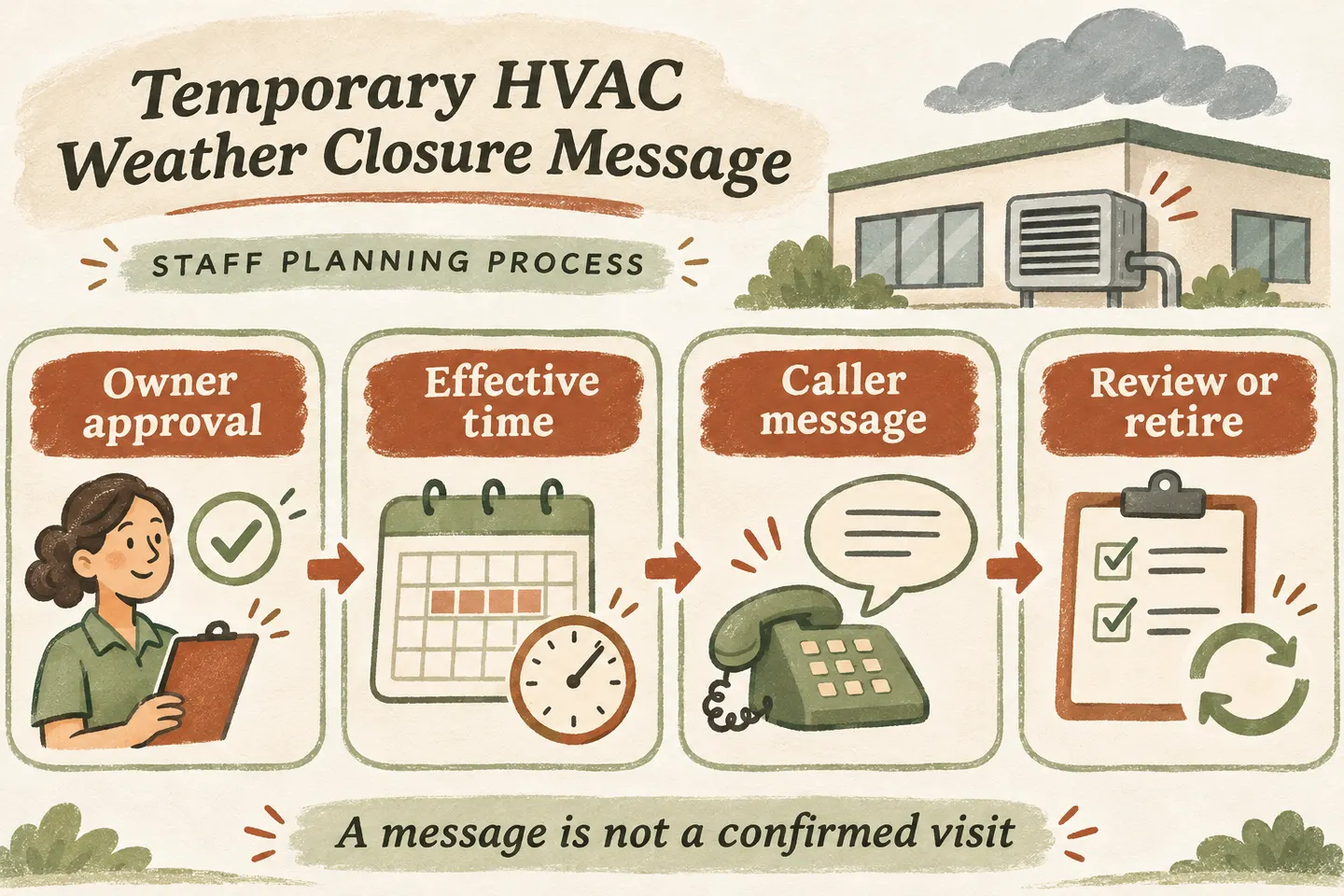
Approve the service change before writing the greeting
Start with a decision from the person responsible for field operations. Are all visits paused, only new requests affected, or particular service areas unavailable? Is the office still reviewing messages? Record those answers separately. “We are closed” may be inaccurate if phone enquiries remain open while technicians cannot attend.
For an AI receptionist for small business, temporary knowledge must match the approved business decision. The broader HVAC answering service guide helps separate repair, maintenance and estimate callers. This kit addresses the additional question a disruption creates: what can this caller request while attendance is restricted?
Do not let a weather headline select the closure period or an exception. The business must supply the effective date, time zone, affected work and responsible reviewer. Avoid “back tomorrow” unless an authorized person has confirmed that date and the service being restored.
Use official weather information as dated context
For current local context, consult the US National Weather Service or Environment and Climate Change Canada’s weather information. Both provide location-based weather information and alerts. Record the relevant location, source and observation time in the internal approval note if that information informs the decision.
An alert is not the company’s staffing decision, and a forecast does not confirm road access, a technician’s arrival or an equipment diagnosis. Keep the public message focused on the service change the owner approved. Do not copy an undated forecast into a greeting that may remain active after conditions change.
Complete the temporary-message approval card
Use this original card for one defined closure event. Give the wording a short version name, such as “Weather notice A,” so the team can identify the message callers actually heard. Complete every field before publication; an unanswered question belongs with the owner.
| Field | Approved entry | Check before use |
|---|---|---|
| Scope | [Affected work, location or service area] | Does the wording distinguish attendance from office intake? |
| Effective time | [Full date, time and time zone] | Does it apply now or at a later approved time? |
| Available action | [Message, supported transfer or other verified route] | Can this action actually be completed during the closure? |
| Existing visits | [Named team and approved review process] | Who confirms each appointment’s status? |
| Review and expiry | [Review deadline, owner and stale-message fallback] | What should callers hear if reopening is still unconfirmed? |
| Approval record | [Approver, version and publication check] | Who verified the live wording and will retire it? |
Treat expiry as a required review, not permission to announce reopening. If the business remains unavailable, obtain replacement wording with a new review point. If the message cannot be updated as intended, use the separately approved fallback and alert the responsible person.
Adapt these three caller responses
These scripts are editable templates, not statements about a current closure or a promised product automation. Replace brackets only with approved facts and remove any action your actual setup cannot complete.
If the owner has approved a definite reopening, replace only the final script’s uncertain status after checking the new operating instructions. A caller reporting a possible immediate danger needs the business’s separately reviewed safety referral, not a promise that a closed HVAC team will dispatch someone.
Keep existing visits out of an automatic cancellation queue
Capture only the details needed for staff to identify the enquiry: caller name, callback number, service location and the appointment date the caller reports. Use the cancellation and rescheduling phone scripts for request-versus-confirmation wording. A closure notice alone should not be treated as proof that a particular appointment was cancelled or moved.
Agree who reviews those records and what, if anything, the caller may be told about response timing. Our current service supports approved business information and request capture, with configured actions reviewed during setup. This article does not establish automatic weather monitoring, appointment cancellation, bulk notifications or a connection to dispatch software.
Test the message and retire the right version
Before use, test a new repair enquiry, an existing-visit question and a request for a reopening time with fictional details. Check the actual greeting, any approved intake and the human destination. At the review point, confirm the business decision, update every affected phone path and test again. Keep the retired wording with its approval record so a later caller’s account can be understood.
You can try the live AI receptionist demo with a fictional, nonsensitive enquiry. The existing configuration opens first; press Start before any call begins. The sample does not prove this closure workflow is configured. Request a personal demo as the next step to review your approved scripts, change process and actual supported actions.
Sources and further reading
YOUR CALLS, YOUR NEXT STEP
Review your temporary closure wording

Try a fictional enquiry in the live demo, then request a personal demonstration to verify how your approved service notice, request capture and human review would work.