Phone scripts for appointment cancellations and rescheduling
A useful appointment cancellation or rescheduling phone script identifies the existing appointment, checks the authorized policy and tells the caller exactly what happened. If the receptionist can only capture a request, say that the cancellation or new time is pending staff confirmation. Never describe a requested change as completed merely because the caller agreed to it. The two fictional dialogues below model that request-only boundary.
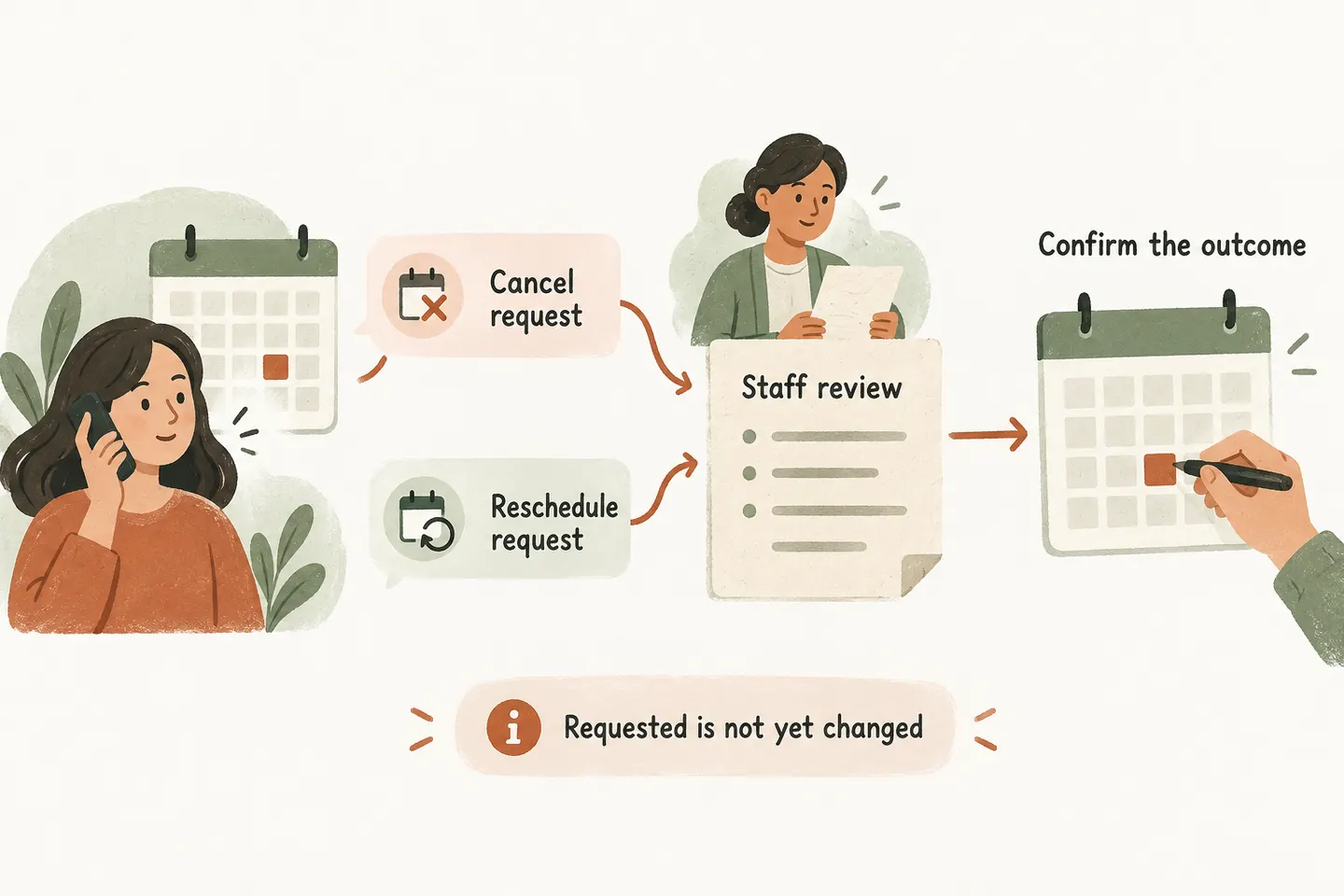
Verify which existing appointment the caller means
Start by asking whether the caller wants to cancel or request another time. Then collect the name used for the appointment, the original date and time, and an approved callback detail. Read back a full date and timezone where needed. If the caller has several visits, identify the specific one before discussing any change.
Follow the business’s verification process before disclosing appointment details or accepting instructions on someone else’s behalf. A familiar name or matching phone number is not permission to discuss every record. When details do not match, capture the question for staff without guessing which event belongs to the caller.
The broader AI appointment scheduling workflow establishes when a booking can be confirmed. Changes need their own approved process; a working new-booking connection does not establish that existing events can be edited or cancelled.
Apply the business’s authorized change policy
Give the receptionist approved wording for notice periods, eligible appointment types, exceptions and the person who reviews disputes. Include what to say when a caller asks about a charge or refund. Repeat only the policy that applies to that appointment; do not invent a fee, promise a waiver or decide a disputed charge.
Keep the reason optional unless the business genuinely needs it to handle the request. “I cannot attend” may be sufficient. Do not ask callers to describe medical, financial or other sensitive circumstances just to move a routine appointment. A staff member can decide whether further information is needed through an appropriate process.
Separate a requested change from a saved change
These original dialogues use invented names and appointment details. They illustrate request capture, not customer conversations or completed product tests. Replace the bracketed fields with the business’s approved verification and follow-up steps.
Avoid ending with “all sorted” after either dialogue. It can erase the careful distinction the rest of the conversation made. If staff later complete the action, their confirmation should identify the cancelled visit or both the original and replacement appointments, with the actual saved result.
Escalate unsupported calendar actions
Our current AI receptionist for small business offer describes request capture and Google Calendar booking when enabled and connected, with confirmation after a successful save. Those published capabilities do not establish automated editing or cancellation of an existing appointment. These scripts therefore use staff review for changes.
Review the Google Calendar AI receptionist setup checks, then test the specific change process separately. Identify who receives the request, how they find the original appointment and who contacts the caller. Do not create another booking simply to imitate rescheduling.
An unclear match, failed action or unavailable reviewer needs an explicit pending outcome. Preserve the original appointment details and the requested change in the handoff. If an approved transfer is unavailable, follow the agreed message fallback; recording a message does not mean someone has already reviewed it.
Read back the final confirmed or pending outcome
| Check | Readback or handoff detail |
|---|---|
| Original appointment | Verified name, full date, time and relevant appointment type. |
| Requested action | Cancel or reschedule; new preferences recorded separately. |
| Actual state | Request recorded, awaiting review, or an independently verified completed change. |
| Unresolved items | Unconfirmed availability, policy question or information mismatch. |
| Follow-up owner | Named staff role and approved callback route or response window. |
Test both scripts with fictional calls before use. Include two appointments under one name, an ambiguous “next Friday,” a caller requesting someone else’s change and an unavailable staff member. Review the resulting note alongside the spoken ending. The caller and reviewer should agree about what still needs to happen.
You can try the live AI receptionist demo with a fictional, nonsensitive request. The homepage setup opens first; press Start when ready. The sample does not change real appointments. Request a personal demo to verify your actual change policy, handoff and supported actions before activation.
Sources and further reading
YOUR CALLS, YOUR NEXT STEP
Test the difference between a request and a completed change

Try a fictional cancellation or rescheduling enquiry, then request a personal demonstration to review your actual appointment policy and staff confirmation process.