HVAC answering service: a practical guide to AI call handling
An HVAC answering service is useful when different calls reach the right next step: a repair request, a maintenance visit, an estimate discussion or an office callback. An AI receptionist needs approved boundaries for each. Start with call types and human ownership, then decide which appointments and transfers your actual setup can support.
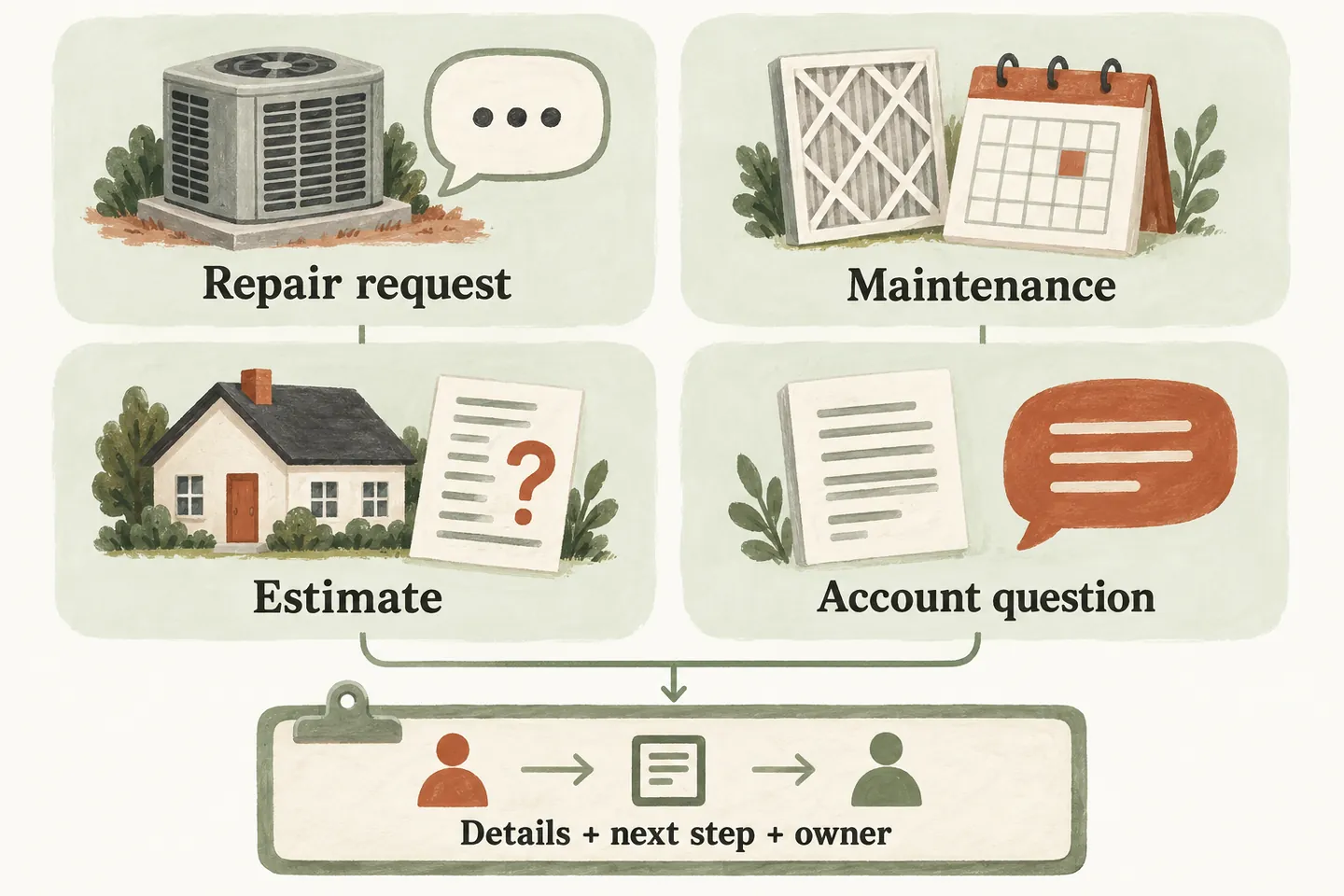
Sort by the caller’s task before choosing an action
When evaluating an AI receptionist for small business, avoid giving every HVAC enquiry the same booking path. A request for annual maintenance has different unknowns from a system that stopped working. A replacement estimate and an invoice question may belong to different people altogether.
Collect the caller’s name, callback number, service location and plain-language reason for calling. Ask for equipment information only when your business needs it for the next step; accept “I don’t know.” A model number or symptom description should not become an automated diagnosis, price or promise that the job is covered.
Put accepted equipment, service areas and exclusions in your approved-answer knowledge base. Assign someone to review those answers before seasonal promotions or operating hours change.
Build a four-part call-type matrix
Use this original planning matrix to agree what the receptionist may collect and who makes the next decision. The owner roles are suggestions to adapt, not automatic assignments or a claim that your dispatch software is connected.
| Call type | Useful intake | Boundary | Next owner or action |
|---|---|---|---|
| Repair request | Location, equipment type if known, caller’s description and callback details. | Do not diagnose the fault, quote an unapproved repair price or promise a visit. | Service coordinator reviews fit and timing; offer an approved transfer when configured. |
| Maintenance | Requested service, equipment covered, preferred timing and any plan the caller mentions. | Do not infer membership, included work or eligibility from the caller’s statement. | Office confirms scope; book only an approved appointment type when enabled. |
| Replacement estimate | Broad project goal, property location, equipment context and preferred contact time. | An estimate discussion is not a completed assessment, equipment recommendation or installation booking. | Estimator reviews the enquiry and confirms the appropriate next appointment. |
| Account question | Name, callback details and a brief description of the billing or document question. | Do not request card details or assert account balances, refunds or payment status without verified support. | Office or accounts contact follows up through the business’s approved process. |
A caller may cross categories: someone requesting maintenance may also describe a new problem. Preserve both points, explain what needs staff review and avoid forcing the conversation into the first label chosen.
Give seasonal overflow a human owner
Plan coverage around your own call records. Look at calls by time of day and type during a busy period, including requests that needed a second conversation. Decide whether you need missed-call, selected-hours or broader coverage. Conditional forwarding can preserve your business number, but the carrier’s forwarding terms and charges still apply.
For every callback path, write a primary owner, backup person, review window and caller-facing expectation that the team can actually meet. These are operating decisions to agree with your staff. Do not advertise an instant response because a request can be captured immediately.
Treat reported safety concerns as a boundary
An owner-defined urgent-call rule should specify when to offer an approved human transfer and what to say if nobody answers. Preserve the caller’s description rather than interpreting whether the equipment is safe. The receptionist must not walk callers through repairs, classify a reported hazard as harmless, or promise emergency dispatch.
Agree appropriate caller-facing wording for safety concerns before activation, including the limits of a callback request. Do not improvise technical or emergency instructions during a demo. A transfer depends on someone answering; a recorded request does not mean a technician has accepted the job or is on the way.
Your AI receptionist call flow should keep the unanswered-transfer fallback explicit. Test that fallback with staff, not just the successful handoff.
Confirm what the booking connection actually supports
As checked October 16, 2026, production booking is available when enabled and connected to Google Calendar. The homepage describes Calendly support as forthcoming. Verify the supported connection during setup rather than treating a future mention as an available integration.
Availability alone does not establish HVAC job suitability. Approve the visit types, duration and rules that the receptionist may offer. Confirm an appointment only after it saves successfully. If saving fails or the request needs review, describe it as a service request. Do not imply that a calendar connection integrates with your field-service platform or selects an appropriate technician.
Test the handoff before choosing coverage
Run four fictional calls from the matrix. Include an unknown equipment type, a maintenance-plan claim that needs checking, a replacement enquiry without a preferred time, and an account question. Then test unavailable appointments and an unanswered transfer. Review whether the caller understood the outcome and whether staff received enough context to act.
Compare the current minute allowances with your own conversation lengths and expected coverage. Confirm usage-limit handling, additional charges and setup scope; do not assume unlimited capacity. Start with the call types your team can support and review the results before expanding.
You can try the live AI receptionist demo using nonsensitive fictional details. Its actions are samples and do not create real customer appointments. Request a personal demo to review your HVAC rules, supported booking connection and human fallback.
Sources and further reading
YOUR CALLS, YOUR NEXT STEP
Try one of your HVAC call types.

Use a fictional repair, maintenance, estimate or office enquiry in the sample demo. Request a personal demo to check the approved answers, booking prerequisites and human handoff your business needs.