An electrician estimate call script for ordinary project enquiries
An electrician estimate call script should capture a clear request for staff review: who is calling, where the project is, what the caller wants and how the team can reach them. It should not turn those details into a diagnosis, firm price, accepted job or promised visit. Use the two fictional scripts below for ordinary planned residential and commercial enquiries, after the business approves their scope and handoff.
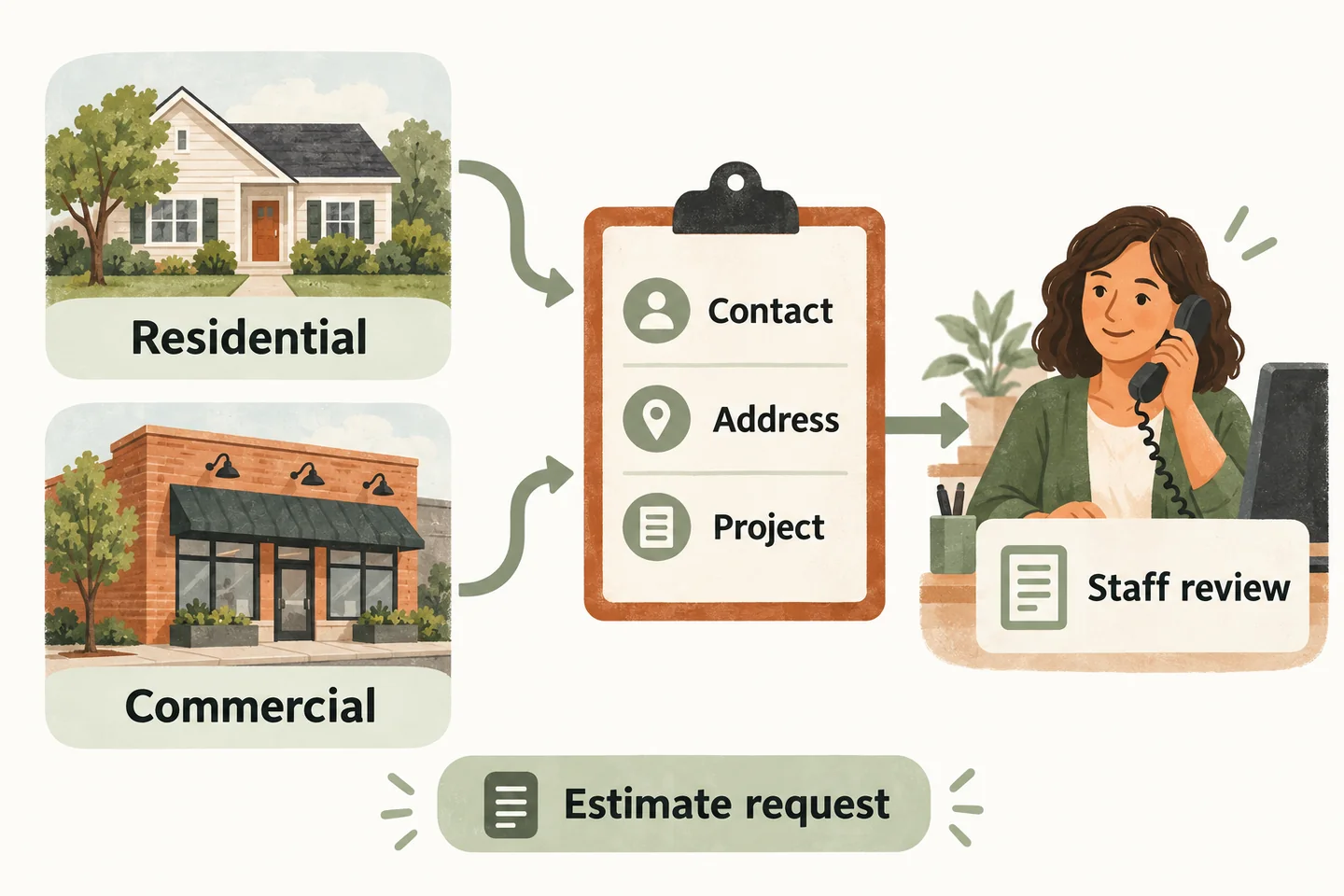
Start with the outcome you can actually provide
Open with “I can take the details of your estimate enquiry for the team to review.” That makes the purpose clear before asking questions. Check whether this is a new project or an existing enquiry so the office does not mistake a follow-up for another opportunity.
Your electrician answering service plan should already define accepted work and service areas. Use the script within those limits. If the caller describes unfamiliar work, record their wording and say that staff must confirm whether it is something the business can consider.
Agree who reviews requests and what response wording is authorized. “The office will review your request” is different from “an electrician will be there tomorrow.” Do not give a callback deadline unless the business has approved it and arranged coverage.
Confirm the caller and the service address
Ask for the caller’s name, callback number and service address in separate steps. Distinguish the project address from a billing address or company office. Read back the street number, street name and any unit identifier; clarify uncertain details instead of filling them in from a familiar-sounding location.
For commercial calls, collect the business name, caller’s role and appropriate contact person. A manager’s title does not establish permission to approve electrical work. Keep authority and access decisions for the office. Do not request payment details, door codes or documents containing unnecessary personal information during routine intake.
A preferred callback time is a preference, not a scheduled appointment. If the caller cannot provide a detail, label it unknown and explain which information staff will need to clarify.
Fictional script: a planned residential project
This original dialogue concerns an invented caller and an ordinary future project. Bracketed fields are placeholders for approved information, not real customer records or evidence of a completed product test.
Ask about the desired result, not the technical solution. Do not ask the caller to remove covers, investigate wiring or inspect equipment to help complete the script. The electrician decides what assessment is appropriate.
Fictional script: a commercial premises enquiry
Use this second original dialogue only if the business accepts the relevant commercial enquiry. It adds the contact’s role and coordination needs without assuming approval or promising work outside trading hours.
Record practical preferences without deciding permits, technical specifications or the caller’s authority. If another person must approve the project, note that staff need to clarify the approval route.
Keep technical questions and quotes with the electrician
When asked “Will this work with my existing installation?” use “That needs the electrician’s review; I can include the question.” Avoid guessing a price range, labour duration or parts requirement. A general approved service description does not establish what a particular property needs.
These scripts are not for reported electrical hazards or emergency assistance. Stop ordinary estimate intake when the call moves outside its approved scope and follow the business’s separately approved instructions. Do not assess severity, troubleshoot, promise dispatch or describe an unanswered callback request as emergency help.
The current AI receptionist for small business offer includes approved answers and request capture. It does not establish electrical expertise, estimating software integration or technician dispatch. Even enabled Google Calendar booking would confirm only the supported appointment after a successful save, not the electrical work itself.
Read back the request and name the next owner
When you design an AI receptionist call flow, test both dialogues and an unavailable reviewer. The resulting note should show the caller’s wording, unresolved questions and callback owner. Correct a mistaken address or number before closing; do not bury the correction in a conflicting summary.
Then try the live AI receptionist demo with fictional, nonsensitive details. The homepage configuration opens first; press Start when ready. The sample does not create real appointments. Request a personal demo to verify your approved questions and human handoff before activation.
Sources and further reading
YOUR CALLS, YOUR NEXT STEP
Try an ordinary electrical-project enquiry

Use fictional contact details and a planned project in the live sample. Request a personal demonstration to check the actual intake questions, staff review and handoff for your business.