A receptionist phone script for screening new service enquiries
A useful receptionist phone script identifies why someone called, asks only the questions needed for the next step and leaves uncertain cases open for review. Screen enquiries without treating unfamiliar callers as unwanted. Use the category table below to define polite exits, approved handoffs and the mistakes your team needs to review.
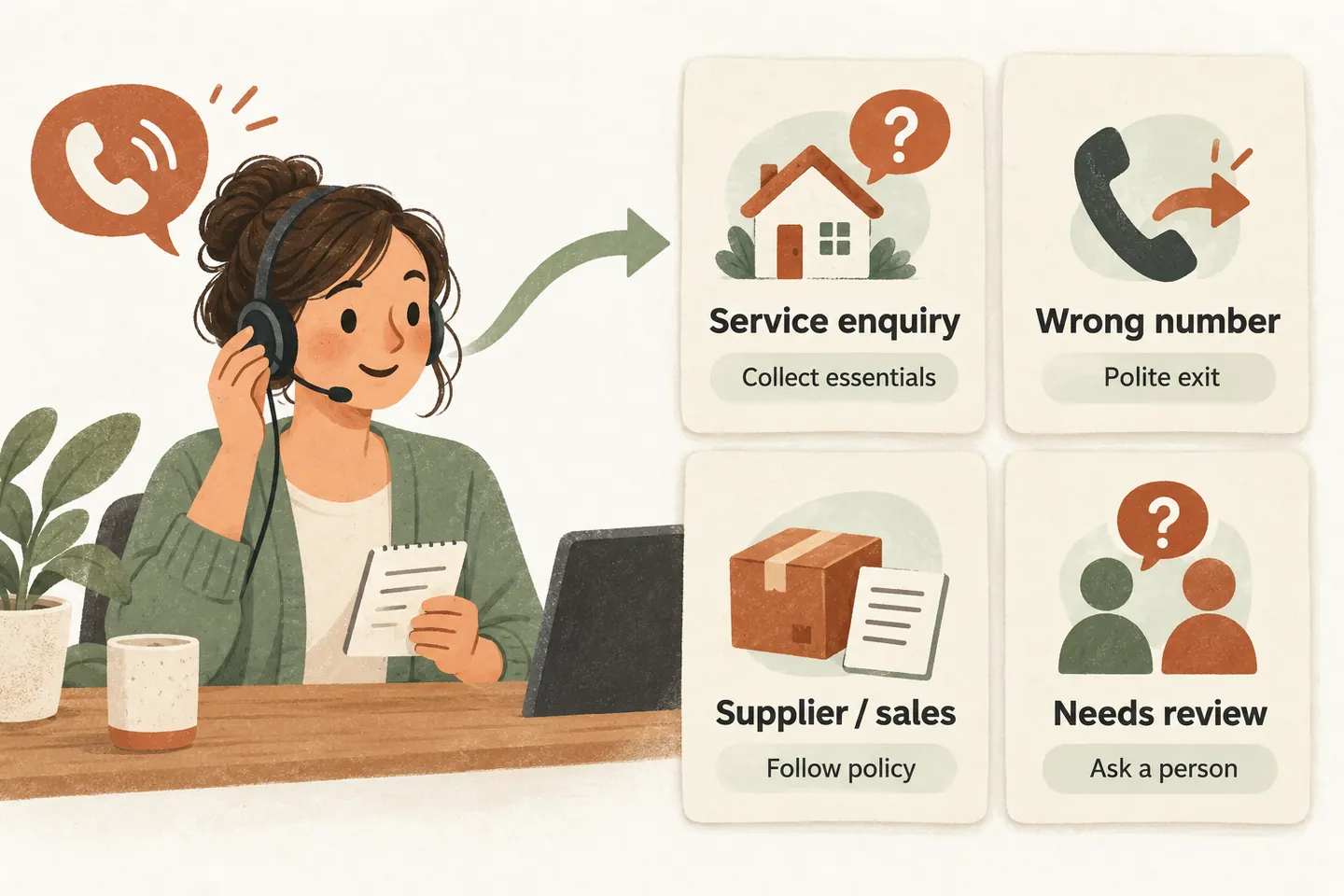
Classify the request before collecting a full intake
The small-business phone greeting scripts explain the opening words. Screening begins with the caller’s reply: “What are you calling about?” Listen for the purpose, then ask a short clarifying question if necessary. Avoid a universal new-customer questionnaire.
Place these decisions within your AI receptionist call flow. A new service enquiry may need intake; an existing customer may need staff help; a wrong number usually needs a courteous end. These are routing categories, not judgments about whether someone is trustworthy or worth serving.
Adapt this caller-category table
These original scripts are hypothetical. Replace bracketed fields, choose the business’s actual policy and remove any option the configured workflow cannot perform. A caller can change categories as the purpose becomes clearer; the first guess must not become a permanent label.
| Caller category | Polite wording | Approved outcome |
|---|---|---|
| New service enquiry | “What service are you looking for, and where would it be needed?” | Check service and area fit before collecting the remaining intake details. |
| Existing customer | “Is this about an existing request or appointment? What would you like the team to know?” | Use the existing-customer route; do not promise account access or a completed change. |
| Wrong number | “You have reached [Business]. It sounds as though you meant a different number. Thank you; goodbye.” | End politely once the mismatch is clear; ask for no extra caller details. |
| Supplier or delivery | “Which order, delivery or business matter is this about?” | Follow the approved supplier contact or message policy. |
| Sales enquiry | “We handle sales enquiries through [approved channel], rather than transferring them during customer calls.” | Use this wording only if that channel and policy exist; otherwise apply the approved alternative. |
| Unclear or sensitive request | “I cannot handle that action here. I can take a brief, nonsensitive message for the appropriate person.” | Use an approved review route; do not disclose protected information or perform an unapproved action. |
Ask enough to establish service fit
For a new enquiry, establish the requested work before asking for contact details. If the business serves only a defined area, clarify the service location to the level needed for that decision. Once the enquiry fits, collect the owner-approved intake fields, such as name, callback number and a brief description.
Do not mistake uncertainty for exclusion. A caller who cannot name the exact service may still have a relevant need. Ask what they want the business to help with, without offering technical diagnosis. If the answer remains unclear, record a request for review instead of inventing a service match or declining automatically.
For an existing customer, preserve their reason for calling. “I need to change tomorrow’s visit” is a request until an authorized workflow or staff member completes it. Recognizing the category does not verify identity, unlock an account or establish permission to disclose details.
Keep wrong numbers and commercial calls separate
If the caller appears to have reached the wrong business, clarify the business name once. When the mismatch is clear, end courteously without asking for a name, email, address or callback number. Do not convert the accidental call into a sales lead or invent the correct business’s telephone number.
Supplier and sales enquiries need different owner decisions. A delivery question about an existing order should not be rejected merely because the caller introduces a company name. Clarify whether it concerns existing business or a new proposal.
Write down whether proposals are accepted, through which approved channel, and whether a message is allowed. Do not promise the owner will read or return every proposal. Avoid revealing private schedules or direct numbers; the policy should supply the permitted next step.
Escalate the action request without declaring fraud
A caller might ask for a password, a one-time code, a payment-detail change or another action outside the receptionist’s scope. Use the approved refusal and review route. Do not collect the secret, repeat sensitive account information or comply because the caller claims urgency or a senior role.
This is a boundary for what the receptionist may do, not fraud detection or identity verification. A suspicious-sounding request can be legitimate, and a confident caller can still be mistaken. Record a short, nonsensitive description of the requested action for the approved staff owner. Any verification or authorization belongs in the business’s established process.
An escalation is not a guaranteed connection. Attempt only an approved transfer and use the agreed fallback if nobody answers. Do not promise a callback time unless the responsible team has approved it.
Test false exclusions before tightening the rules
Test fictional calls representing every row, plus an unclear service description, a supplier with an existing order and a caller correcting the initial category. Record the expected route, the observed route and any unintended questions or promises. A wrong-number test should end without extra intake.
After launch, have the assigned owner review a permitted sample of declined or redirected enquiries. Record the stated reason, rule applied, whether a genuine enquiry was wrongly excluded and the correction needed. Keep planning notes free of unnecessary caller details. A small reviewed sample does not establish an overall screening accuracy rate.
When a false exclusion appears, revise the specific question or rule and test the affected examples again. Give each change an owner and date. Do not turn one unwanted call into a blanket rejection of every caller who uses similar words.
Approve the script and its actual behavior
As checked October 21, 2026, our AI receptionist for small business uses approved information, request capture and configured actions. AI can misunderstand; this table is a planning aid, not proof of automatic category detection, caller verification or blocking. Confirm each supported route and fallback during setup.
You can try the live AI receptionist demo with fictional, nonsensitive enquiries, then request a personal demo to review your screening policy. The website sample handles no real customer calls and creates no real appointments. Production service requires approved configuration, setup checks and paid activation.
Sources and further reading
YOUR CALLS, YOUR NEXT STEP
Try a screening conversation before approving the rules

Use fictional details in the live demo. Request a personal demonstration to verify your caller categories, allowed questions, polite exits and staff handoff policy.