When a customer changes the service address, check the appointment again
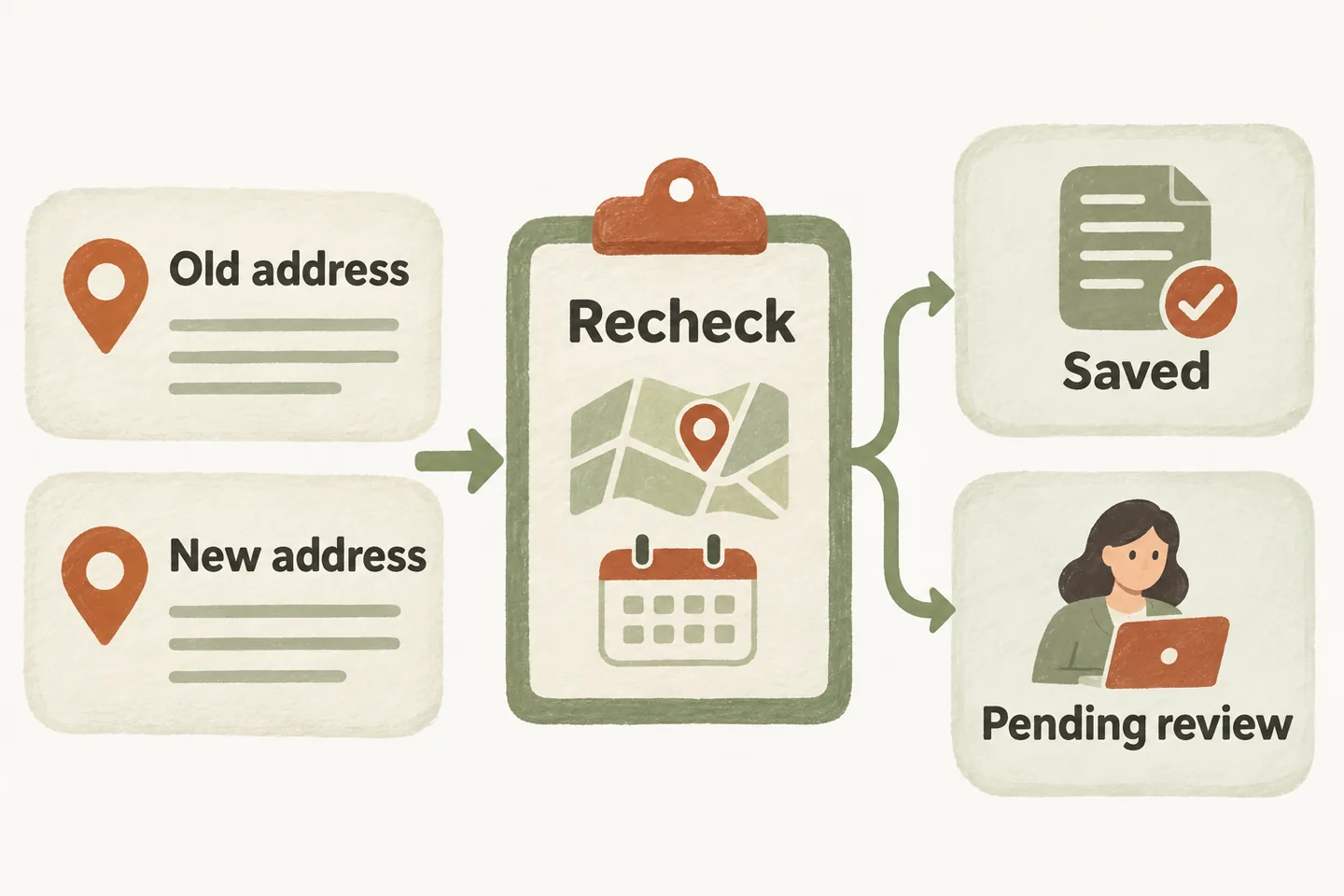
When a customer asks to change the service address for an appointment, treat it as a change request until the right person and supported workflow confirm the result. Verify authority, keep the original and proposed addresses distinct, and recheck coverage, travel rules and slot eligibility. Do not promise that the original time still works or that the calendar has changed merely because the new address was read back.
Identify the existing request and the caller’s authority
Start with the business-approved way to identify an existing enquiry or visit. Ask which appointment the caller means and what they want changed. A contact number, familiar name or knowledge of an address is not automatically permission to alter a booking. Follow the approved verification procedure before disclosing existing details or making a change.
If the workflow cannot locate the record or establish authority, capture a limited request for the designated staff member. Do not guess which of two similar appointments is intended. Avoid collecting payment information, identity documents or entry codes simply to make an ordinary address correction.
An AI receptionist for small business can capture approved request details, but address lookup and changes to existing bookings need their own verified setup. Our current public offer confirms Google Calendar booking when enabled and connected; it does not establish that every existing appointment can be located or edited by phone.
Keep the original and proposed addresses separate
Label two fields: current service location and proposed service location. Distinguish both from the billing address and the place where the caller is speaking. Read back the street, unit, municipality, state or province, country and ZIP or postal code needed for the visit. Ask whether any access arrangements or onsite contact also change.
Preserve the original record until the authorized change is completed through the supported process. A note containing a new address should not silently replace the confirmed destination. Record why the change was requested only when it helps the reviewer; avoid unnecessary personal explanations.
Do not treat “the same street” or “just across town” as proof that the appointment remains suitable. Even a corrected unit number can change access arrangements. If details conflict, retain the question for review instead of choosing whichever address sounds more plausible.
Use this address-change checklist
This original worksheet is a planning aid for US and Canadian service businesses. Complete it using your own approved process. It does not imply automated address validation, route calculation or appointment editing.
| Check | Record | If unresolved |
|---|---|---|
| Request and authority | Existing request reference, approved verification result and requested change. | Route to the authorized reviewer; disclose no unverified record details. |
| Two locations | Original service address and proposed address in separately labeled fields. | Clarify the conflict; do not overwrite the confirmed destination. |
| Service eligibility | Applicable service-area rule and whether the requested work is accepted there. | Keep coverage pending; offer no assumed exception. |
| Time and travel | Approved duration, travel buffer, access requirements and whether the original slot remains eligible. | Have staff review timing; promise no arrival or unchanged fee. |
| Action and ownership | Who may approve, what the supported workflow can change and where the result is checked. | Name the reviewer and approved follow-up process. |
| Final state | Saved change, pending request or uncertain action; exact verified address and time. | Do not describe the change as completed. |
Apply the service area appointment booking checks to the proposed address. A prior visit or accepted original location does not establish coverage at the new one. Then check the remaining AI appointment scheduling requirements; an empty calendar interval does not settle travel or access constraints.
Compare two fictional outcomes
Example Service Company has an assessment at a fictional Cedar Row location. The customer requests a different training address on Quarry Lane. Assume the approved coverage rule excludes Quarry Lane. Staff should review the existing appointment and explain the available options; the receptionist should not move the visit, cancel the original booking or invent an extra-fee exception.
In a second fictional case, the new address is eligible, authority is verified and the approved workflow successfully saves the change. The reviewer confirms the resulting record contains the intended location and time. Only then should the closing describe the change as completed. If the time also changed, read that back explicitly rather than assuming the caller noticed.
These examples are not customer results. Replace the coverage and approval assumptions with your actual rules. Explain the status of the original visit only when it is verified; a pending change request alone does not establish whether staff have retained, paused or cancelled it.
Verify the final state before closing
Check the actual saved result, not only the attempted action. If a response is unclear, send it to the designated reviewer before trying another edit or creating a replacement booking. Duplicate records can leave staff unsure which destination to use. Keep the request reference, review owner and unresolved question together.
Test this workflow with fictional details before relying on it: an eligible move, an excluded address, an unclear existing booking and a save whose result cannot be confirmed. Compare the spoken closing with the recorded outcome. A successful new-booking test does not prove that changing an existing visit works.
To hear the conversation, try the live AI receptionist demo using a fictional address change. The homepage configuration opens first and you explicitly press Start. The sample does not alter real appointments. Request a personal demo to review your authority checks, supported change process and staff handoff before activation.
Sources and further reading
YOUR CALLS, YOUR NEXT STEP
Try a fictional address-change request

Hear the sample conversation, then review your verification rules, location checks and supported appointment-change workflow in a personal demo.