A useful phone-call summary template for a small service team
A good phone call summary template tells the next person who called, what they need, what actually happened and what remains open. Separate the caller’s statements from the receptionist’s actions. Record unknowns explicitly, identify the agreed next step and avoid turning a preference into a promise. A useful note lets a teammate act without guessing.
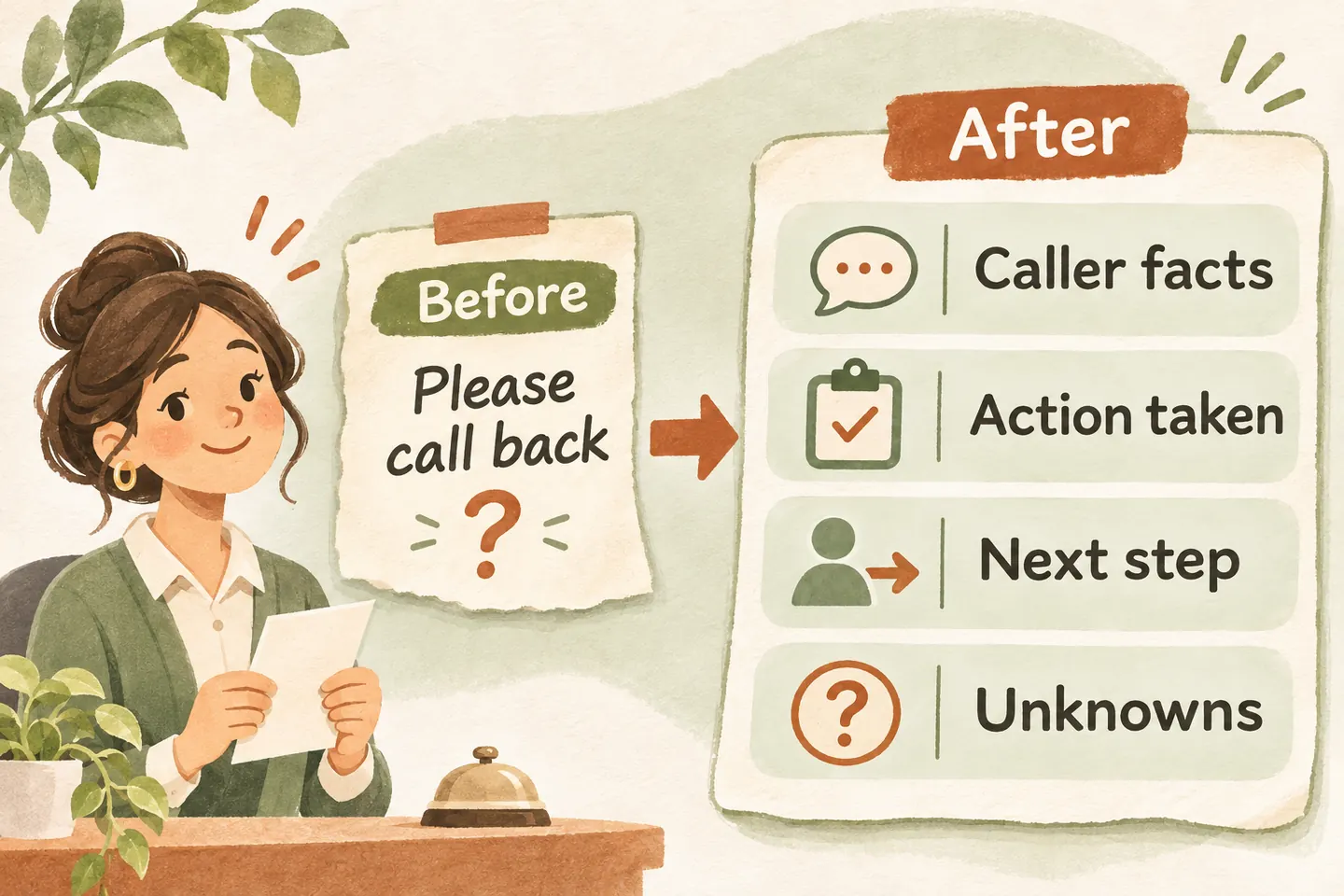
Separate what the caller said from what happened
Write the summary for the person receiving the work. “Caller wants a visit tomorrow” describes a request. “Appointment saved for tomorrow” describes a completed action and requires a successful booking result. Those sentences cannot be used interchangeably, even when a conversation sounded positive.
Use your AI receptionist call flow to define the possible outcomes before choosing note fields. An answered question, captured request, attempted transfer and confirmed booking each need different evidence. This template is a proposed staff review tool; it does not claim that your workspace automatically creates these exact fields.
Prefer concrete verbs: asked, reported, confirmed, attempted, saved or awaiting review. Keep a short quotation when the caller’s wording matters. Avoid unsupported labels such as “simple repair,” “approved customer” or “urgent dispatch” unless the responsible person has actually established the relevant fact.
Copy this compact handoff template
Use one note for one request, with a reference to the original call in the approved workspace. An update should identify what changed and when. Keep the original received time visible so a repeat call does not make an older request appear new.
| Field | Record | Do not assume |
|---|---|---|
| Contact and reference | Caller-provided name, confirmed callback route, call reference and received time. | Caller ID proves identity or is the preferred contact. |
| Request and location | What help was requested; service location only when needed. | The described symptom establishes a diagnosis. |
| Caller statements | Relevant observations and preferences, attributed to the caller. | A preferred time is a commitment from the business. |
| Completed actions | What was answered, saved or attempted, including the actual result. | Attempted means completed, or captured means assigned. |
| Unknowns | Specific missing facts and questions needing staff review. | An empty field means no restriction or no problem. |
| Next step | Actual agreed action, responsible person or team, and approved timing if any. | The business promised a callback window it did not approve. |
Use the same field names consistently. For a general question that was fully answered, record that outcome rather than inventing a follow-up task. For an open enquiry, make the remaining work easy to find.
Compare a vague note with a usable one
Before: “Mara has a leak. Wants tomorrow. Call back.” This leaves the receiving person unsure where the issue is, whether tomorrow was promised and whether anyone tried to connect the caller.
| Part | Rewritten note |
|---|---|
| Contact | Example C17, received Monday 16:20 in the business timezone. Mara Vale; callback 202-555-0142, read back and confirmed by the caller. |
| Request | Caller reports water beneath the kitchen sink at 218 Example Street. Requests a visit tomorrow morning. Cause not established. |
| Action | Service request captured. No appointment saved and no technician arrival promised. |
| Unknowns | Service-area eligibility and available visit time require staff review. |
| Next step | Caller agreed to staff review followed by a callback. Office lead handles review under the approved process; no callback time promised. |
The improved note preserves uncertainty without becoming a transcript. It also prevents the next teammate from treating the requested visit as a confirmed appointment. Use only an owner or team that your business has actually assigned to that review process.
Mark unknowns and confirm the important details
Write “not asked,” “caller unsure,” or “needs staff confirmation” according to what happened. These are different situations: a missing question may need a callback, while an uncertain answer may need qualified review. Do not silently fill a gap from a previous call, a guessed address or a familiar-sounding business name.
Use the phone address confirmation script to check the callback number and relevant location. Then read back the request and next step: “You’d like the team to review a visit request for tomorrow morning; no appointment is confirmed yet. Have I understood that correctly?”
If the caller corrects a detail, make the current value clear. Preserve any necessary correction history in the approved record, rather than leaving two conflicting numbers or dates in an unlabeled summary.
Keep sensitive and irrelevant detail out
Ask what the receiving teammate needs to do the next task. A service request may need an address; an opening-hours question usually does not. Avoid copying payment credentials, door codes, unrelated personal stories or health details into a general handoff note. Follow the business’s approved collection, access and retention rules.
Use an approved record location instead of spreading transcripts across personal documents. When testing a template or discussing quality, use fictional examples or appropriately prepared examples permitted by your business. This worksheet does not establish privacy compliance, secure storage or suitability for regulated information.
Let the receiving team score usefulness
Ask the person doing the follow-up to review a small set of permitted examples. Give one point for each clear answer: who to contact, what was requested, what actually happened, what remains unknown and who takes the next step. A missing contact route or falsely confirmed action needs correction even if the total looks good.
The current AI receptionist for small business offer includes call summaries, caller details and follow-ups in a private workspace. Review actual outputs against your approved process; the presence of a summary does not guarantee accuracy or completion of the next action.
To explore a fictional enquiry, try the live AI receptionist demo. The link opens the existing homepage setup; you explicitly press Start before a call begins. Request a personal demo to verify the summary and handoff workflow for your business.
Sources and further reading
YOUR CALLS, YOUR NEXT STEP
Try a fictional enquiry with a clear next step.

Use nonsensitive example details in the live demo, then request a personal demo to review how your team receives summaries, checks unknowns and owns the follow-up.