Arrival window or fixed time: how to describe a service appointment
Describe a service appointment using the commitment your business has actually approved: a fixed appointment time, an arrival window, or an unconfirmed request. State the date, timezone and status together. A calendar entry does not prove a technician is on the way, and a caller’s preferred window is not a confirmed visit.
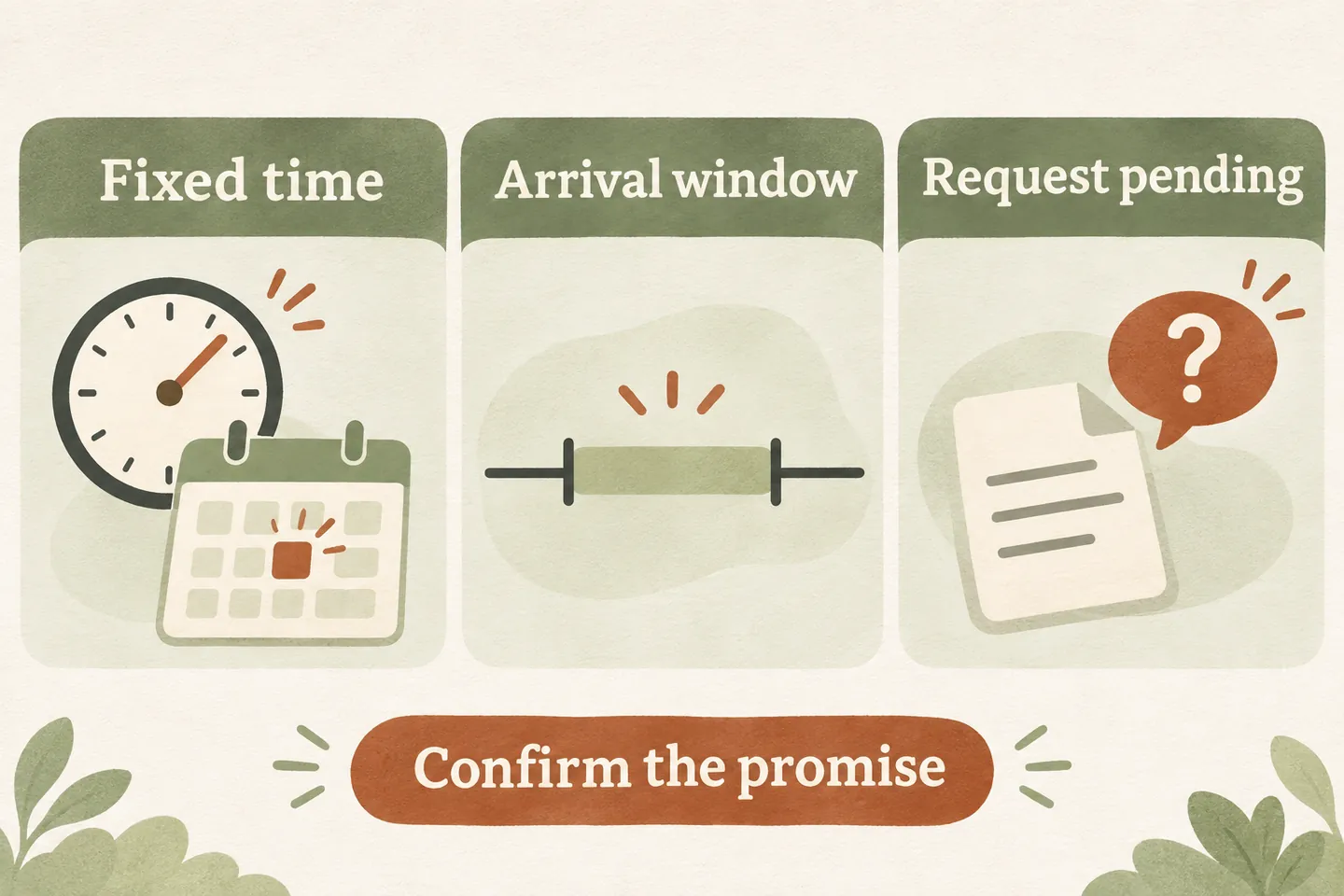
Choose the promise before choosing the words
A customer asking for “Tuesday at two” may mean a consultation that starts at two, a technician arriving sometime that afternoon, or simply a preference for staff to review. Ask which need matters: “Do you need a fixed appointment time, or could you accept an arrival window?” Record the answer without upgrading it into a commitment.
An AI receptionist for small business needs a business-approved definition for each appointment type. Identify who can commit a visit, what the time describes and which requests require human review. A fixed consultation may be bookable while a field visit still needs dispatch planning.
Our current offer supports enabled booking with a connected Google Calendar and confirmation after a successful save. It does not promise technician arrival times. The wording below is a planning aid for your approved process, not evidence that automatic arrival-window booking or dispatch is supported.
Use a wording table that preserves the actual status
These fictional examples use Tuesday, November 10. Replace the service, date and timezone with checked details. Use a confirmed phrase only when the responsible team has approved that commitment and the relevant booking has completed.
| Actual status | Sample caller wording | What the team must verify |
|---|---|---|
| Fixed appointment confirmed | “Your consultation is booked for November 10 at 2 p.m., Toronto time.” | Saved appointment, correct service and an approved fixed start time. |
| Arrival window confirmed by staff | “Our team has confirmed an arrival window on November 10 between 1 and 3 p.m., Toronto time.” | A responsible person has approved that window; do not infer it from an empty calendar. |
| Window requested, awaiting review | “I have recorded your preference for November 10, between 1 and 3 p.m., Toronto time. The visit is not confirmed.” | Requested range, callback owner and the real next step. |
| Availability or save result unclear | “I cannot confirm a visit time yet. The team needs to review the request.” | Unresolved question, existing records and ownership before another booking attempt. |
For failed or uncertain saves, use the appointment request versus confirmed booking guide. Keep the same status in the caller’s final answer and the staff record.
Keep calendar time separate from technician arrival
A calendar event can reserve time for a consultation, an assessment or an internal planning task. Its start and end do not, by themselves, identify a technician, route, travel allowance or arrival commitment. If staff use a two-hour calendar block, ask whether that means an arrival range or the expected duration of work.
Resolve service length, preparation and travel separately using the appointment duration and buffer worksheet. Do not tell a caller that work will finish at the end of an arrival window. Arrival and completion answer different questions.
A useful staff note names both meanings: “Requested arrival between 1 and 3; work duration not yet assessed; dispatch review required.” This keeps a preference visible without making an unsupported promise.
Read back the date, place and timezone
Confirm the service address and the timezone used for the visit. A property manager calling from another region may read their own clock while arranging access at a different site. Use the service location’s time first, then clarify any converted time the caller needs.
Read back: “For the visit at your Toronto property, you are requesting Tuesday, November 10, from 1 to 3 p.m., Toronto time. Is that correct?” Then state whether it is requested or confirmed. Avoid “next Tuesday afternoon” as the only record.
Explain changes through the process that actually exists
Name the person or team responsible for changed windows, how they contact the caller and what happens if contact fails. Do not invent automatic reminders, live tracking or an “on my way” message. Messaging is not included in our current plans; any separate communication process needs its own verification.
Ask for access constraints that affect the decision: when someone can admit the technician, whether the building closes, and whether a specific contact must be present. Record an exact-arrival request as a constraint for review, not as a guarantee made to keep the conversation moving.
If a caller says they were promised a different time, preserve their wording and route the discrepancy to the responsible person. Check the existing record before changing an appointment.
Test the uncomfortable follow-up question
Run these fictional cases with the owner before approving the script. The test passes when the answer and staff note preserve the same commitment, including uncertainty.
- “Can you guarantee someone will be here at two?” The response should restate the approved commitment and route an unsupported guarantee to staff.
- “So the repair will be finished by three?” The response should distinguish arrival from completion and avoid estimating unassessed work.
- “I can only open the building until one.” The response should flag the access conflict instead of confirming an incompatible window.
Review these scenarios within your AI appointment scheduling readiness checks. Staff availability, supported calendar behavior and a truthful fallback remain necessary even when the wording is clear.
Try a fictional arrival-time enquiry
You can try the live AI receptionist demo using a fictional service request. The link opens configuration; press Start explicitly when ready. The demonstration uses sample actions and does not create real customer appointments.
For a business-specific next step, request a personal demo with your approved appointment types, window policy and change owner. Verify the supported workflow before allowing it to make commitments for actual callers.
Sources and further reading
YOUR CALLS, YOUR NEXT STEP
Hear a fictional service appointment enquiry.

Try the live demo, then request a personal demo to review your appointment wording, supported booking workflow and human fallback. A sample conversation does not establish dispatch or arrival-time capability.