Appointment request or confirmed booking: make the difference explicit
An appointment request records what a caller wants; a confirmed booking requires a verified successful save for the agreed visit. A suggested time, a polite readback or a completed conversation is not that evidence. Use the same outcome labels in the conversation and staff handoff so a US or Canadian service business does not mistake an unresolved request for a reserved appointment.
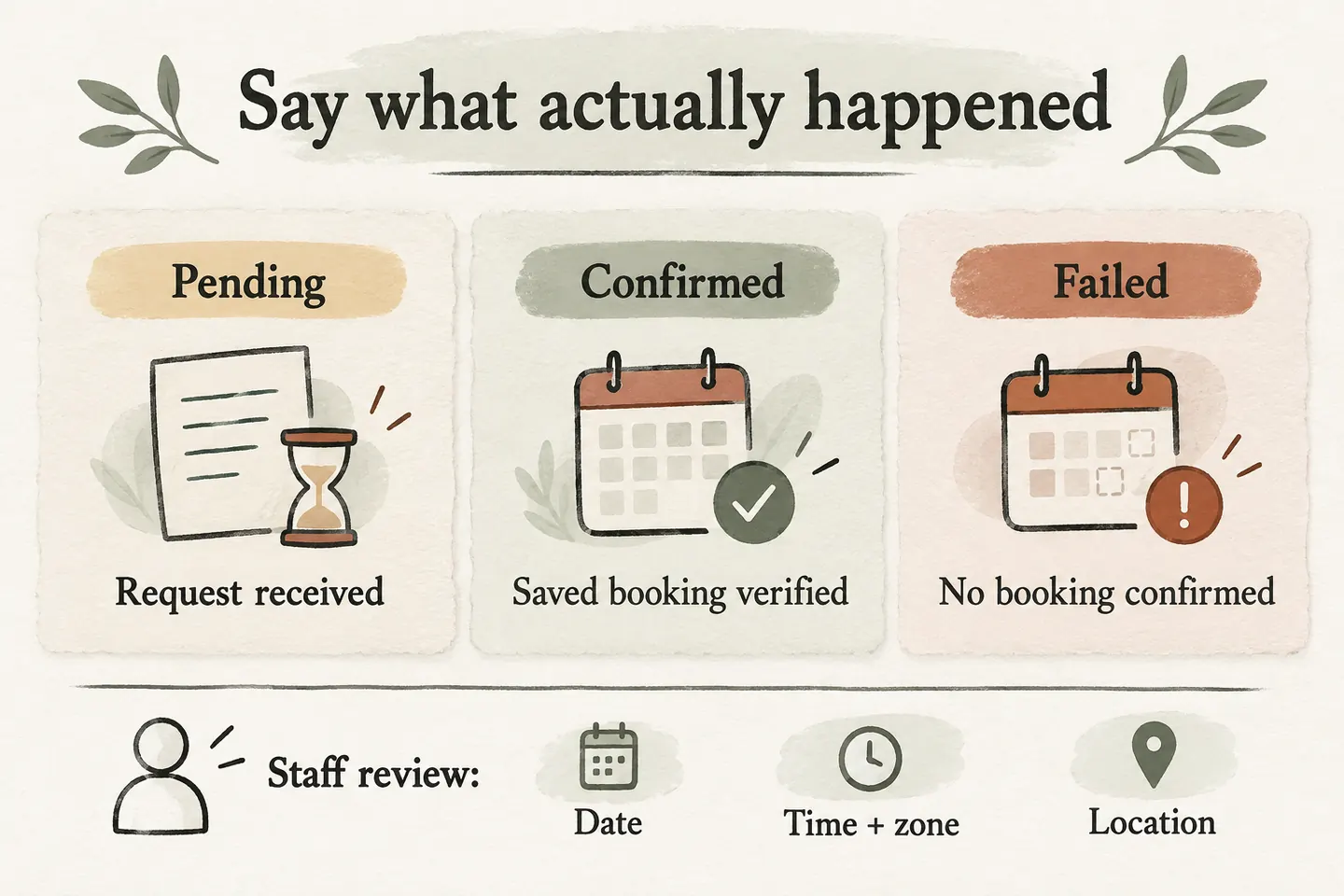
Define what counts as a saved booking
Before approving confirmation wording, identify the calendar and the record staff will check. Evidence should connect the successful result to the caller’s agreed service, date, start time, timezone and location. A reference to a different visit, a pending request or an unverified response does not pass that check.
Google separates reading free/busy information from creating an event. Its event-creation documentation describes a returned event on success. The practical distinction is that finding an opening and completing a booking are separate steps; your provider must show how its supported workflow verifies the final result.
AI Receptionists currently supports booking when the business workflow is enabled and Google Calendar is connected. The public scope is one business, one location, one receptionist and one supported calendar. Use the AI appointment scheduling readiness guide to confirm fit before approving language for real appointments.
Use wording that matches the observed outcome
Adapt this original language table to the business’s approved process. These are proposed scripts, not evidence that a particular setup has passed testing. Bracketed details must come from the actual agreed visit or an approved callback policy. Never fill an unknown field with a plausible guess.
| Observed outcome | Caller wording | Staff record and next action |
|---|---|---|
| Successful save verified | “Your [service] appointment is confirmed for [full date], [time and timezone], at [location].” | Record the verified appointment reference and matching details. |
| Preference captured; save not completed | “I have your preferred time. The appointment is not confirmed yet.” | Label it pending; name the person who will resolve it. |
| Calendar unavailable before booking | “I cannot confirm availability right now. I can take your request for the team to review.” | Record the preference and callback details without marking time as reserved. |
| Booking failed with a known unsuccessful outcome | “That booking did not complete, so I cannot confirm it. Our team can review the next step.” | Keep the failure reason and agreed fallback; do not send confirmation wording. |
| Save result uncertain | “I cannot verify the booking outcome yet. The team needs to check before confirming your appointment.” | Flag possible completion; check the original operation before another attempt. |
Avoid “you’re all set” or “see you then” while the record remains pending. If the caller asks whether they should attend, answer from the verified outcome. Explain who will contact them and use only a response window the business has approved. A callback request also needs an honest record of whether it was captured.
Read back the final details after the outcome check
First establish what the caller wants; after a successful save, read back what was actually booked. If those differ, stop and resolve the mismatch. Use a full date and named timezone instead of “next Tuesday” alone. Distinguish the service address from a billing address or the caller’s current location.
A confirmed consultation does not establish a technician arrival guarantee, final price or completed job. Keep its scope precise. If the caller changes the time during the readback, treat that as a new change request until the supported change is completed and verified. Do not announce the revised time as already saved.
Give unavailable calendars a clear request path
When booking cannot proceed, collect the minimum useful request: caller name, callback number, approved service, preferred date or time range and relevant location. Tell the caller that the preference does not reserve a slot. Assign a responsible person and a review window based on staffing, rather than implying immediate attention.
An uncertain result needs different handling from a calendar that was never available. Staff should compare the request with the original operation and selected calendar before creating another event. Blindly repeating a save can leave the team with two records to untangle. Use the prevent double booking Google Calendar checklist to evaluate overlapping requests and unclear results.
Test what the caller hears and the team receives
Run supervised fictional scenarios for every table row using a provider-approved test method. For each, record the expected wording, what was actually said, the calendar evidence, the staff status and the next owner. The test fails if the caller hears “confirmed” while the team receives an unresolved request, or if a failed save is omitted from the handoff.
Also ask a staff member to explain the outcome from the record alone. They should be able to distinguish a saved appointment, a preference awaiting review and a result that might already have created an event. A smooth conversation cannot substitute for that operational clarity.
An AI receptionist for small business should use approved answers and supported actions within this boundary. You can try the live AI receptionist demo with a fictional, nonsensitive enquiry; the homepage opens its configuration and you press Start explicitly. The sample experience does not prove a real booking. Then request a personal demo to review the actual calendar connection and outcome evidence.
Sources and further reading
YOUR CALLS, YOUR NEXT STEP
Try the live demo

Use a fictional appointment request to hear the conversation. Review saved, pending and uncertain outcomes with your team before approving confirmation language for real bookings.