Reduce double-booking risk before enabling AI phone appointments
To reduce double-booking risk in Google Calendar, use one approved booking workflow, test conflicts before activation and confirm appointments only after a verified save. An available time is a temporary observation, not a reservation. This checklist helps a US or Canadian business assess one location and one supported calendar; it does not establish that every overlapping request will be prevented.
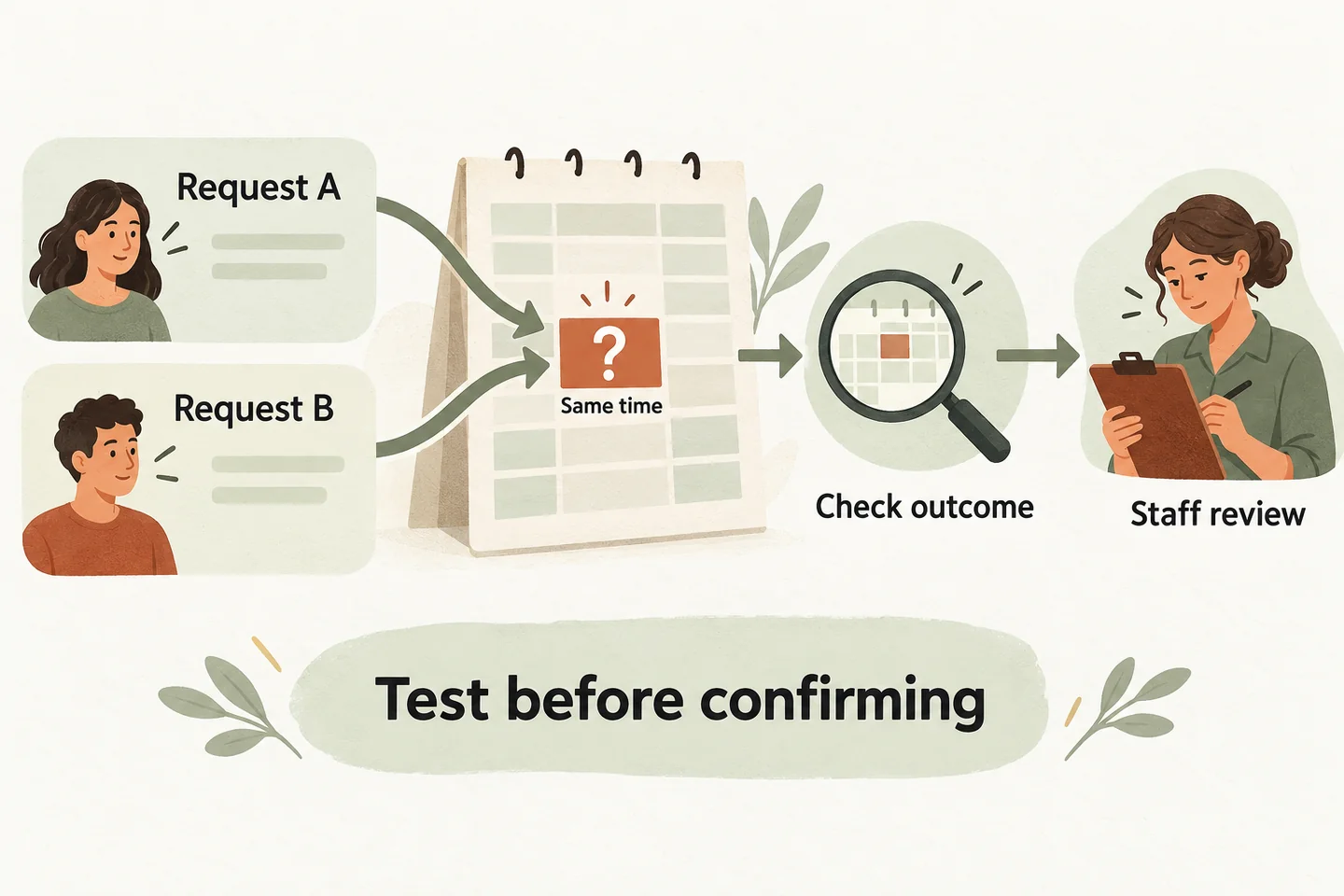
Use one authoritative calendar workflow
Start by naming the calendar that determines whether an appointment can be offered. List who can add or change events there, including staff working directly in Google Calendar. An AI receptionist for small business needs those operating rules; simply connecting an account does not settle which calendar contains the complete workload.
AI Receptionists currently offers Google Calendar booking when it is enabled for the business and the calendar is connected. The public offer covers one business, one location, one receptionist and one supported calendar. Separate staff calendars, room capacity and multi-location schedules need their own fit review; do not assume they are checked together.
Use the AI appointment scheduling readiness worksheet to establish eligible services, durations, buffers and callback ownership. Then record the selected calendar and business timezone on this checklist so every reviewer evaluates the same setup.
Check what existing events do to availability
Google’s free/busy query documentation describes a read of busy intervals for selected calendars. Creating an event is a separate action. A time returned by an availability check can therefore need another decision before an appointment is confirmed.
Place approved fictional test events in the selected calendar: a normal appointment, an all-day closure and a recurring busy period. Check a requested time that overlaps each one, plus a time close enough to collide with your buffer. Do not infer availability from the calendar’s colour or event title.
The reviewed AI Receptionists booking implementation checks Google busy times again before a new event is written and rejects a detected overlap. That is a useful check, not evidence of an atomic reservation. Complete the Google Calendar AI receptionist setup review before testing your connected business workflow.
Run a collision-test checklist
Use a supervised, approved test setup with fictional caller details. Agree on the expected result before each test. These are acceptance scenarios to run with your provider, not results already demonstrated for your business. Keep test traffic away from real customers and remove approved test events afterwards.
| Scenario | Arrange the test | Evidence required before approval |
|---|---|---|
| Existing event | Request a time inside a busy appointment, closure or recurring period. | The conflict is recognised; no unsupported confirmation is given. |
| Buffer overlap | Request a visit that fits only if the preparation or cleanup buffer is ignored. | Offered and saved times respect the approved duration and buffer. |
| Simultaneous requests | Two supervised testers request the same otherwise available interval together. | Review both conversations and saved records; any conflicting confirmations fail the test. |
| Manual change | Have an authorised staff member block the time after it is offered but before completion. | Observe the final outcome; a stale offer must not be treated as proof of a booking. |
| Duplicate retry | Simulate an unclear response using the provider’s approved test method, then repeat the same request. | Identify the original operation before another write; no unexplained extra appointment. |
| Changed appointment | Change an existing managed appointment directly in Calendar before a supported edit. | The change is reviewed rather than silently overwritten. |
For each row, capture the calendar, timezone, attempted interval, expected result, actual result, event reference, reviewer and date. Record “not tested” when a scenario cannot be reproduced safely. One successful ordinary call is not a substitute for the simultaneous-request row.
Confirm the save, not just the available time
A useful readback states the service, full date, local time and timezone. A confirmation also needs a successful booking result for that exact appointment. If a save times out or its outcome is unclear, the caller should hear that the request needs review, even when the conversation sounded complete.
The reviewed implementation verifies the returned Google event before treating the write as confirmed. It retains uncertain outcomes for reconciliation. Its revision checks also stop supported changes when an existing managed event has changed externally. These observations describe the reviewed workflow; they do not prove that two independent new requests cannot collide.
Google’s event-version guidance distinguishes conditional changes to an existing event from insertion of a new event. Protecting an existing event from an outdated edit is a different problem from allocating the same time to two callers. Evaluate both separately, and do not describe either as universal calendar synchronisation.
Assign a human recovery process
Name the person who checks uncertain results, the records they consult and the callback timeframe your team can meet. They should compare the request with the exact saved calendar event before creating, moving or deleting anything. A second appointment is not a safe way to resolve uncertainty about the first.
If any collision test fails or remains unexplained, keep the affected workflow in request-only mode until the issue is reviewed and retested. Staff should confirm the final outcome with the caller. Avoid promising that every manual change will automatically appear everywhere or that a pending request already reserves capacity.
Preview the conversation, then verify the connection
You can try the live AI receptionist demo with a fictional scheduling enquiry. The link opens the existing homepage configuration; press Start when ready. A sample booking in that demo does not prove that a real appointment was created or that your calendar passed these checks.
For the next step, request a business-specific demo and review the collision checklist against your actual supported configuration. Enable appointment confirmations only after the business owner accepts the observed results and the recovery process.
Sources and further reading
YOUR CALLS, YOUR NEXT STEP
Try the live demo

Use a fictional scheduling request to hear the conversation. Verify your connected calendar and collision-test results separately before enabling real appointment confirmations.