AI receptionist for property management: check the fit before connecting calls
An AI receptionist for property management should first prove useful for one defined intake workflow. Separate leasing enquiries, tenant questions and routine maintenance messages, then give each a limited next step and a staff owner. Do not treat a recorded request as a lease decision, repair booking, permission to enter or evidence that someone has responded.
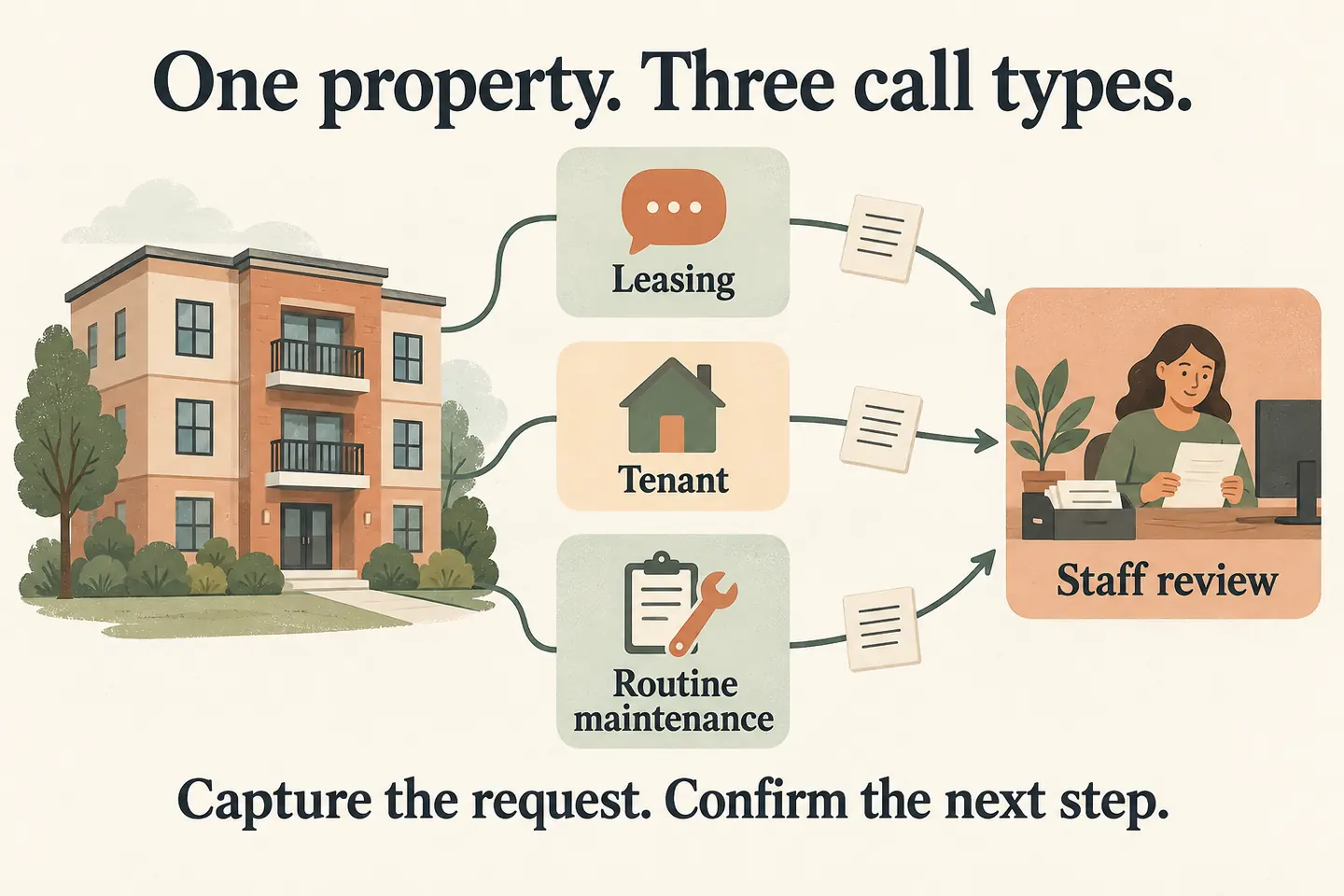
Start with one property or team workflow
Before connecting calls, design an AI receptionist call flow for a clearly named office or property workflow. Choose which calls enter the pilot, which information is approved and who checks the resulting requests. Keep the existing staff process for work that falls outside that boundary.
As checked October 19, 2026, the current service offer covers one business, one location, one receptionist and one supported calendar. Confirm how that scope applies to your proposed setup. One management office is not proof that every building in its portfolio, leasing team or maintenance system is supported.
Begin with a request-only pilot if booking or property-system access has not been demonstrated. Do not assume a portal integration, work-order creation, rent-account lookup or portfolio-wide routing from the ability to answer a call.
Give three caller types different boundaries
This original matrix is a planning aid for fictional Example Property Office. It does not represent an installed property-management integration. Replace the examples with the exact information and handoffs your staff approve.
| Caller lane | Minimum useful details | Permitted next step to verify | Keep with authorized staff |
|---|---|---|---|
| Leasing enquiry | Property reference, name, callback number and the question or viewing preference. | Answer an approved general question or record a leasing request. | Current unit availability, individual eligibility and any lease commitment. |
| Existing tenant question | Property reference; unit identifier only if needed; callback details and a short topic. | Give approved office information or capture the question for its owner. | Identity checks, account details, tenancy changes and access arrangements. |
| Routine maintenance message | Property and relevant unit/location, callback details and a brief description in the caller’s words. | Record a routine request for the designated staff reviewer. | Urgency assessment, diagnosis, contractor assignment and repair-response commitments. |
Name a reviewer for each lane and an available backup. A shared inbox is a destination, not an accountable person. Agree how staff receive and find the request through the supported workflow; the worksheet itself does not assign work or notify a contractor.
Capture a useful record without collecting access credentials
Ask which property the call concerns before assuming the number identifies it. Read the supplied reference back. A property name or unit number helps locate a request, but does not prove the caller’s identity or authority to receive account information.
- Confirm the callback number and a brief reason for contact; keep a preferred contact time labeled as a preference.
- Preserve relevant corrections and describe the outcome accurately: question answered, request recorded or transfer attempted.
- Do not request door codes, alarm codes, passwords, payment details or identity documents in this intake pilot. Route those matters to the business’s approved staff process.
Keep permission to enter separate from the report of a problem. “The sink needs attention” is not an access authorization. Staff should confirm the appropriate arrangements through their established process rather than infer them from the message.
Keep urgent matters out of the routine-message assumption
Review how the AI voice agent handles calls before approving urgent-call wording. The current offer can use approved owner or on-call transfers with an agreed unanswered fallback. A transfer still requires someone available to answer; it is not emergency dispatch.
Supply business-approved instructions for a caller describing an urgent concern. Do not diagnose the issue, downgrade it into a routine queue or promise a repair time. Test the route with staff before use. A captured message or unanswered transfer does not establish that a responsible person has received and accepted the situation.
Separate a viewing request from a saved appointment
A caller’s preferred viewing time can be useful intake even when direct booking is unsuitable. The current public offer requires an enabled booking workflow and connected Google Calendar; Calendly support is described as forthcoming. Only confirm an appointment after a successful save.
Before enabling a viewing type, verify the eligible property, duration, staff availability and any access arrangements. One connected calendar does not prove that a unit is vacant, a leasing agent is assigned or building access is arranged. If any requirement is unresolved, record the preference for staff confirmation. A saved viewing is not a tenancy approval or an offer to lease.
Try three fictional enquiries before connecting callers
Use invented names and property references. These examples describe expected handling to test, not completed customer calls or demonstrated product results.
Approve the pilot from observed handling
Repeat the tests with a wrong property reference, a corrected callback number and an unanswered approved transfer. Check the resulting records and the caller’s stated outcome. Write down the expected result, observed result, reviewer and date; fix a failed boundary before routing real callers.
You can try the live AI receptionist demo with a fictional, nonsensitive enquiry, then request a personal demo for the proposed workflow. The website sample does not demonstrate a property-system integration or create real appointments. Production calls require reviewed configuration, setup checks and paid activation. Expand only after the narrow workflow and its human handoffs are accepted.
Sources and further reading
YOUR CALLS, YOUR NEXT STEP
Check one property workflow before connecting calls

Try a fictional enquiry, then request a personal demonstration to confirm the supported location, intake fields, calendar scope and staff handoffs.