Answer after-hours price questions without promising an unapproved charge
An after hours service price enquiry script should repeat only an approved fee with its conditions, identify what remains unknown, and send exceptions to a named person. A caller asking “How much?” has not necessarily described enough work for a price. Give a useful next step without turning a request, estimate or booking into an accepted quote.
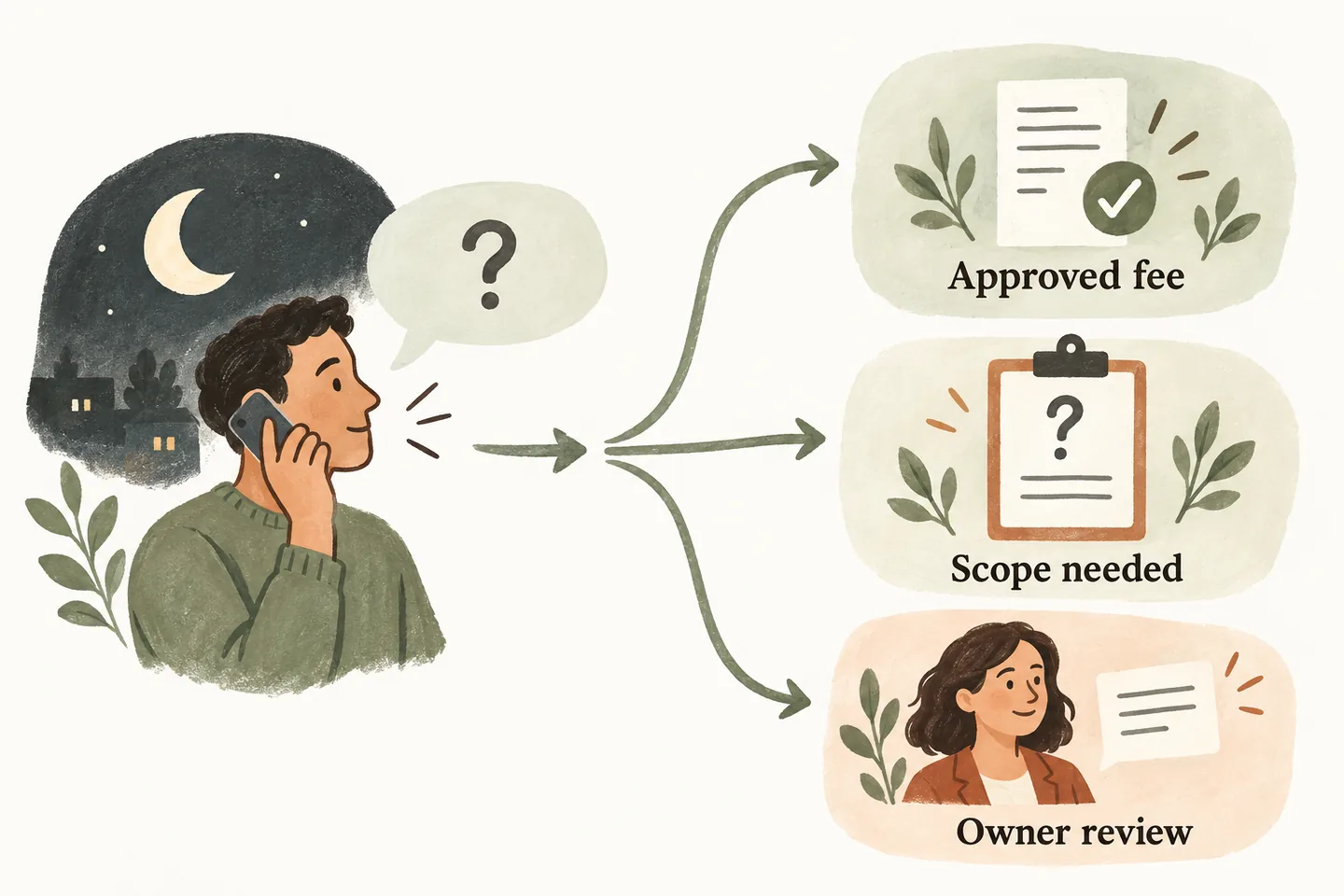
Give each approved fee a complete record
Start with the after-hours answering service coverage plan. It establishes when staff can act. Your price instructions then establish what may be said while those people are unavailable. These are separate decisions: answering the phone does not authorize a discount, a visit or a charge.
For every fee the business permits the receptionist to repeat, record its exact wording, currency, applicable service, conditions, exclusions, owner and review date. Include how tax should be described only when the business has supplied approved wording. A bare number copied from an old flyer is not a complete answer.
Keep that record in the approved-answer knowledge base. If two documents disagree or a review date has passed, use a callback response until the responsible person resolves the conflict. Do not average conflicting prices or choose the lower one to keep the conversation moving.
Adapt this price-question response bank
These are editable examples, not your business’s prices or automatically configured rules. Replace every bracketed field with reviewed information before use. If a condition is unknown, choose the review response rather than reading an incomplete fee statement.
| Caller asks | Suggested wording | Record for review |
|---|---|---|
| “What is the call-out fee?” | “The approved fee is [amount and currency] for [specific visit], under [conditions]. That covers [included scope]; [approved exclusions] are separate.” | Which fee record was used and whether its conditions fit. |
| “What will the whole job cost?” | “I do not have an approved total for that work. I can record the request so [role] can review the scope and discuss a price.” | The requested work and the unresolved price question. |
| “Is that the same price tonight?” | “I cannot confirm a different-hours price without approved instructions. I can pass your question to [role] for review.” | Requested date or window, without promising attendance. |
| “Can you waive the fee?” | “I cannot approve an exception. I can record the reason for your request for [authorized role] to consider.” | The requested exception, clearly marked as undecided. |
| “You quoted less last time.” | “I can note the earlier quote reference for the team to check. I cannot confirm that it applies to this request.” | Reference supplied by the caller; no assumption it remains valid. |
Capture enough scope for a useful price callback
Ask what service the caller is seeking, the service location at the detail your business needs, and their preferred callback number and window. Capture a short description in the caller’s own words. Ask one approved clarifying question when it changes which team should respond; avoid a long technical interrogation that still cannot establish the price.
For an ordinary plumbing enquiry, “replace a kitchen tap” is a more useful request than “plumbing price.” It still does not tell you whether parts, access or additional work affect the quote. For a salon enquiry, record the requested service and ask staff to confirm any price that depends on a consultation. These examples do not establish suitability for every business or workflow.
Read back the unresolved question: “You would like the team to confirm the price for [request], including whether [specific fee] applies.” Keep a caller’s budget separate from an authorized quote. A preferred time is a preference; it is not a confirmed visit or callback deadline.
Keep price information separate from permission to act
Use explicit internal outcome labels: fee explained, price review requested, exception requested, or appointment confirmed. Do not mark a caller as having accepted a quote just because they heard a fee, gave contact details or agreed to a callback. Your team must define its separate quotation and approval process.
Name the role allowed to confirm scope, change a fee or approve an exception. If that person is unavailable, capture the request under the agreed fallback. Do not promise a response that depends on staff who have not agreed to provide it.
For a failed handoff, use the unanswered transfer fallback dialogue. An attempted transfer does not mean a person has reviewed the price question or authorized the work.
Test confusing price language before callers hear it
Run fictional calls that ask for a total, an after-hours rate, a discount and an old quoted price. Add one case where the approved fee applies and one where its conditions do not. Have the fee owner check the exact answer and the resulting request, not only whether the conversation sounded friendly.
- Does the answer state the approved currency and relevant conditions without inventing missing amounts?
- Is an unresolved price question visible to the person responsible for the callback?
- Does the request distinguish caller preferences from approved exceptions, visits and commitments?
- Would a listener mistake “from,” “normally” or “should cost” for a guaranteed total? Rewrite ambiguous wording.
Review authorized call records for repeated misunderstandings after activation. Record the phrase that caused confusion, the corrected wording, its approver and the review date. Test the supported update before publication. The checklist is a review aid; it cannot guarantee that AI will never misunderstand a caller.
Preview the conversation, then verify your setup
The current AI receptionist for small business offer includes approved answers and request capture. Its voice-agent guide says the receptionist should not invent a price. Your business still needs to approve the fee information, permitted actions and human fallback.
You can try the live AI receptionist demo with a fictional price enquiry. The link opens the homepage setup; press Start when ready. The sample does not configure your real fee rules. Request a personal demo as the next step to review your actual wording and workflow.
Sources and further reading
YOUR CALLS, YOUR NEXT STEP
Try a fictional price enquiry.

Hear the sample conversation, then request a personal demo to review your approved fee wording, review owner and fallback. The visitor must press Start before the demo begins.