A pest control follow-up call script for existing customers
A pest control follow-up call script should help an existing customer leave an accurate question for the service team. Use approved caller checks, record a service reference when available, preserve the question and confirm what actually happened. This guide covers incoming follow-up calls and callback requests; it does not describe an automated outbound campaign.
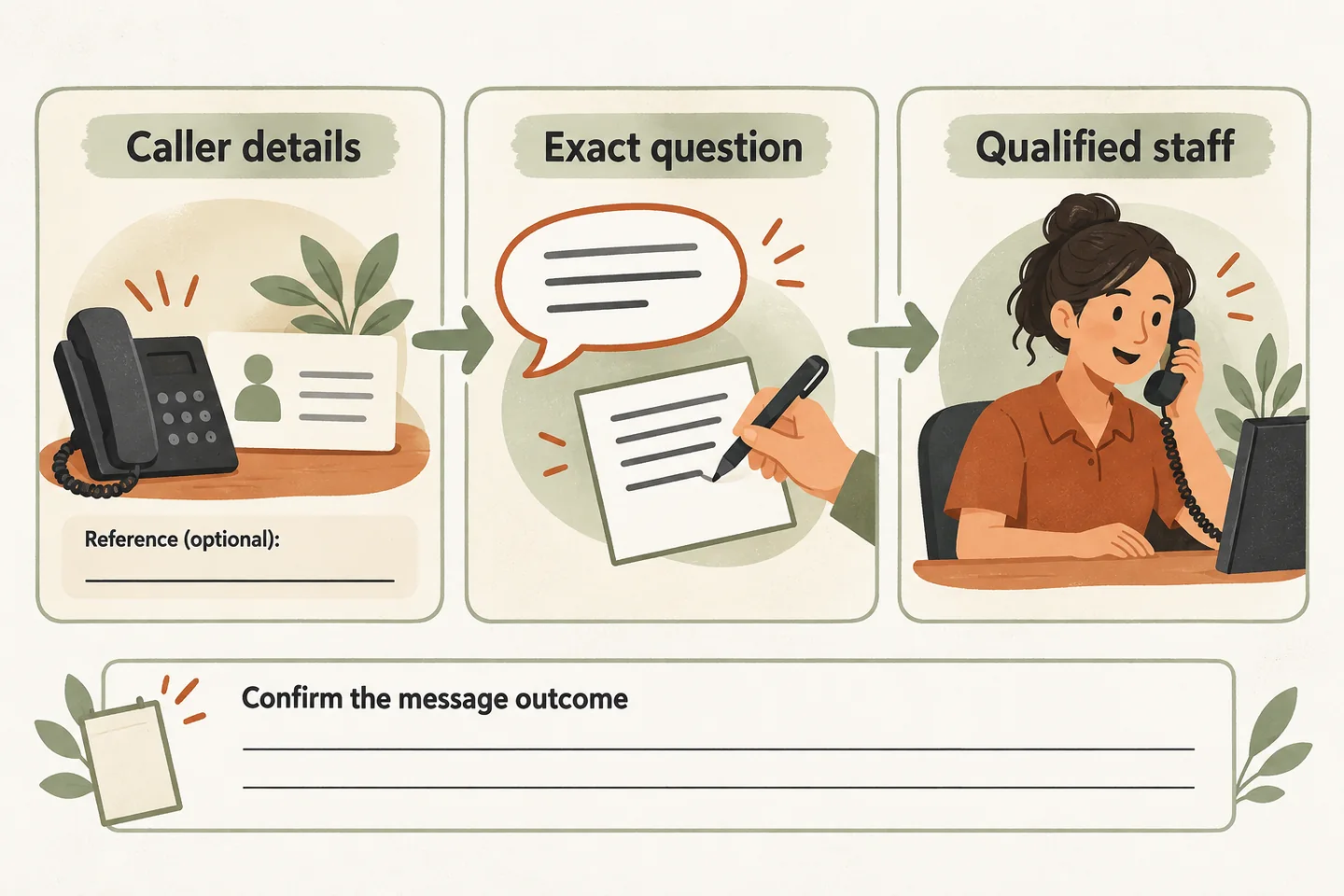
Start with approved caller checks
Before using the script, the owner should approve which details the receptionist may request and which account information it may disclose. A name, address or previous visit date can help staff locate a record; none should automatically authorize disclosure or changes. If a check cannot be completed, preserve the request for review without revealing treatment history.
Ask whether the caller is following up on an existing service, then collect their name and callback number under that approved process. Read the number back. Ask for a visit date or service reference only when useful; accept “not available” rather than guessing. Do not request payment details, access codes or a medical history.
The broader pest control answering service guide separates new inspection requests from existing-service enquiries. Keep this follow-up path focused on the unanswered question and the person responsible for reviewing it.
Use this editable follow-up message script
This original script is a planning template. Replace the bracketed fields with approved wording and test the configured workflow before using it with customers. The closing line depends on a successful action; writing a script does not establish that the action is available.
| Step | Suggested words | Record or check |
|---|---|---|
| Open | “Are you following up on a service you received from [business]?” | Reported existing-service enquiry; use approved caller checks before disclosing anything. |
| Contact | “What name and callback number should our service team use?” | Read back the number. Keep any preferred contact window separate from a promised response time. |
| Reference | “Do you have a visit date or service reference you would like me to include?” | Record what the caller provides. Mark unavailable details unknown; do not invent a matching account. |
| Question | “What would you like the service team to review? I will pass on your question.” | Preserve the caller’s wording without identifying a pest, judging treatment or promising a remedy. |
| Read back | “I have your question as: [question]. Have I captured that correctly?” | Apply corrections without adding conclusions. Include both issues if the caller asks two separate questions. |
| Close, after save | “Your callback request has been recorded for [approved reviewing role]. A callback time has not been confirmed.” | Use only after successful recording. Use a different approved closing if recording fails or a transfer occurs. |
A caller may ask, “Can you send the technician back for free?” Record that question. Do not turn it into warranty approval, an accepted repeat visit or a confirmed appointment. The authorized service team must review what the business can offer.
Keep technical and exposure questions with qualified people
Preparation instructions, product questions and treatment outcomes need an approved source and an appropriate qualified reviewer. An intake script should not improvise what to move, when to return, what to apply or whether a treatment worked. A previous visit reference does not give the receptionist enough evidence to answer those questions.
For Canadian context, Health Canada’s pesticide safety guidance emphasizes reading product instructions and warnings, and considers licensed professionals. Our editorial boundary follows from the need for specific information: capture the question without interpreting pesticide instructions. Businesses serving US customers should approve their own applicable technical and safety procedure.
Use wording such as: “That question needs the appropriate qualified person. I cannot assess treatment or exposure.” Exposure concerns must not be parked in a routine callback queue. Have qualified staff approve and test a separate urgent-contact procedure before activation. Do not describe the receptionist as an emergency-response service or promise that a technician will respond immediately.
Preserve the question in a useful handoff note
Consider this fictional, nonsensitive example: a caller says, “Your team visited on Tuesday. I still see insects near the back door. Does that mean I need another visit?” The note should retain that wording and the caller-provided visit day. It should not say “treatment failed” or “repeat treatment approved.”
If a reference conflicts with a later correction, preserve the correction and flag the unresolved detail for staff. Do not silently choose one version. Staff need to know what was reported, what was checked and what remains undecided.
Confirm the actual outcome and test the fallback
A saved callback request, an attempted transfer and a completed conversation are different outcomes. If the approved person does not answer, use the agreed fallback and describe that result accurately. If the request cannot be saved, do not claim it was sent or received; use the business’s approved failure wording.
Our AI voice agent guide describes approved answers, request capture and configured transfers with fallback. It does not establish access to pest-management records or treatment histories. As you design an AI receptionist call flow, verify the reviewing role, transfer destination and failure path against your actual setup.
Test a missing reference, a corrected callback number, an unavailable reviewer and an unsupported technical question with fictional details. Compare the resulting record with the closing statement. Leave any unobserved action unresolved until it is demonstrated.
You can try the live AI receptionist demo with a fictional routine enquiry. The homepage opens its configuration; you explicitly press Start. Request a personal demo as the next step to review your caller checks, record handling and callback rules before production activation.
Sources and further reading
YOUR CALLS, YOUR NEXT STEP
Try a fictional existing-customer follow-up

Open the homepage demo and press Start when ready. Use fictional, nonsensitive details; request a personal demo to verify your business’s approved caller checks and callback workflow.