When one caller requests several services, can they share one appointment?
Several requested services can share one appointment only when the business approves that combination and the supported booking workflow can reserve the required time and resources. Two individually bookable services do not automatically make one eligible package. Capture the complete request first; if compatibility, duration or capacity is uncertain, send it for staff scheduling.
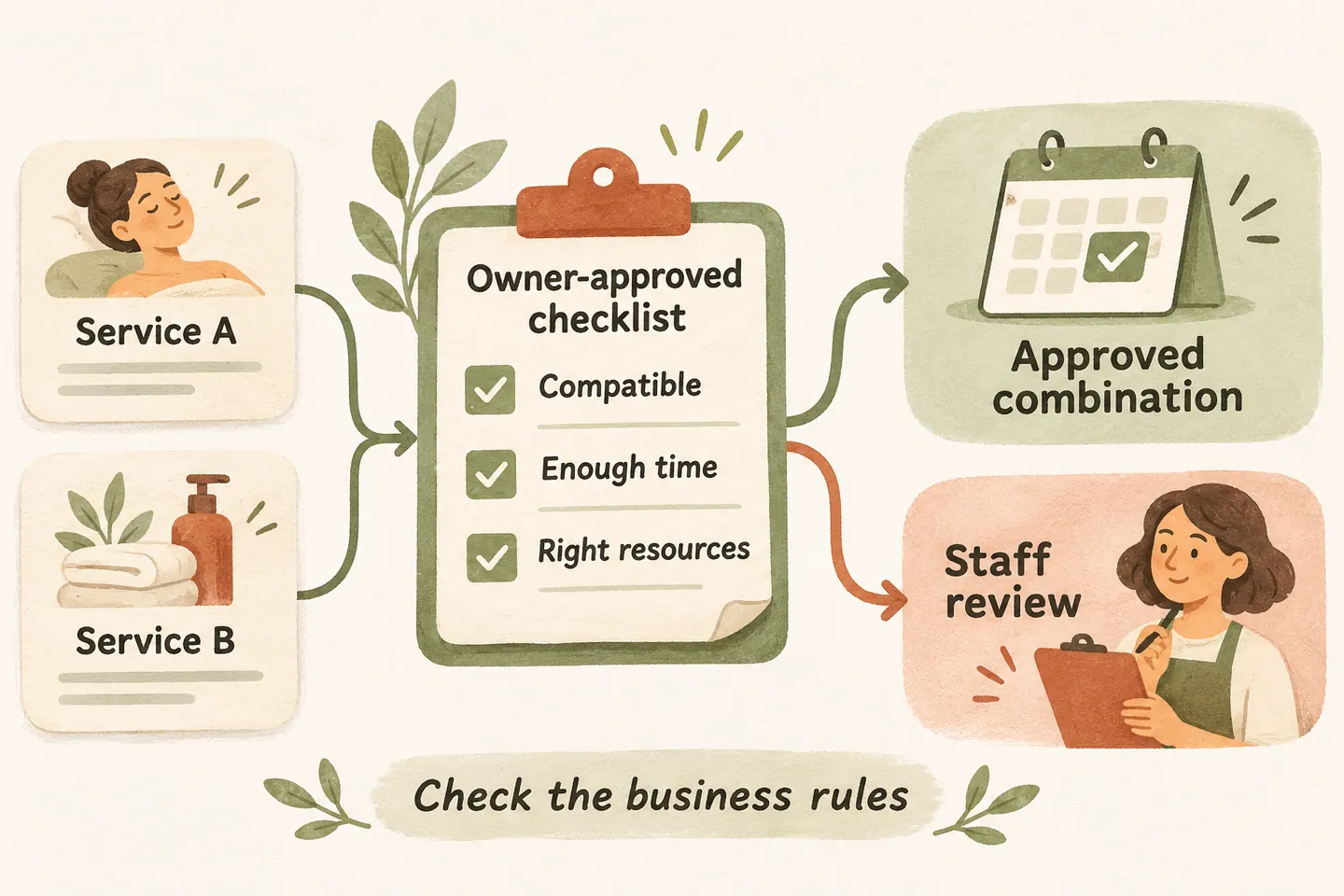
Start with the combinations the business has approved
Ask the caller to name each service they want, then repeat the list. Clarify whether the work is for one person or several, one item or several, and one location or different addresses. “While you are here” can describe a small addition or an entirely different job; the receptionist should not decide that from tone alone.
Before configuring an AI receptionist for small business to handle these calls, write down eligible combinations. Specify the exact service names, included quantities, exclusions and whether work must happen in a particular order. A familiar service label does not establish permission to combine it with everything else.
Give each combination a named owner and review date. Where the business has not approved a rule, mark the combination for manual review. Do not invent a package, discount or completion promise to keep the conversation moving.
Build a compatibility matrix before offering a time
This original matrix is a template for owner review. Its examples are fictional categories, not operating rules or product features. Replace them with your real service names and approved requirements. “Eligible” should mean both the business policy and the supported workflow have been checked.
| Requested combination | Time and resource rule to approve | Handling until verified |
|---|---|---|
| Two routine services at one location | Record the approved combined duration, buffer, included quantities and required staff or equipment. | Capture both services; do not assume their individual slots can be merged. |
| A routine service plus an assessment | State whether the visit permits assessment only, or any defined additional work; verify the appointment type. | Keep the uncertain work as a question for staff, not an agreed repair or price. |
| Services needing different staff or equipment | Confirm the necessary resources and whether one supported booking can reserve them together. | Route to manual scheduling when resource coordination is unsupported. |
| The same services at different addresses | Check each location, travel needs and whether separate appointments are required. | Do not treat one empty calendar period as approval for multiple stops. |
| An extra service added to an existing appointment | Recheck scope, total time and resources before changing the saved visit. | Record a change request without extending or replacing the original appointment. |
Add an approved spoken description and a fallback owner to every completed row. Keep “not permitted” separate from “not yet reviewed.” The first needs the approved explanation; the second needs a clear staff question. Neither should produce an invented booking option.
Use approved durations instead of guessing the total
Use the approved duration for the exact combination, including any required preparation or buffer. Do not automatically add two standalone durations: shared preparation may reduce time, while additional equipment or a required sequence may increase it. Only the business can approve the relevant rule.
Use the appointment duration buffer time scheduling worksheet to document the inputs. Then test the exact supported configuration, including a shorter opening and a slot near closing. If it cannot enforce the approved total, collect a request for review instead.
Check location and resources as well as calendar space
Ask whether all requested work is at the same approved service location. If the caller changes the address, quantity or service while discussing times, reconsider the combination rather than carrying forward the earlier assumption. An appointment prepared for one task may no longer fit the revised request.
A calendar opening alone does not demonstrate that the right person, equipment, room or access arrangement is available. Document which constraints the configured workflow actually checks and which need a person. Do not promise a particular technician, simultaneous attendance or coordinated specialist visits without verified support.
Our current AI appointment scheduling offer describes Google Calendar booking when enabled and connected. The published scope includes one business, one location, one receptionist and one supported calendar. It does not establish automatic service bundling or reservation of several staff members and resources. Verify the exact fit during setup.
Route exceptions and read back only the confirmed scope
For an unsupported combination, record each requested service, location, quantity, preferred timing and the unresolved constraint. Assign the request to the actual scheduling owner. A useful response is: “The team needs to check whether those services can share a visit. I can capture the request and your preferred time.” Do not describe that preference as a reservation.
If one service can be booked but the other needs review, ask whether the caller wants that narrower appointment. Never silently book the first item and imply that both are included. The readback should name the confirmed service and explicitly identify the other request as pending.
Confirm a booking only after the supported save succeeds. Repeat the approved service combination, date, time, timezone and location; state any exclusions that matter to the caller. An unclear save result stays unconfirmed while staff checks the record. Do not create another event merely to resolve uncertainty.
You can try the live AI receptionist demo with a fictional request for two services. It opens the homepage configuration; press Start when ready. The sample does not book real customer appointments. Request a personal demo to test an approved combination, an unsupported combination and a partial request before enabling your workflow.
Sources and further reading
YOUR CALLS, YOUR NEXT STEP
Test a fictional request for several services

Try the sample conversation, then request a personal demo to check your approved combinations, timing rules and staff-review fallback. A sample booking does not verify production resource coordination.