Test an HVAC answering service before the next busy season
An HVAC answering service demo checklist should test five different decisions: repair intake, maintenance eligibility, commercial enquiries, warranty questions and an unanswered handoff. Set the expected response and record before each call. Then check whether the caller heard the right next step, staff received useful notes and the owner approved that specific call type for coverage.
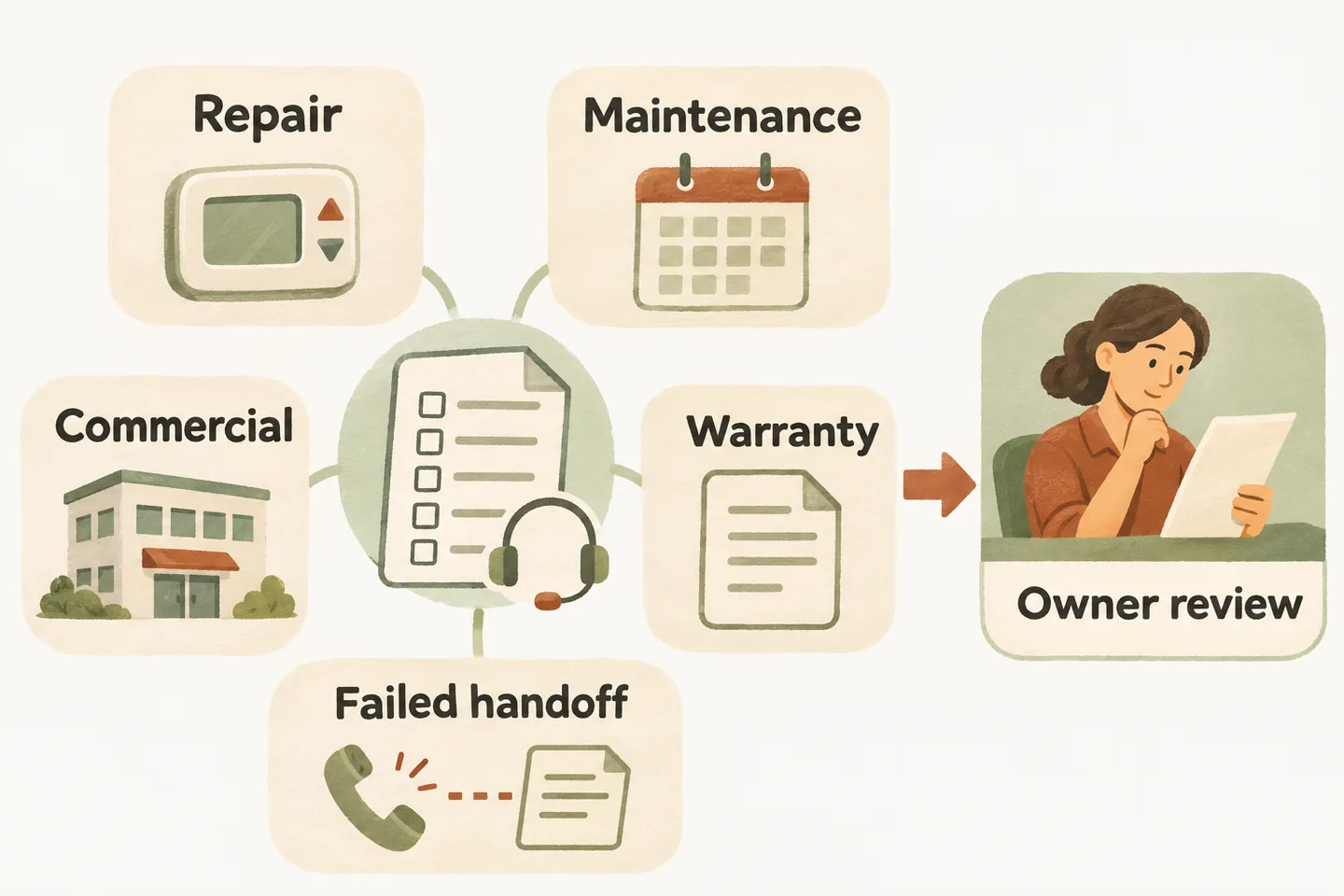
Set acceptance rules before listening to the demo
Use fictional callers and a controlled test plan. Give the tester a caller card and the reviewer the approved business rule. Include the configuration version, review date and person responsible for the result. Keep real customer details, payment information, access codes and actual emergencies out of the exercise.
The HVAC answering service guide helps define call types and ownership. For this evaluation, turn those policies into observable checks: what the receptionist may ask, what it must leave undecided and where the resulting request should go. A fluent conversation earns no pass if it gives the wrong commitment.
Our AI receptionist for small business uses approved business information, captures requests and supports configured transfers with an agreed fallback. Production booking requires an enabled workflow and connected Google Calendar. The public demonstration uses sample actions, so review your own configuration and supported records separately before sending real customers to it.
Use five calls with different acceptance conditions
This original pack is an illustrative starting point, not a report of completed tests. Replace every proposed outcome with an owner-approved rule. Let callers answer naturally, including “I do not know,” rather than feeding the receptionist a perfect set of equipment details.
| Caller card | Required evidence | Stop and correct if |
|---|---|---|
| Repair: “The house is not warming up. I cannot find the model number.” | The note preserves the reported problem, location and callback details; unknown equipment information stays unknown. | The conversation requires a model number, diagnoses a part or promises a repair time. |
| Maintenance: “I think our annual plan includes a visit. Can you book it?” | The plan claim is recorded as unverified; only the approved visit type and supported booking path are used. | Membership, included work or a free visit is inferred from the caller’s statement. |
| Commercial: “We manage several buildings and need someone to discuss maintenance.” | The enquiry identifies the requested discussion and contact; staff review service scope and the relevant location. | A multi-property contract, site coverage or technician assignment is accepted automatically. |
| Warranty: “The unit was installed last year. Is this repair covered?” | The caller’s warranty question reaches the approved reviewer without a coverage decision. | The receptionist invents eligibility, manufacturer approval, labour coverage or a charge. |
| Failed handoff: “May I speak to the service coordinator?” | An arranged unanswered-transfer test produces the approved fallback and a clear unconfirmed status. | It claims the coordinator answered, promises an unsupported callback deadline or loses the request. |
Run the repair card again with an equipment description instead of a model number. The relevant difference is whether the caller can describe what they know without being coached to inspect or troubleshoot equipment. A field left unknown can be a correct outcome; invented detail cannot.
Inspect maintenance and warranty notes closely
Ask the authorized reviewer to open the test record through the supported workflow. Compare the caller’s request with the saved description, confirmed contact details, location, unresolved questions and next owner. Note whether a statement came from the caller or from approved business information. That distinction matters when someone mentions a maintenance plan or warranty.
Use a review sheet with these fields: case reference, approved rule version, observed wording, saved-record reference, unresolved question, correction owner and retest date. Mark “not observable” when the demo cannot expose the required action. Do not replace missing evidence with an assumption that a connection or lookup must exist.
For an enabled booking test, compare the saved calendar entry with the spoken date, time, timezone and visit type. A maintenance request awaiting staff review is not a confirmed appointment. A successfully saved visit also does not establish warranty entitlement, repair scope or the availability of a particular technician.
Check boundaries when the call becomes difficult
Add one fictional safety concern to the repair conversation and compare the response with the business’s preapproved wording. The evaluation should verify that the receptionist stays within that boundary, avoids technical instructions and does not reassure the caller that equipment is safe. Do not improvise a hazard assessment or treat a service callback as emergency dispatch.
Coordinate the failed-handoff scenario with staff before running it. Record the intended destination and deliberately arranged unanswered outcome, then check the fallback. The caller should understand whether a request was recorded and what remains unconfirmed. Do not call a real emergency line or an unsuspecting third party for a test.
If temporary hours affect the expected response, use the HVAC severe-weather closure message guide to approve the dated wording first. A closed office, a captured enquiry and an existing appointment each need an accurate status; a temporary message should not silently cancel a visit.
Approve the tested scope before expanding coverage
Classify each case as accepted, correction required or not tested. The owner signs off only when the observed conversation and supported action match the approved rule. Assign a correction to a person, change the relevant configuration and rerun that case. Preserve both observations so an improvement is traceable.
Five calls cannot demonstrate every equipment type, caller, service area or busy-season condition. Start with the scope actually reviewed and repeat affected cases when your hours, accepted work, transfer owner or booking rules change. Keep unsupported commercial or warranty actions with staff even when routine intake passes.
To hear a sample, try the live AI receptionist demo with one fictional HVAC enquiry. The link opens the homepage configuration; press Start explicitly to begin. A personal demo is the next step for reviewing your five caller cards, actual supported actions and owner approval criteria.
Sources and further reading
YOUR CALLS, YOUR NEXT STEP
Try one fictional HVAC enquiry.

Hear the sample experience, then request a personal demo to review your five call cases, supported records and approval criteria. The public sample does not book a real service visit.