Keep a building contact directory useful for service-call intake
A building contact directory for service calls should identify who handles each request, which contact route is approved, what the receptionist may use it for and when someone last verified it. A name and number alone are not enough. Keep property-management, onsite and billing responsibilities separate, and give missing or outdated entries a callback path instead of guessing a destination.
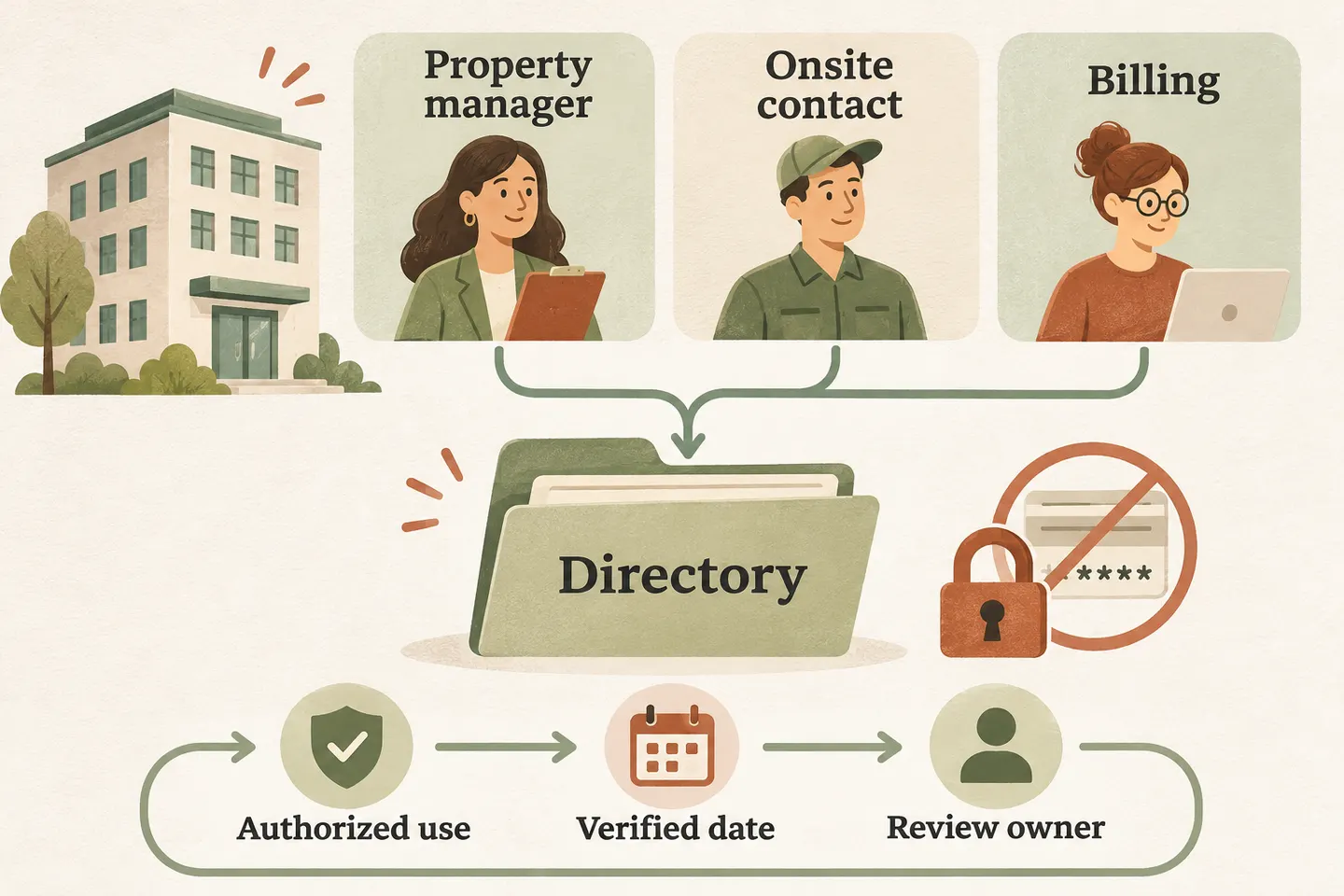
Separate the roles before collecting numbers
Start with the building and workflow that the business has approved. Ask who receives routine service questions, who coordinates an agreed visit and who reviews account queries. One person may hold several roles, but the permission attached to each role should remain explicit. An onsite contact may help arrange access without authorizing an invoice or approving additional work.
First separate property-management call types so a maintenance enquiry does not automatically go to the leasing or billing contact. Record whether the listed role belongs to the building, the service business or the caller’s organization. Similar job titles do not establish that the people have the same responsibilities.
Keep the directory within the agreed service scope. Our current standard offer covers one business, one location and one receptionist. A directory worksheet does not establish support for a property portfolio, multiple locations or every building-management system. Verify the intended arrangement during setup before routing real calls.
Use a directory template that records permission and review
Use the following original template for each role. Bracketed fields are prompts for approved business information, not customer records or supplied contact details. Keep one controlled version and identify who can approve a change. A team can maintain this worksheet without assuming that the receptionist has a native directory-management feature.
| Field | What to record | Check before use |
|---|---|---|
| Building and role | [Approved building identifier] and [property manager, onsite contact or billing reviewer]. | Confirm the role matches this building and this type of request. |
| Approved contact route | [Verified work number or staff handoff route], with applicable hours and timezone. | Separate a supported transfer destination from information staff may use later. |
| Authorized use | [Questions this role may receive], [details allowed in the handoff] and [details not to disclose]. | Do not treat inclusion as permission to share a private number with callers. |
| Verification evidence | [Person who confirmed the entry], [approved verification method] and [actual date]. | An answer at the number alone does not confirm identity or authority. |
| Update ownership | [Directory owner], [next review date] and [change-reporting route]. | Give each pending correction a responsible person. |
| Fallback and status | [Approved callback owner]; mark verified, needs review or retired. | Do not use a disputed or retired destination while its status is unresolved. |
Store separate records when the same person handles more than one role. This keeps a later change manageable: a new billing assignment should not silently replace an onsite coordination contact.
Verify a change through the business-approved process
A caller saying “use my new number” is a change request, not a verified directory update. Record the requested correction and route it to the directory owner. That owner should use the established verification process and an already trusted route to confirm the change, rather than relying only on the new details supplied in the call.
Give each approved update a short record: old role reference, new destination, permitted use, verifier, approval time and effective date. Preserve the difference between a proposed correction and the version currently in use. Remove superseded contacts from active instructions through the business’s approved process while retaining only the history its policy requires.
Place those decisions within your AI receptionist call flow. Decide which request can be captured, when a configured transfer is appropriate and who owns a callback. Approval to add a directory entry and technical readiness to use a transfer destination are separate checks.
Keep access instructions and sensitive credentials separate
The directory should help staff reach an authorized person; it should not become a shared list of door codes, alarm credentials, lockbox combinations or private resident information. Record that access coordination is needed and the approved contact role. Use the business’s separate authorized process for any sensitive access information.
If a caller asks for a personal number or access detail, follow the approved disclosure instruction. When permission is unclear, collect a callback request for the responsible person. Do not read a private field aloud merely because it is visible in a record.
Assign a review date and handle stale entries honestly
Choose review dates based on how the business maintains its contacts. Also trigger a review when staff change, a destination fails, availability changes or someone disputes an entry. A recent verification date is useful evidence, but it does not guarantee that the contact remains available or authorized today.
After review, test the permitted path and its unanswered fallback with fictional details. Check that the staff note identifies the intended role and unresolved question. If the directory owner is unavailable, keep the correction pending rather than making a temporary guess look like an approved update.
Check the actual configuration before activation
Our AI receptionist for small business uses approved business information and configured actions. The public offer describes supported knowledge updates and transfers, with new routing destinations handled through support. It does not verify automatic synchronization with your directory, building-access system or property-management software.
You can try the live AI receptionist demo with a fictional, nonsensitive enquiry. The homepage configuration opens first; press Start when ready. The sample does not contact a real building. Request a personal demo to verify the approved roles, available actions and callback process before activation.
Sources and further reading
YOUR CALLS, YOUR NEXT STEP
Try a fictional building-service enquiry

Use nonsensitive example details, then request a personal demo to verify your approved contact roles, supported handoff and missing-contact fallback.