Who can change a service appointment? Set a clear authorization rule
Only someone authorized under the business’s approved appointment policy should direct a change, and the change still needs a supported, successful action. A caller’s name, address or family relationship does not establish that authority. Use this worksheet to separate identifying the appointment, checking permission and recording the actual outcome.
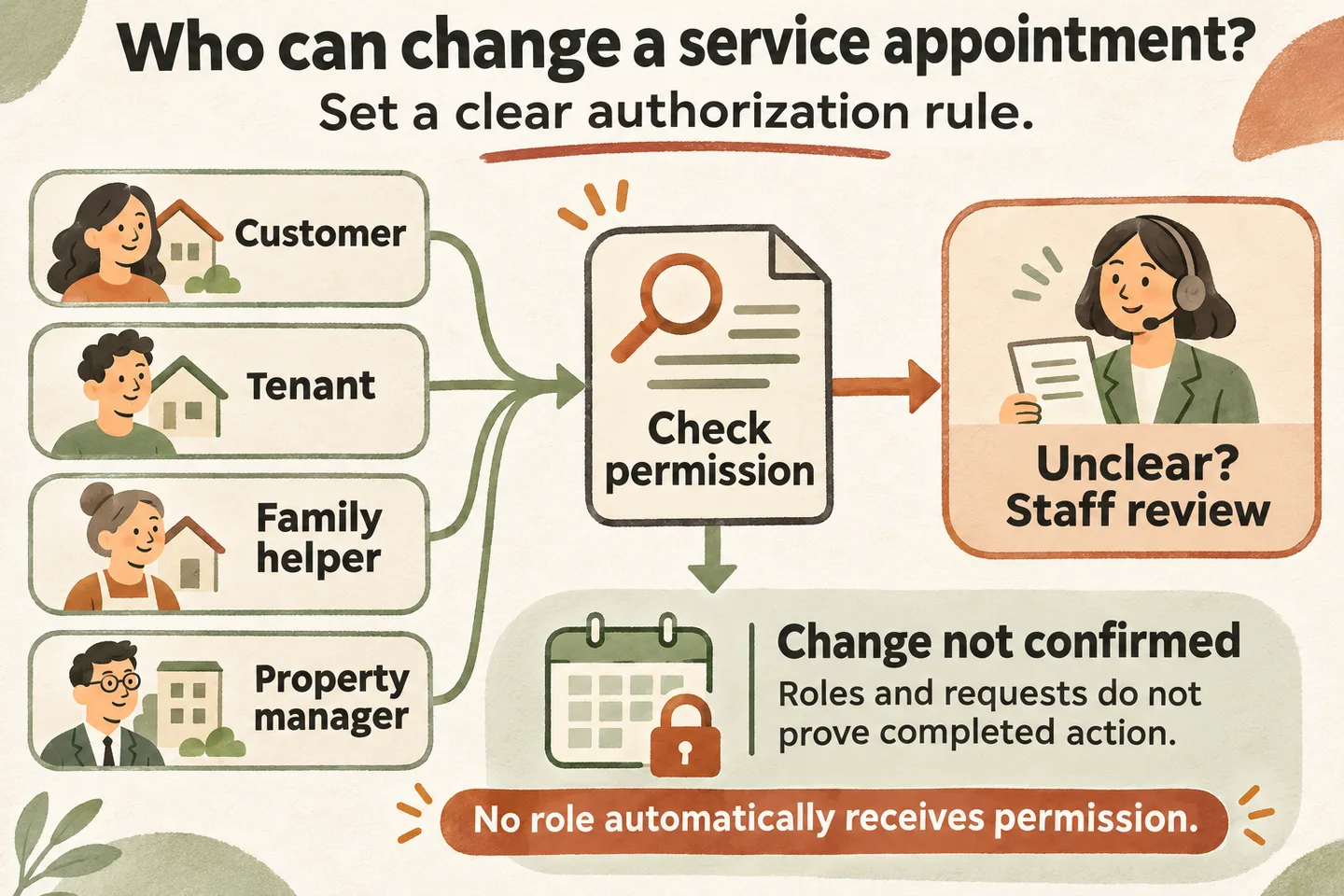
Identify the appointment and the caller’s role
Begin with a neutral question: “Are you calling about your own appointment or on someone else’s behalf?” Ask for the minimum identifying details allowed by the business, such as the booking name and requested visit date. Let the caller supply those details before disclosing information from a record.
Record the claimed role separately from the relationship to the appointment. A tenant may need to coordinate access without authority to cancel a landlord’s service order. A family member may be helping with a call without permission to alter the booking. Treat these as questions for the policy, not conclusions about the caller.
For an AI receptionist for small business, define this boundary before enabling any action. Identity asks who the person is; authorization asks what that person may do for this particular appointment.
Apply the business’s approved verification requirements
Complete this original worksheet with the owner before use. It proposes review questions, not universal permissions or a built-in identity-verification feature. For every permitted change, specify the accepted evidence, responsible reviewer and fallback when the check cannot be completed.
| Claimed role | Permission to establish | If evidence is missing |
|---|---|---|
| Customer or original booker | Does the verified record authorize this person for this visit and requested action? Define the approved identity check separately. | Capture only the permitted request details; route to the designated reviewer. |
| Tenant or occupant | Can this person change the service order, or only discuss access? Identify the approval needed for each action. | Do not treat possession of the address as permission to cancel or reschedule. |
| Family member or helper | Is delegated permission documented through the business’s approved process, and does it cover this particular change? | Do not infer permission from the family relationship or shared phone number. |
| Property manager | Does the verified authorization cover this property, service and type of change? Specify who resolves an unclear scope. | Send an unverified management claim or conflicting instruction for staff review. |
Add four blank fields to each completed row: approved evidence, actions allowed, reviewer and review date. Distinguish permission to request a different time from permission to cancel, change the destination or authorize extra work. Approving one action must not silently approve the others.
Do not make caller ID, knowing an address or confidently describing the job your sole approval rule. If follow-up with an authorized contact is required, staff should use the business’s approved contact route; a replacement number supplied during the disputed call is not independent confirmation.
Collect only necessary information
Write a short intake record: claimed role, appointment details supplied, requested action, verification step completed or unresolved, and permitted callback information. Record the result of an approved check without copying unnecessary sensitive evidence into a general call note.
Do not ask for passwords, payment-card details, government identification or personal family history merely to move a routine visit. If a situation needs stronger verification, have the responsible person choose the appropriate process. A polite explanation helps: “The team needs to check permission before changing another person’s appointment.”
This is an operational planning worksheet for US and Canadian service businesses. It does not decide tenancy rights, legal representation or privacy obligations. Disputes and regulated records need the business’s qualified reviewer and applicable policies; the receptionist should not adjudicate them.
Send uncertain authority to a human
An unclear record, conflicting instructions or a request outside the caller’s approved scope belongs with a named staff role. Preserve the original appointment while review is pending. State what the caller requested and what remains unverified, without labelling the caller dishonest.
Only after request capture succeeds should the receptionist say it has recorded the request. Give an approved callback route or response window if available. If a transfer is configured but nobody answers, use the agreed fallback. Neither transferring nor taking a message means permission has already been verified.
Confirm only changes the workflow actually completed
Authorization is one gate in AI appointment scheduling. Our current offer describes Google Calendar booking when enabled and connected, with confirmation after a successful save. That does not establish automated identity checks, delegated-permission records, or editing and cancelling existing events. Verify the exact workflow before relying on any of those actions.
Once authority and the supported action are established, use the appointment cancellation rescheduling phone script to distinguish a pending request from a completed change. An uncertain result stays unconfirmed; staff should check the existing record before another action.
Test with fictional callers: an authorized customer, a helper without recorded permission, a tenant with access-only permission and a manager outside the approved property scope. Check the spoken response and staff note. Each should identify the unresolved permission question without implying the appointment changed.
You can try the live AI receptionist demo with fictional, nonsensitive details. The homepage configuration opens first; press Start when ready. The sample does not change real appointments. Request a personal demo to verify your authorization rule, supported actions and human handoff before activation.
Sources and further reading
YOUR CALLS, YOUR NEXT STEP
Test a fictional appointment permission question

Try a nonsensitive sample call, then request a personal demo to review who may authorize changes, what can actually be completed and when staff must take over.