AI receptionist vs an IVR phone menu: compare the caller journey
Choose between an AI receptionist and an IVR phone menu by testing what a caller can accomplish. A short menu can route predictable requests effectively; conversational intake can let callers explain a need before choosing a department. Neither approach guarantees a correct answer, a completed booking or an available employee. Compare the same enquiry, including mistakes and unanswered transfers, before replacing a working route.
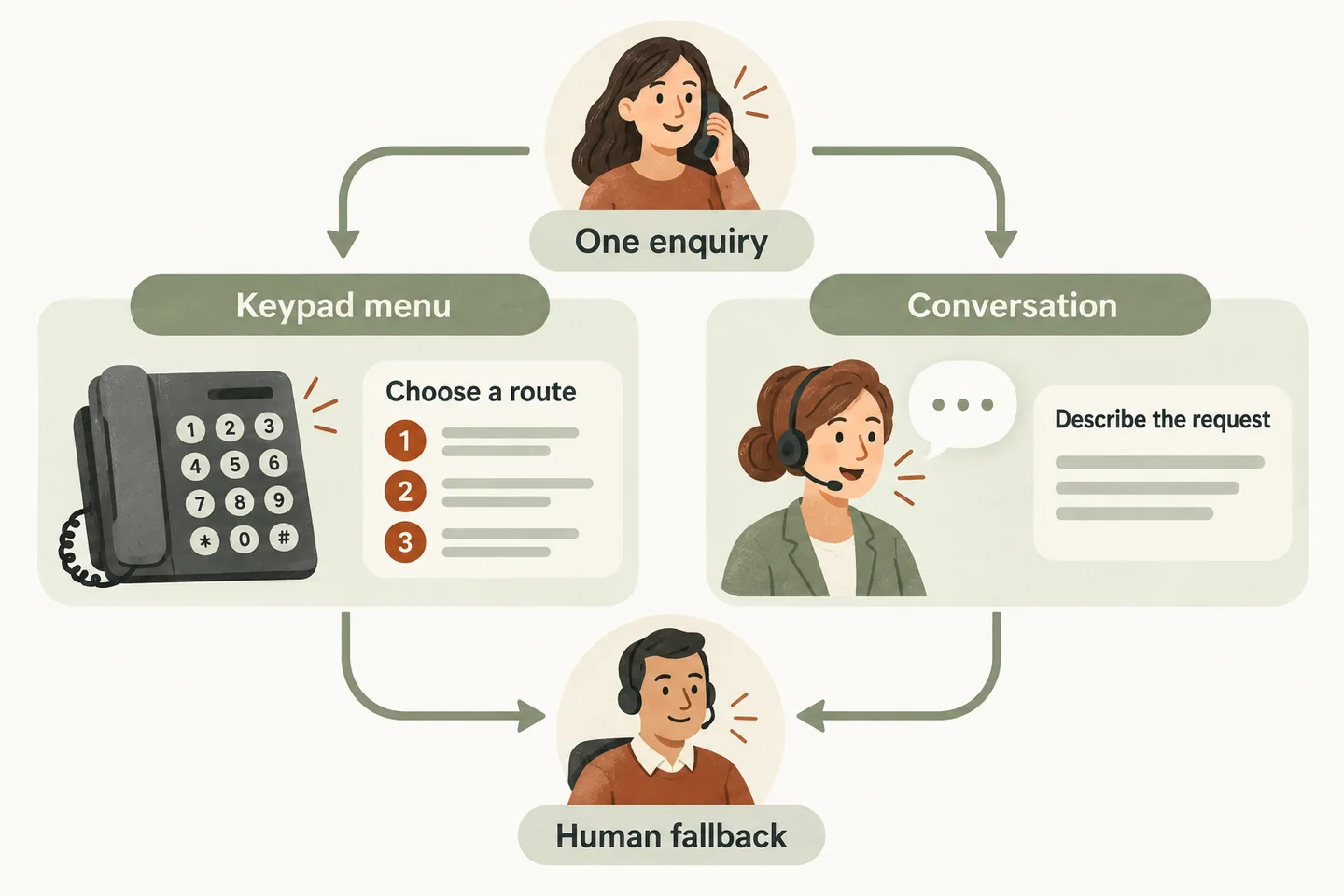
Define what your current menu solves
List the jobs your existing menu performs: separating new enquiries from existing appointments, reaching a known employee, or providing opening hours. Note which routes callers already understand. Replacing those routes is useful only if the new arrangement makes their next step clearer or handles an unmet need.
IVR does not always mean keypad only. Twilio’s official Gather documentation describes collecting digits, speech or both. The comparison below therefore uses a conventional keypad routing example and a conversational intake example. It is not a claim that every phone menu lacks speech, or that every AI receptionist supports keypad alternatives.
Pick one ordinary enquiry that matters to your business. Write the intended result before testing: an approved answer, a transfer, or a request delivered for staff follow-up. A friendly exchange alone is not that result.
Send the same enquiry through both journeys
Use this fictional enquiry: “I would like an estimate for a planned job, but first I need to check whether you serve my area.” Assume nobody is available to answer directly. Both routes must end with an accurate explanation of what happens next, without inventing availability or an estimate.
| Moment | Keypad routing example | Conversational intake example |
|---|---|---|
| Entry | Caller hears “For a new estimate, press 1.” | Caller describes the estimate request and service-area question. |
| Area question | Selected route reaches a recording or a staff destination; test where the question can be answered. | Agent checks approved area information; an unclear address becomes a question for staff. |
| Correction | Caller chooses the wrong option; test a return or repeat instruction. | Caller corrects the town or request type; test whether the final summary changes. |
| Nobody answers | Follow the configured unanswered-call route and check its message instructions. | Follow the agreed fallback and collect only the details needed for a callback. |
| Closing | Caller hears whether a message was recorded and what follow-up was actually promised. | Caller hears that a request was captured, not that an estimate or visit is confirmed. |
Record the actual ending, not just how many prompts occurred. A short path that loses the request is not an improvement. A longer path may be acceptable when it obtains a necessary detail and lets the caller correct it.
Separate open questions from fixed routing choices
A menu asks the caller to map their need to your labels. Conversational intake asks the system to interpret the caller’s words. Test an unclear request, two needs in one sentence and a correction halfway through. Neither method should silently change the intended task.
An AI receptionist for small business needs approved information and clear action limits. On the current offer, enabled booking requires a connected Google Calendar, and an appointment is confirmed only after it saves successfully. An estimate request should remain a request when no booking action has completed.
Write down which answers staff approve and which questions must reach them. Include an unfamiliar service, an exception to the service area and a price question without an approved answer. Listen for uncertainty being acknowledged rather than filled with a plausible response.
Test correction paths and access needs
Treat accessibility as an evaluation task with actual callers and their needs. Speech is not automatically easier for everyone, and keypad selection is not automatically usable in every situation. These checks do not establish compliance with an accessibility standard.
- Ask for the options again, pause before responding and make one wrong selection. Can the caller recover without restarting?
- Correct a name, town and callback number. Check the final captured details rather than trusting a polite acknowledgement.
- Try background noise and a caller who needs more time. Observe interruptions, repeated questions and timeout handling.
- Ask how someone who cannot comfortably speak or use the keypad can contact staff. Verify any alternative on the actual service.
- Request a person using ordinary words. Check whether the route is explained and what happens when nobody answers.
Offer testers a way to describe difficulties without requiring personal medical information. Record the obstacle, the available alternative and who will resolve an unsupported requirement before changing your phone routing.
Check who owns the fallback
A transfer attempt and an answered transfer are different outcomes. Test a destination that does not answer, then check whether the caller reaches the agreed fallback and whether staff receive an actionable request. Do not promise a callback deadline unless someone owns it.
The AI voice agent overview explains the current service’s approved destinations and unanswered-call fallback. Availability still depends on someone answering. Confirm your routing and follow-up arrangements in a personal demo; the website sample does not verify your production setup.
Decide what to replace and what to keep
Keep a simple menu where callers reliably reach the correct destination. Consider conversational intake where callers need to explain a request or ask approved questions before routing. A partial change may be enough: review whether an existing direct route can remain while another call type uses intake. Confirm that arrangement is supported.
Use the answering-service evaluation checklist to document unresolved requirements. If a staffed service is also on your shortlist, the AI receptionist vs answering service guide helps compare equivalent scenarios.
Then try the live AI receptionist demo with fictional, nonsensitive details. The link opens the homepage configuration; press Start when ready. Use it to explore conversation and correction, then request a business-specific demo to verify the routes your callers actually need.
Sources and further reading
YOUR CALLS, YOUR NEXT STEP
Try the same enquiry in the live demo

Use fictional details to test a request and a correction. Open the homepage configuration and press Start when ready; ask for a personal demo to verify your actual routing and fallback needs.