Build a fallback plan for after-hours phone or calendar outages
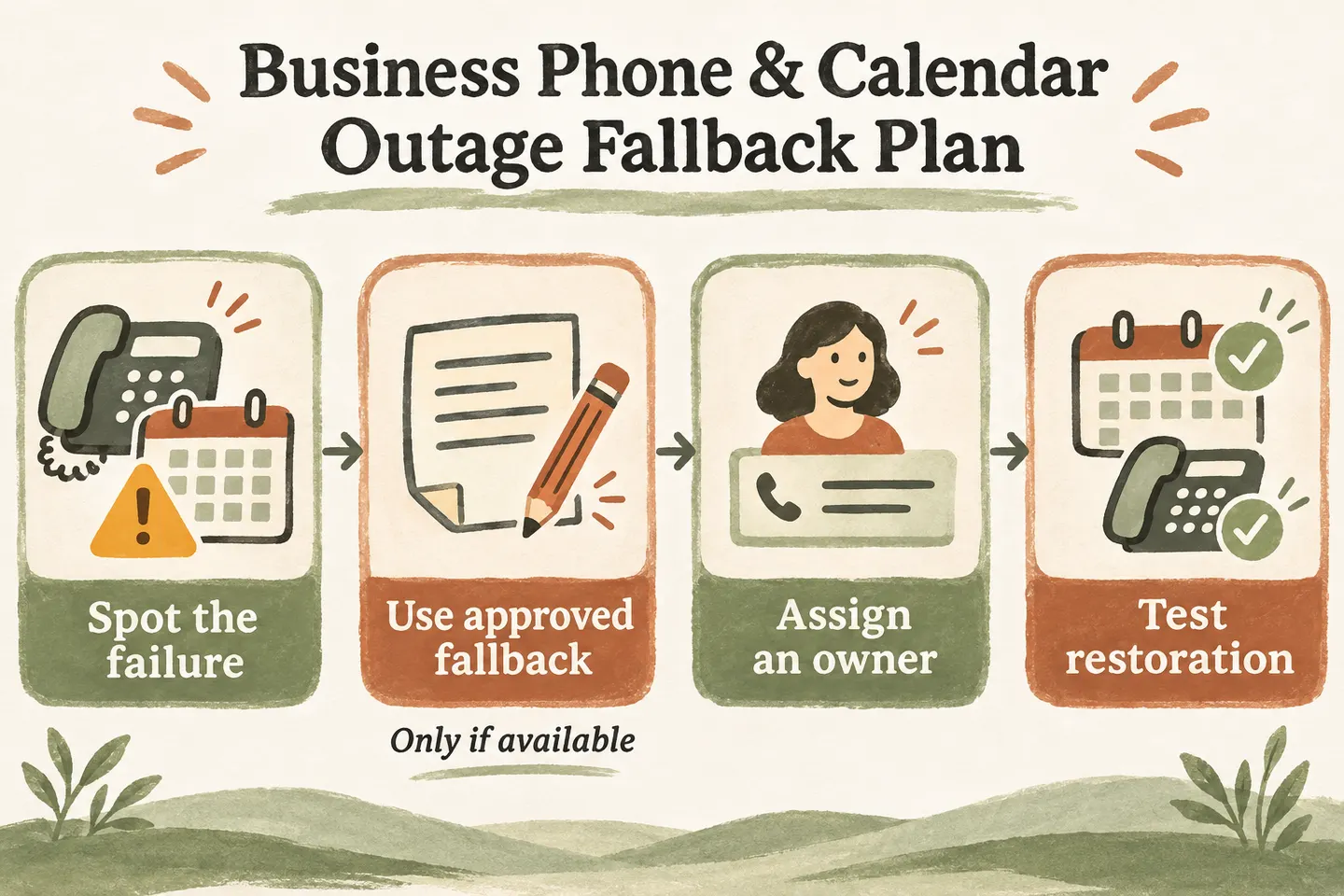
A business phone outage fallback plan should identify the failed step, name the person responsible, offer only a working approved alternative and define a restoration test. Keep call answering, message storage, calendar booking and human transfers separate. If one fails, do not describe the others as successful without checking. A written plan helps staff respond consistently; it does not guarantee uninterrupted service.
Map the dependencies behind each promise
Start with the call path your business actually uses: the incoming number and carrier, forwarding destination, receptionist, approved transfer number, request record and connected calendar. Beside each, write the responsible contact, an approved alternate contact method and where staff can find the instructions. A contact list stored only in an unavailable workspace may be unusable when needed.
The current AI receptionist for small business offer supports approved answers, request capture and configured transfers with an agreed fallback. Booking requires an enabled workflow and connected Google Calendar, and appointments are confirmed only after a successful save. These capabilities do not establish automatic carrier failover, offline operation or recovery of every interrupted request.
Keep this checklist beside your after hours answering service coverage plan. Check who can make routing changes outside office hours, whether that person has the required access and how the business approves a temporary change. Do not improvise carrier commands during a live incident.
Complete a continuity checklist before an outage
Use this original worksheet with your service provider and staff. The rows describe possible symptoms, not a diagnosis. Replace role names and alternatives with approved details; if an alternative is untested or unavailable, mark it unavailable instead of presenting it as protection.
| Observed symptom | Owner to contact | Approved temporary handling | Evidence before returning to normal |
|---|---|---|---|
| Calls do not reach the expected destination | Business phone owner and carrier contact | Use a separately verified public contact route, if one exists. Do not assume the failed line can play a new message. | A fictional inbound call reaches the intended destination through the real business number. |
| Calendar availability or save cannot be confirmed | Booking owner and service support | Collect a request only if capture still works. State that no appointment is confirmed. | Check availability, save a fictional test booking and find the same record in the intended calendar. |
| Request storage cannot be confirmed | Request-review owner and service support | Use an approved manual record only where a person and permitted storage are available. Otherwise give the approved alternative. | The reviewer can retrieve a new fictional request and verify its details. |
| Approved transfer does not connect | On-call coordinator | Use the reviewed message or backup path; describe the attempt accurately. | The destination answers a test transfer, and the unanswered path produces the expected outcome. |
For the transfer-specific conversation, use the unanswered call transfer fallback guide. A phone outage may prevent that conversation entirely, so a transfer script alone is not a continuity plan.
Tell callers which action remains unconfirmed
When the call still works but booking fails, the wording should separate the caller’s request from a saved appointment: “I can’t confirm an appointment right now. I can record your preferred time for the office to review.” Use the second sentence only after confirming that the supported request-capture path remains available.
If capture also fails, say: “I can’t confirm that your request was saved. The approved alternative is [verified contact instruction].” Do not promise that someone received the details, that a callback is scheduled or that restoration will happen soon without evidence. A known provider notice can inform staff, but it does not confirm this particular caller’s outcome.
Give manual intake a clear owner and limit
Manual intake is a staff procedure, not an assumed offline feature of the receptionist. Decide who may record requests, which approved storage to use and how that person will protect and later transfer the record. Use only details needed for follow-up: name, read-back callback number, request, preferred time and the action that could not be confirmed.
Add the actual receipt time and business timezone, the recorder’s role, and a status such as “awaiting review.” Keep a request reference so staff can reconcile it with any record that appeared later. Do not collect payment credentials or unnecessary sensitive details. If nobody is available to operate the manual process, the plan must say so; writing “manual backup” does not provide staffing.
Verify restoration before resuming normal promises
Ask the responsible owner to test the complete affected path using fictional, nonsensitive details. A dashboard loading again is not enough to prove that calls route correctly or appointments save. Check the caller-facing outcome and the record staff will actually use, then remove test records through the approved process.
- Confirm the normal configuration and any temporary routing changes with the authorized owner.
- Reconcile pending manual requests with existing records before entering anything again; check uncertain saves for duplicates.
- Assign unresolved requests to a named reviewer and preserve the original request time.
- Record who approved normal operation, the actual test results and the time of that decision.
Review the incident and test your wording
Afterward, record the observed symptoms, affected actions, temporary handling and unfinished follow-up. Separate known facts from suspected causes. Update missing contacts and unclear scripts. Do not treat one successful test as a future uptime guarantee, and do not turn routine message handling into emergency dispatch or a technician-arrival promise.
You can try the live AI receptionist demo with a fictional enquiry. The link opens the homepage configuration; press Start when ready. Its sample actions do not test your carrier or simulate a real outage. Request a personal demo to review the supported failure paths and staff responsibilities before activation.
Sources and further reading
YOUR CALLS, YOUR NEXT STEP
Try a fictional after-hours enquiry.

Use nonsensitive example details in the sample demo. Request a personal demo to review your supported call path, booking failure wording and staff-owned fallback process.