Roofing estimate intake questions that prepare a useful callback
Useful roofing estimate intake questions establish who is calling, which property they mean, what they want reviewed and who should respond. Start by separating a new project from an existing-customer enquiry. Capture the caller’s description and scheduling preferences, then explain whether the next step is a callback or an inspection request. Recording the request does not supply a quote or confirm a visit.
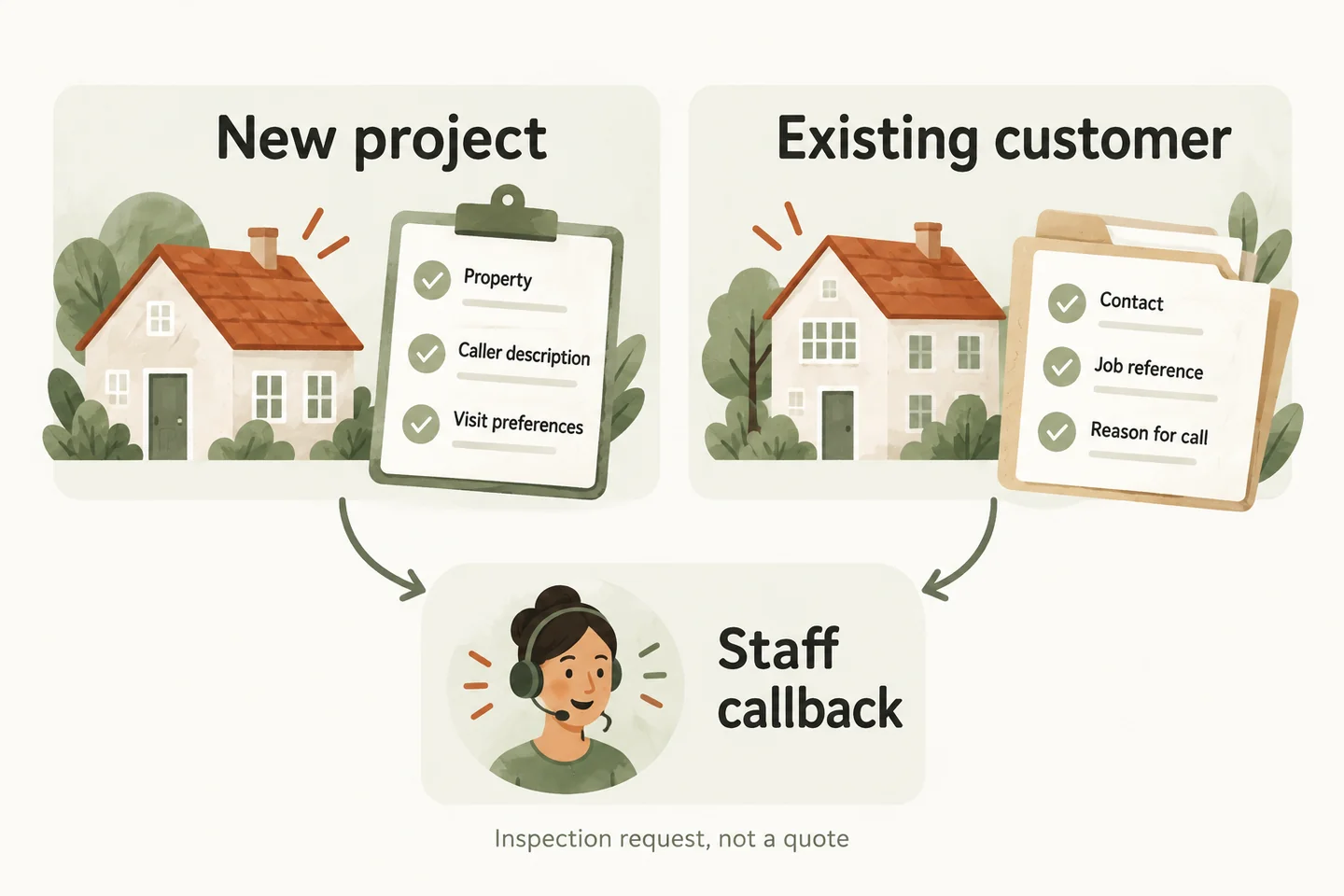
Choose the enquiry path before asking for details
Open with: “Is this about a new project, or work you have already discussed with our team?” An existing customer asking about a previous estimate should not have to describe everything again. Equally, recognizing a name does not mean the receptionist has verified the job record or can approve a change.
For the wider routing decision, review the answering service for roofers guide. This worksheet addresses the narrower intake task: a compact record the responsible person can use to prepare a callback. Adapt its fields to the business’s approved process before using it on real calls.
Use two worksheet columns with one clear next action
Ask one question at a time. Leave an unknown field marked “not provided” or “needs review” rather than filling it from an assumption. The questions below are an original planning template, not a tested roofing integration or a requirement to collect every detail from every caller.
| Field | New project | Existing customer |
|---|---|---|
| Contact | “What name and callback number should the team use?” | Confirm the caller’s name and current callback number. |
| Property | Ask for the service address, municipality and ZIP or postal code. | Confirm which property or job the enquiry concerns. |
| Purpose | “What would you like the team to review?” | “Is this about the estimate, scheduling, completed work or another question?” |
| Existing reference | Leave blank unless a prior discussion is mentioned. | Record a reference if known; do not require the caller to find one. |
| Caller description | Preserve their short description and uncertainty. | Record what has changed or what needs clarification. |
| Access preferences | Ask about arrangements staff should discuss before a visit. | Ask whether previously discussed arrangements have changed. |
| Timing | Record a preferred callback time and any requested inspection date. | Record the requested response or scheduling change without accepting it. |
| Next action | Assign the estimate reviewer and mark inspection unconfirmed. | Assign the project contact or another approved reviewer. |
Read back the callback number and property address before moving on. Distinguish the service property from a mailing address. When the caller represents an owner, record that relationship without assuming they can approve work. Any authorization question belongs in the human reviewer’s unresolved items.
Preserve the description and keep access questions practical
Use neutral wording: “How would you describe the request in your own words?” A caller might say they want to discuss replacement options or that something looks different. Preserve that wording. Do not translate it into a roof-condition diagnosis, recommend a repair, or treat an uncertain roof age or material as established fact.
Access questions concern arrangements for staff to discuss, not instructions for the caller to investigate. Ask whether someone needs to coordinate entry, whether there is an agreed contact at the property, and which times are convenient. Do not ask the caller to climb, measure the roof, inspect damage or collect photos from a risky position. Keep access codes out of this general worksheet.
Separate an inspection request from a quote
An enquiry, an inspection request, a confirmed appointment and a quote are different outcomes. Name the outcome that actually occurred. If a caller asks what the job will cost, record the question for the reviewer. Do not invent a price, promise a free inspection or suggest that the worksheet supplies enough information to approve work.
Record an insurance-related question as a question for the appropriate person; do not advise on coverage, claim approval or reimbursement. Urgent concerns need the business’s separately approved handling instructions. Routine estimate intake must not imply emergency dispatch, guaranteed storm response or that anyone is already on the way.
Assign a human owner and an unresolved-items list
When you design an AI receptionist call flow, give each intake branch an owner and a fallback. A new project might go to the estimate reviewer; an existing-job question might go to the project contact. Those are proposed roles to approve, not proof that the receptionist can look up or update roofing software.
The current AI voice agent service supports approved answers, caller details and service-request capture. Google Calendar booking requires an enabled, connected workflow; confirmation follows a successful save. For an inspection requiring staff review, record a request instead. An approved transfer also needs an unanswered fallback; a transfer attempt is not a completed handoff.
Keep the handoff concise: caller, property, enquiry category, description, preferred time, unresolved questions and assigned reviewer. State any response window only if the business has approved it. Staff should be able to see what the caller requested separately from what the business has confirmed.
Test both paths with fictional calls
Test one new enquiry with an unknown roof age and one existing customer requesting a schedule change. Then repeat with an uncertain address or unavailable reviewer. Check whether the record preserves uncertainty, reads back contact details and ends with an accurate next step. Correct the approved wording before routing real enquiries.
You can try the live AI receptionist demo with fictional, nonsensitive details. The homepage configuration opens first; press Start when ready. The sample does not create real appointments. Request a personal demo to check the actual intake fields, access boundaries and human follow-up process.
Sources and further reading
YOUR CALLS, YOUR NEXT STEP
Try a fictional roofing estimate enquiry

Explore the live sample with fictional property details, then request a personal demo to review your new-project and existing-customer intake paths.